
Photobooth mini v417
medtoure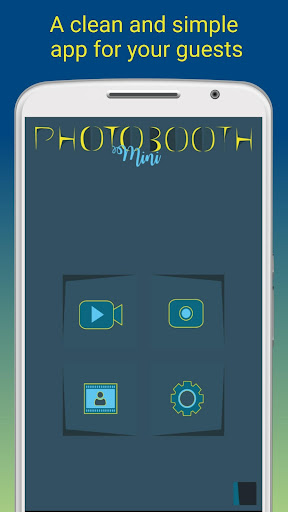






About this app
Developer Description
Photobooth mini app will allow you to add more fun to your parties
Some details :
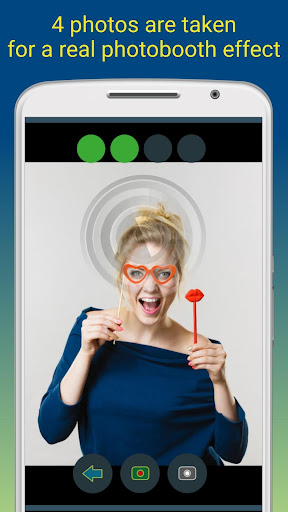
- Full screen preview adapted to the distance of the face in a real cabin (if you zoom with the volume buttons: the chosen distance is kept)
- Timer
- Taking 4 pictures (sometimes 5 for more fun)
- Drying photos with a nice blowing sound
- Video Message
The application is designed to be used during a party with your friends:
- It always remains active
- It is within the reach of all
- The application can work for days (and even longer), saving as many photos as you want.
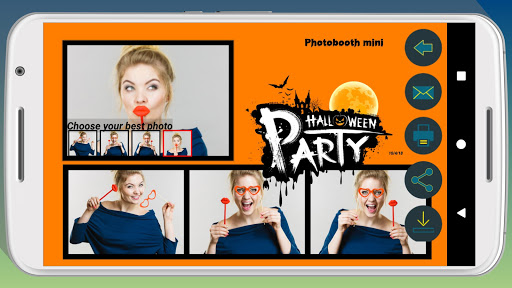
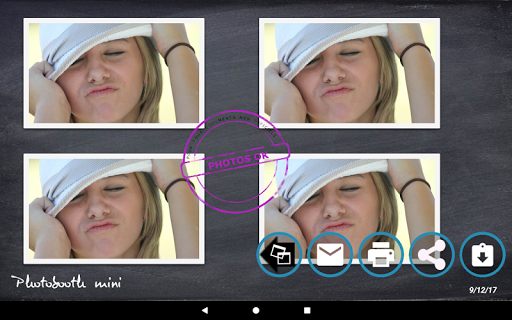
- Your friends can print, share and email photos directly from the app.
- To fix the memories, you can add a line of text, as well as the date
- The application is very widely configurable (replacement of the background images to adapt it to your cabin, configuration of the timer, ...)
- If your guests want to email their photos and you do not have an internet network at your event place: do not worry, the application keeps track of all your guests' e-mail requests, It finds the network: it sends all your emails.
For customization, this video explain how you can do:
https://youtu.be/yxqnVIcJTCk
If you want to create your photo booth, please note that Photobooth mini is compatible with the photo booth described here:
https://drive.google.com/open?id=17LdR5OCbwz5e5LONtJVxVl8l5aWy0WBj
Do not hesitate to contact me to send me your ideas of improvements, I answer everybody! Thank you.
http://fb.me/photobothmini
mohamed.toure.obs@gmail.com
What's New
- Added "multi-photomontage event" mode to manage multiple sessions.
- Improved the photomontage editing screen for a smoother experience.
- Added photomontage sharing via QR code for quick and easy sharing.
Version Information
- Version
- 417
- Downloads
- 100K+
- Updated on
- Jan 5, 2026
- Released
- Dec 8, 2016
- Requires
- Android 7.0
Statistics
Google Play Rating History
Rating Distribution
Downloads Over Time
Photobooth mini has been downloaded times. Over the past 30 days, it averaged downloads per day.
Shaded area shows 30-day prediction based on historical trends
Historical data collection started recently. More data points will be available over time.
Photobooth mini users say on Google Play
 J Nieh
Just like a photobooth u have for events. It has a timer. Takes 4 pictures. I used it for my wedding and it shows our names and dates on the bottom. The decorating functions are limited. But it was just enough for my simple weddind design. My favorite part was that u can change the backgrounds for the beginning/start page and the "drying" page. We used our engagement photos so it was really cute. I also love how u can share the pics via email very easily
 Quincy Chau
Hello. This app has a nice and simple interface, and allows great customization options. I have connected my canon dslr to my tablet with the app and it takes pics well. However, the screen is blank on the tablet or black (I do not see myself) and it only shows the countdown. It is slower to take pics and process, than the tablet alone. Additionally, the photobooth strips are not saving, only the individual photos taken. Any suggestions? Thanks.
 Ed Altounian
So close to being ready for pro use. Here's the biggest issue I see. Using Samsung quickshare I can generate a QR code which works out perfectly with one problem... When quickshare pulls up the screen for QR code sharing it gives you far too many options which would be way too confusing for guests. I wish there was something that would just simply pop up a QR code and give you a button that says done so you can close the screen without hitting the back button. That would make it 5 stars.
 Joshua Castro, LPC
Just downloaded and tried it with default settings. My photos keep coming out black and white. Looked all through photo and video settings. Can't figure out how to correct this.
 Louise
Downloaded this app due to the great reviews but it keeps crashing on my s23. Its a new phone and this is the only app its happening on. The app opens and itll take the first photo them after counting down to the next photo just freezes and crashes. Apologies im unsure how to leave direct replies but in response to Medtoure - yes ive now changed the save location twice and its the same issue. Its a shame as if it worked better on the s23 id have purchased the paid version :(
ApkTrusted Ratings & Reviews
More from medtoure
See more apps

Similar Apps

Banano Pro İmage Generator
Paid

Wuta Camera - Nice Shot Always
Free

Style DNA: Fashion AI Stylist
Free

PixaGen: Ai image generator
Paid

SODA - Natural Beauty Camera
Free

Pronti - Outfit Maker
Free

SelfieCity
Free

Apowersoft Background Eraser
Free

PicWish: AI Photo Editor
Free

PicMonkey Photo Editor
Free

celebrate: share photo & video
Free

Photobook: Photo Books & Gifts
Free

Foodie - Filter & Film Camera
Free

Oji: AI Avatar Photo Generator
Free

Candy Camera AI – Find myself
Free

Magic Polish Lab: Photo Editor
Paid
Scan this QR code to download

Forwarding you to the page at Google Play market in seconds...
Open Google Play market now