Learn colors with Hue lights vVARY
Wienelware


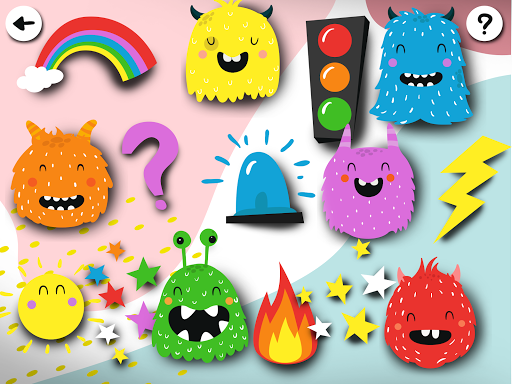


About this app
Developer Description
Fun and educational color games for children with Philips Hue lights
PLAY WITH PHILIPS HUE LIGHTS
The Hue Kids Games collection includes several colorful mini-games for young children and toddlers:
- Let your kids train their memory and attention in a classic ‘Simon says’-like game. Watch, remember and repeat an increasing sequence of colors, presented by your Hue light.
- In a tapping game, monsters need to be clicked, matching the color of the Hue lights. Be aware that these monsters move and that your Hue lights can change the selected color unexpectedly!
- The color matching memory games help children to train their memory skills and recognise colors. The memory game can be played with colorful pictures or with words in different languages. During the game, memory cards with the same color as the Hue lights have to be found.
- Have fun with light and sound effects. Tap the pictures to control the color of your Hue lights and enjoy spooky or beautiful light and sound effects at home.
WHAT DO YOU NEED?
Add an extra dimension to the games by connecting your Philips Hue lights to the app. For this, it is required to have a Philips Hue bridge and at least one color light connected to this bridge. Note that the games can also be played without any lights. It is not possible to connect dimmable on/off lights with the app, since all games are based on color.
HOW TO SETUP YOUR HUE LIGHTS
A simple three-step onboarding procedure will help you to connect your Philips Hue lights to the game:
- Step 1 - First, your Hue bridge has to be found. You need to make sure your Hue bridge is on the same WiFi network as the phone/device you’ll use this app.
- Step 2 - As soon as your Philips Hue bridge is detected, you need to connect it to the app by pressing the big push button on the Hue bridge.
- Step 3 - In this last step the app will come up with a list of all your Hue lights. You can select up to three lights you want to include in the games.
The app does NOT contain ads or in-app-purchases.
Version Information
- Version
- -
- Downloads
- 50+
- Updated on
- -
- Released
- Dec 23, 2019
- Requires
- Android Varies with device
Statistics
Google Play Rating History
Rating Distribution
Downloads Over Time
Learn colors with Hue lights has been downloaded times. Over the past 30 days, it averaged downloads per day.
Shaded area shows 30-day prediction based on historical trends
Historical data collection started recently. More data points will be available over time.
ApkTrusted Ratings & Reviews
More from Wienelware
See more apps
First Words for Baby & Toddler
Free

Potty Training App for Kids
Free

Calligraphy - Cursive Practice
Free

Learn How to Draw Tutorials
Free

Peekaboo barn - Baby book game
Free

Cursive Handwriting Practice
Free
Search ARound game: item hunt
Free
Do Not Blink - Staring Contest
Free
Brain games with Hue lights
Free

Looping Puzzle Game
Free

Easy puzzle games for toddlers
Free

Hue Music Disco Lights Party
Free

Try not to laugh - The challen
Free

World atlas - Learn fun facts
Free
Scan this QR code to download

Forwarding you to the page at Google Play market in seconds...
Open Google Play market now