
Glink vVARY
Gallagher & Robertson












About this app
Developer Description
Terminal emulator for Android mobile computers, tablets, phones & Chrome devices
Glink brings you a high quality and proven emulator for your Android Tablets and Smartphone devices.
Glink supports GlinkProxy, a server application designed to provide persistent host connections for Glink clients where the connection from the client device is unreliable. This may be because the device enters sleep mode or goes out of Wi-Fi range.
FEATURES
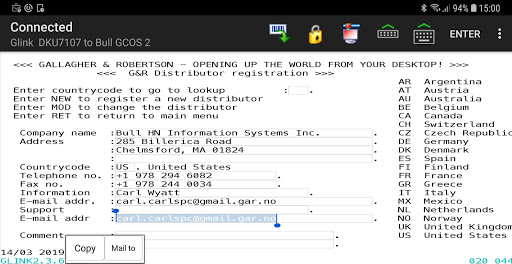
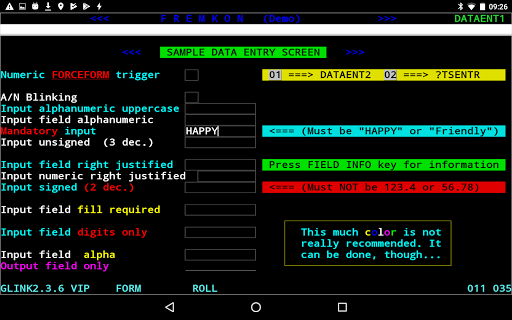
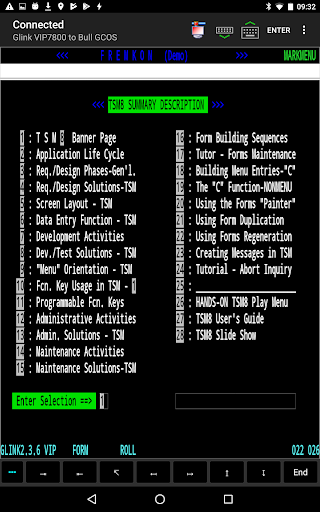
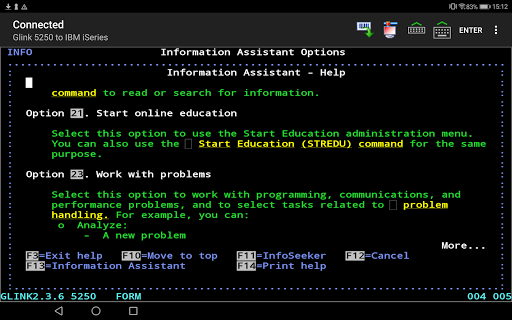
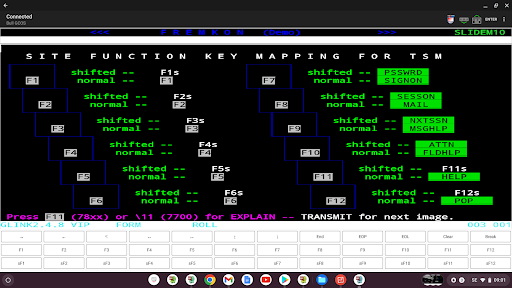
- IBM3270, IBM5250, Bull DKU7107, Bull VIP7800, Bull VIP7700, Bull DKU7102, VT420, VT320/340, VT220, VT102, ANSI 3.64 terminal emulation, all screen sizes
- TN3270, TN5250, TNVIP, Telnet and Ggate communication to host
- SSL/TLS support for secure communication
- SSH for direct communication with the SSH Daemon
- SSH tunneling for Telnet protocol
- Multiple concurrent host sessions
- Program texts in English, German, French, Portuguese and Norwegian
- Configurable multiline toolbar with function keys and macros
- Configurable mapping of physical buttons and external keyboard buttons
- Switch toolbar display on/off with action bar icon
- Configurable hotspots for function keys, option numbers and URLs
- Configurable line spacing for improved readability and to make it easier to hit hotspots
- Macro recording for auto-login and for assignment to toolbar
- Pop-up standard keyboard with support of international characters
- Tab/shift-Tab and arrow-keys supported on external Bluetooth keyboard
- Colors can be customized
- Supports GlinkProxy Session Persistence Server
- Multiple host configurations supported
- Export and import of configurations
- Supports Managed App Configuration, which allows users to configure Glink remotely through Mobile Device Management
- Optional password protected configurations
- Optional auto-connect and auto-login at startup
- Optional use of double-tap as Enter/Transmit
- IBM5250 emulation supports Double Byte Character Sets (DBCS) like Chinese, Japanese and Korean
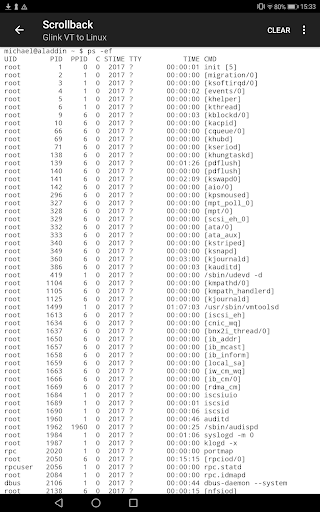
- Configurable scroll-back buffer contains history of your host session
- Print or e-mail host print data
- Print or e-mail terminal emulation content or scroll-back buffer content
- Print on Bluetooth printer, LPD/LPR printer or to Android print service
- Zoom and scroll
- Blinking attribute supported
- Blinking cursor supported
- Tap and hold to open http:// or https:// URL in internal or external browser
- Tap and hold to open Mail with e-mail address on screen
- Barcode scanning with built-in camera supported
- Zebra mobile computers and barcode scanner supported with DataWedge interface
- Honeywell mobile computers and barcode scanner supported with Data Intent interface
- Datalogic mobile computers and barcode scanner supported with Data Intent interface
- Denso mobile computers with barcode scanner supported with Scan Settings interface
- AML mobile computers with barcode scanner supported with Data Intent interface
- M3 mobile computers with barcode scanner supported with Data Intent interface
- Point Mobile mobile computers with barcode scanner supported with Data Intent interface
- Urovo mobile computers with barcode scanner supported with Data Intent interface
- Cipherlab mobile computers with barcode scanner supported with Scanner settings Data Intent interface
- Unitech mobile computers with barcode scanner supported with Scanner settings Data Intent interface
- Seuic mobile computers with barcode scanner supported with Data Intent interface
- Panasonic mobile computers with barcode scanner supported
- Socket Mobile barcode scanners connected in SPP mode (Serial Port Profile)
- Other Bluetooth barcode scanners like Opticon devices connected as external keyboard (HID mode)
- Chromebook and other Chrome OS devices supported
Version Information
- Version
- -
- Downloads
- 50+
- Updated on
- -
- Released
- May 30, 2014
- Requires
- Android Varies with device
Statistics
Google Play Rating History
Rating Distribution
Downloads Over Time
Glink has been downloaded times. Over the past 30 days, it averaged downloads per day.
Shaded area shows 30-day prediction based on historical trends
Historical data collection started recently. More data points will be available over time.
Glink - Google Play Rankings
Top Rankings
| Rank | Country | Category | List | Change |
|---|---|---|---|---|
| — |
Ranking History in
No ranking data available yet. Rankings are updated daily.
#68 in Top Grossing Business in Philippines


ApkTrusted Ratings & Reviews
More from Gallagher & Robertson
See more apps



Scan this QR code to download

Forwarding you to the page at Google Play market in seconds...
Open Google Play market now