
VeloToken vVARY
VeloBank S.A.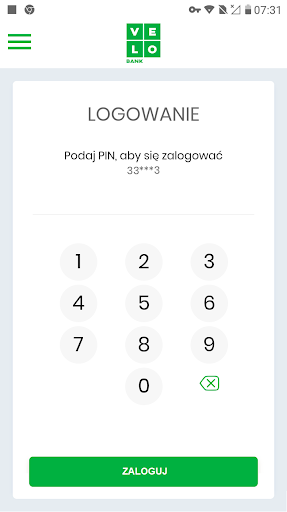


About this app
Developer Description
VeloToken is a mobile authorization for VeloBank S.A. customers.
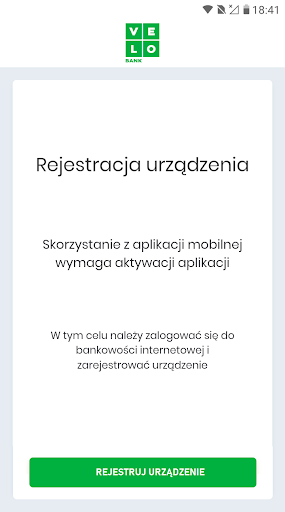
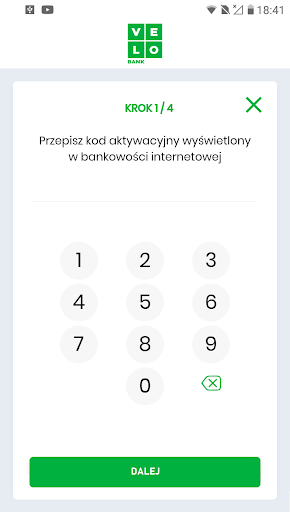
The first use of VeloToken requires you to register your mobile device when logging in to VeloBiznes electronic banking. When you enter your ID and log in with VeloToken, you will receive an SMS code, which you enter in the SMS code/password field. In the next step, you will set your own password. We will also ask you to enter the name of the device you are using. You perform further pairing steps on your mobile device in the VeloToken application. Enter the activation code on your mobile device, which we present on the computer screen, and confirm it with the SMS code you received on your phone. Finally, enter your own PIN, which will be used to log in to the VeloToken application and to authorize instructions from VeloBiznes banking.
During the next login to VeloBiznes banking, enter your login and password and accept the login in the VeloToken mobile application with the PIN code. The PUSH message will notify you about logging in and accepting the instruction.
You can secure the launch of the VeloToken mobile application with one of the selected methods: PIN code, fingerprint or face recognition. Logging in using a fingerprint or facial recognition is possible if your device has such functionality.
The VeloToken application requires an Internet connection.
The application is available for versions: Android 6.0 and higher and iOS 9.0 and higher.
Requires min. 25 MB free disk space.
Version Information
- Version
- -
- Downloads
- 5K+
- Updated on
- -
- Released
- Sep 1, 2021
- Requires
- Android Varies with device
Statistics
Google Play Rating History
Rating Distribution
Downloads Over Time
VeloToken has been downloaded times. Over the past 30 days, it averaged downloads per day.
Shaded area shows 30-day prediction based on historical trends
Historical data collection started recently. More data points will be available over time.
ApkTrusted Ratings & Reviews
More from VeloBank S.A.
See more apps
Scan this QR code to download

Forwarding you to the page at Google Play market in seconds...
Open Google Play market now