
VRTV VR Video Player v3.6.1
Chai Software

About this app
Developer Description
VRTV is a VR Video Player with full format support and a great UI!
VTRV VR Video Player has great support for all common 3D/2D formats and modes including 180, 220, 270 and 360 panoramas and fisheye objective projection.
VRTV VR Video Player features:
- Synchronization feature! Enjoy watching a movie together with another Cardboard friend!
- Subtitles in SRT format, with full support for RTL languages, Unicode characters and automatic encoding detection.
- Configurable subtitle size.
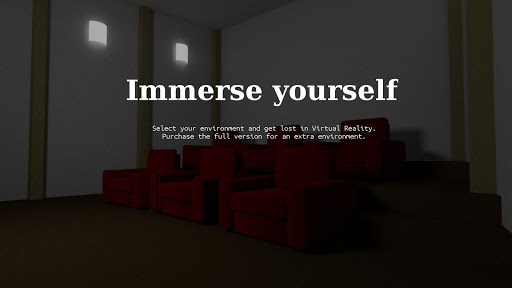
- Immersive virtual environments. Watch in your own home theater, or in a crafty cave.
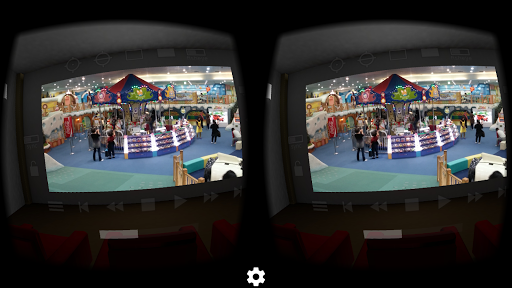
- Player controls in a great VR UI.
- Next/Previous media buttons to switch between videos.
- Fully configurable gamepad and keyboard controls.
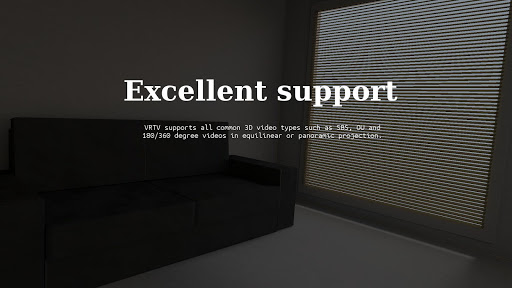
- Supports 3D and 2D movies in a variety of formats: Side by side (SBS), Over and Under (OU, Top and Bottom), Panoramic video in 180 (Dome), 220, 270 and 360 degrees. Also supports fisheye projection videos.
- Simple material design.
- Uses the latest Cardboard SDK with less drift.
- Headset configuration from within the app. Supports several different head trackers, find the one that works best with your phone and eliminate drift.
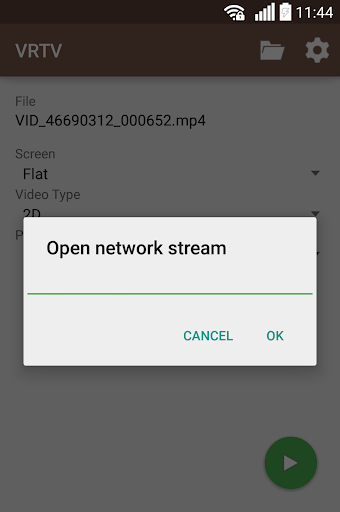
- Streaming files over a network. Open a stream from VRTV or use your favourite browser of file explorer to open streams in VRTV VR Video Player.
- Static video mode. For long movies, lock the video in place right in front of you.
VR Button guide:
- Below screen: Open file browser and Play controls
- Left of screen: Subtitle on/off, text size, Sync on/off and Screen lock. Read more about Sync below!
- Top of screen: Re-center with timer, SDK re-center (keep horizon level), Screen-type switch, Video type switch (2D/3D Side By Side, 3D Over/Under), and fisheye projection toggle.
- Right of screen: Screen size and volume
Synchronization instructions:
- Synchronization is a feature that keeps a movie in sync between two devices. To enable sync, first set up the IP of the device you wish to sync with in Settings/General, where you can also find the IP of your own device. Do this on both phones so they have each others IP configured.
- Select a video to play. If it's a local video it must be present on both devices.
- In the VR UI, click the "sync" button on both devices to enable synchronization.
- On one of the devices, start the video by pressing the play button. After a small delay, the movie will start playing synchronized on both devices.
Seeking and network play is supported!
Feature suggestions and bug reports are always welcome!
Permission usage:
NFC, WRITE_EXTERNAL_STORAGE : Used by the Cardboard SDK to set up and save your headset configuration.
ACCESS_WIFI_STATE: Used for finding the IP of your device and displaying it in the Sync settings, to help set up synchronized play with another device.
INTERNET, READ_EXTERNAL_STORAGE: Required for accessing media on the device and for streaming.
Note: The VIBRATE permission is not used and will be removed in the next release.
What's New
Version Information
- Version
- 3.6.1
- Downloads
- 10K+
- Updated on
- Oct 31, 2024
- Released
- Mar 31, 2015
- Requires
- Android 4.4
Statistics
Google Play Rating History
Rating Distribution
Downloads Over Time
VRTV VR Video Player has been downloaded times. Over the past 30 days, it averaged downloads per day.
Shaded area shows 30-day prediction based on historical trends
Historical data collection started recently. More data points will be available over time.
VRTV VR Video Player - Google Play Rankings
Top Rankings
| Rank | Country | Category | List | Change |
|---|---|---|---|---|
| — |
Ranking History in
No ranking data available yet. Rankings are updated daily.
#15 in Top Paid Video Players in Brazil

#16 in Top Paid Video Players in Germany


#29 in Top Paid Video Players in Poland


#30 in Top Paid Video Players in Thailand
VRTV VR Video Player users say on Google Play
 Thomas Ansley
Best VR player around I use it a ton, but recently I have some new videos that don't make sound in the player but make sound when I view in photos or other apps
 A Google user
*** UPDATE *** Windows 10 Media sharing is total trash. I now use Kodi, and have 100% success rate viewing files. A couple issues still prevent a 5/5 rating though: 1) The app forgets what folder / file I'm on, so clicking "Next button" (occasionally, not usually) doesn't work and I have to exit, re-pick my data source, and locate my folder again. Pretty minor, but still. 2) When streaming RTP, in 2D mode it receives my stream perfectly (I'm streaming a desktop which is a SBS VR image from either Insta360 Evo player or from Premiere Pro). I once had it working in 3D mode, totally randomly but it seems very buggy. *** END UPDATE, rest is old review*** Provisional 3-star rating because: 1) the actual player is great with a very basic VR setup (gaze controls). 2) I've been able to access Windows shared files BUT 3) What hasn't worked yet is accessing Windows 10 files shared through Media Streaming. I get all the folders listed, but no files appear. Has anyone achieved this, ever? If I can get that working, then I will happily change my vote to 5-stars.
A Google user
This is a flexible app that allows repositioning of camera for watching movies and screen locking. Opportunities for improvement: 1. It seems animated GIFs are not supported at least on Android 10. 2. From a usability perspective, when selecting screen, video type, and projection type before watching a video, it would be half the phone presses if all options were available on buttons instead of having to first press to open each dropdown menu.
A Google user
I had been using the free version, and decided to "upgrade." While the lack of ads is nice, the almost constant crashing with certain videos is beyond aggravating. I notice there hasnt been an updaye in some time. PLEASE release a stability fix as this is currently the most crash prone media app Ive ever used (and Im including the windows 3.1 and 95 days in that roundup)
A Google user
Used to be the best vr theater app available but it's been self exiting play back within a few minutes of starting a new video for months now which renders it completely useless. I've had to go back to using other apps which is a pity since this was a better choice before it bugged out. It has been months but I'll keep it on my phone and hope for an update somewhere down the line since I paid for it...
ApkTrusted Ratings & Reviews
More from Chai Software
See more apps
Similar Apps

Video Recorder
Paid

Smart Video Downloader
Paid

VUZ: Live 360 VR Videos
Free

HQ Video Player & Casting
Paid

Qello Concerts
Free

IPTV Player: Watch 8K Live Tv
Paid

Video downloader: Vid Play
Paid

Dr. Dish Player
Free

Video Downloader Stream Saver
Paid

Video Converter Pro
Paid

LAVA+
Free

Music Worx: EDM for DJs & Fans
Free

PodBot - podcast player
Paid

Chaos Audio
Free

Focus Video - Video Compressor
Free

Victra
Free
Scan this QR code to download

Forwarding you to the page at Google Play market in seconds...
Open Google Play market now