RealCalc Scientific Calculator vVARY
Quartic Software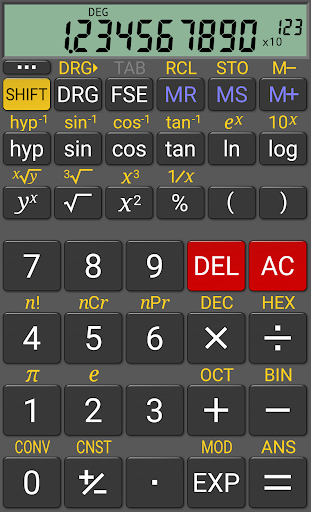



About this app
Developer Description
Scientific calculator for Android - looks and operates like the real thing!
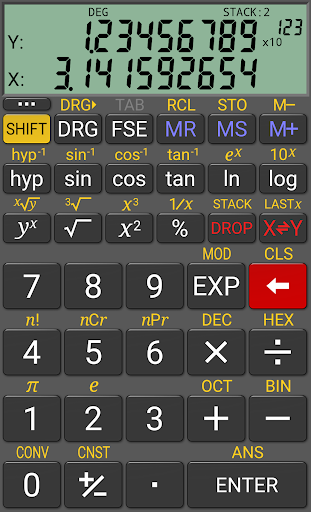
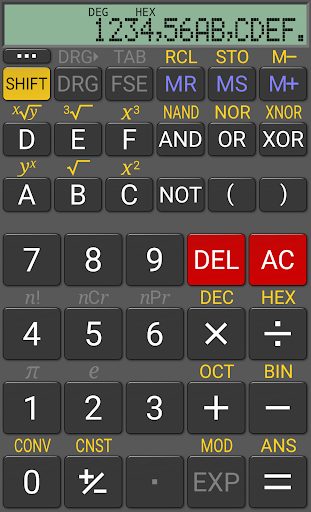
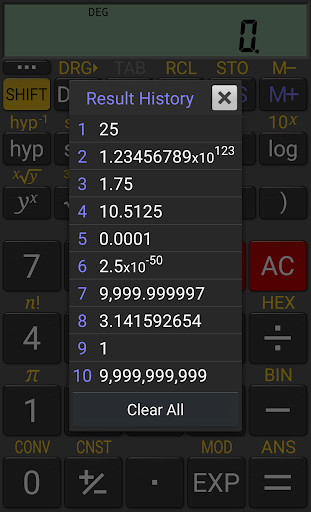
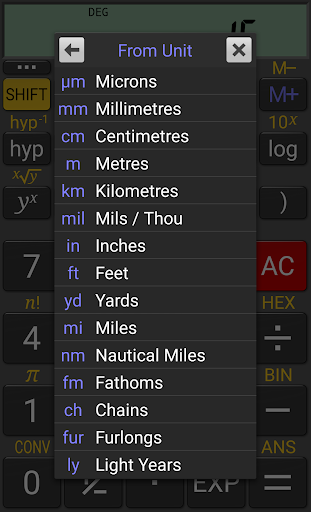
RealCalc is designed to look and operate exactly like a real hand-held calculator. It has all the standard scientific functions plus history, memories, unit conversions and constants. You can choose from a number of display styles and formats. It also supports binary, octal and hexadecimal calculations and has an optional RPN mode. RealCalc is easy to use, but has full help included in the app.
If you like RealCalc, the pro version RealCalc Plus has lots of extra features including fractions, degrees/minutes/seconds, customizable conversions and constants, landscape mode, a home-screen widget, a 12-digit display and greater internal precision. Purchasing RealCalc Plus will also help to support further development. Just search for RealCalc Plus or follow the upgrade link in the app.
RealCalc Scientific Calculator includes the following features:
* Traditional algebraic or RPN operation
* Unit conversions
* Physical constants table
* Percentages
* Result history
* 10 memories
* Binary, octal, and hexadecimal (can be enabled in Settings)
* Trig functions in degrees, radians or grads
* Scientific, engineering and fixed-point display modes
* 7-segment, dot-matrix or standard font display
* Configurable digit grouping and decimal point
* External keyboard support
* Full built-in help
RealCalc Plus contains all these features, plus:
* Fraction calculations and conversion to/from decimal
* Degrees/minutes/seconds calculations and conversion
* Landscape mode
* Homescreen widget (now with RPN support)
* 12-digit display
* Extended internal precision (32-digit)
* User-customizable unit conversions and constants
* New RPN styles (buffered-entry, XYZT rolling stack)
* Multi-window support with drag & drop.
What's New
Version Information
- Version
- -
- Downloads
- 10M+
- Updated on
- Aug 22, 2025
- Released
- Jan 16, 2026
- Requires
- Android Varies with device
Statistics
Google Play Rating History
Rating Distribution
Downloads Over Time
RealCalc Scientific Calculator has been downloaded times. Over the past 30 days, it averaged downloads per day.
Shaded area shows 30-day prediction based on historical trends
Historical data collection started recently. More data points will be available over time.
RealCalc Scientific Calculator users say on Google Play
 Jason Williams
Have had this app for YEARS. Better than any stock calculator, easier to use and about to buy the pro version as well.
 Csaba Edvi
The app is quite good, my only problem with it is that it does not work in landscape mode on my tablet.
 Amstar Rocks
*Edit* I see that it is now 7 years but my request, which should have been a basic feature to begin with in this otherwise amazing app, has not been implemented yet. (Prev review 18/Feb/2018) Will you please include the feature to SHOW STEPS in the calculation? Using it one can re-check if all the numbers in a calculation were entered correctly. This simple feature is available in the most basic of calculators.
 Борислав Николов
Where are DEC, HEX, OCT and BIN buttons gone? I've got them on another phone highlighted in yellow, the version is the same. Your screenshots show the presence of these buttons, too. What is your explanation, please? Thank you.
 BlueCat
The setting to turn key feedback off, does not work.
ApkTrusted Ratings & Reviews
More from Quartic Software
See more apps
Scan this QR code to download

Forwarding you to the page at Google Play market in seconds...
Open Google Play market now