SpeedVPN Secure VPN Proxy v1.8.5
GoSpeed Software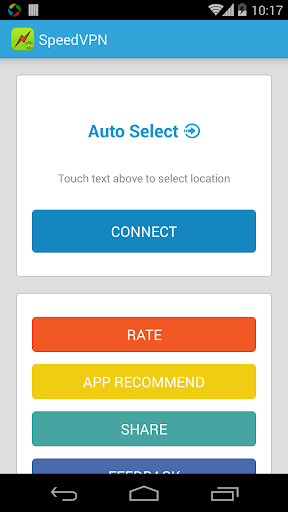

About this app
SpeedVPN Secure VPN Proxy solves the problem of secure and private internet browsing by providing a one-click connection to a VPN service, benefiting individuals who frequently use public Wi-Fi networks or need to access geo-restricted content. Compared to alternatives in the Productivity category, SpeedVPN stands out with its high user rating and large download numbers, indicating a well-received and reliable service. However, its lack of permissions requests is unusual and may raise questions about its functionality and data collection. Overall, SpeedVPN's simplicity and effectiveness make it a strong contender in the VPN market.
Pros
- With over 10 million downloads and a 4.5-star rating, SpeedVPN has demonstrated its reliability and effectiveness in providing secure and private internet browsing.
- The app's simple one-click connection feature makes it accessible to users of all technical skill levels, allowing anyone to easily protect their online activity.
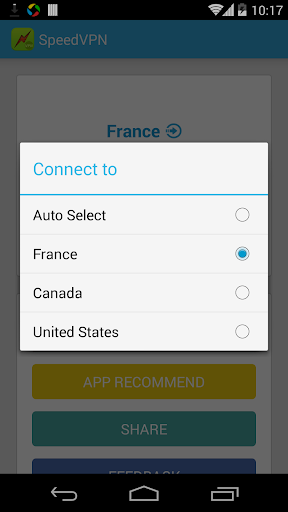
- SpeedVPN's multi-location selection feature allows users to choose the best server for their needs, providing flexibility and customization options.
- The developer's reputation and frequent updates suggest a commitment to maintaining and improving the app's performance and security.
- The app's offline capability and lack of permissions requests are notable advantages, suggesting a focus on user privacy and security.
Cons
- The app's monetization model, which includes ads and in-app purchases, may be aggressive and intrusive, potentially disrupting the user experience.
- The lack of permissions requests may be a concern, as it is unclear what data the app may be collecting or how it is being used.
- Some users may find the app's feature set limited compared to other VPN services, which may offer more advanced features and customization options.
- The app's compatibility with certain devices or networks may be limited, potentially causing connectivity issues or other problems.
Best for: The ideal user for SpeedVPN is an individual who frequently uses public Wi-Fi networks or needs to access geo-restricted content, and values simplicity and ease of use in a VPN service, such as travelers, remote workers, or streaming media enthusiasts, who require a reliable and secure connection to protect their online activity.
Developer Description
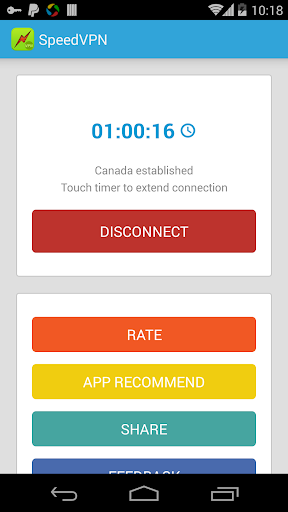
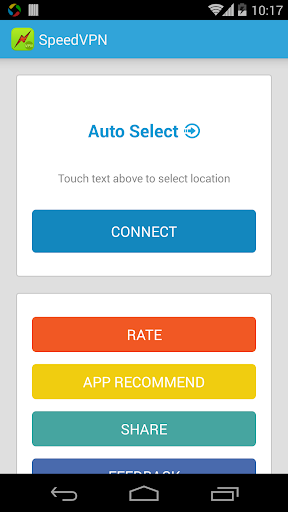
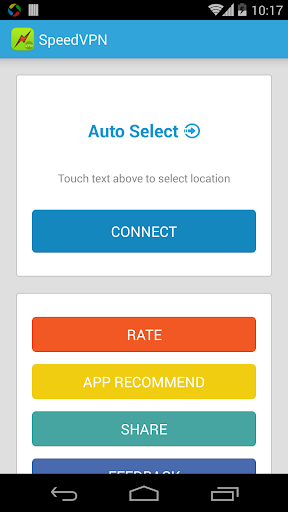
SpeedVPN, Secure VPN proxy. One click to connect, multi locations to select
One click to connect, multi locations to select.
Unlimited free time and premium bandwidth.
• One-click to connecting VPN
• Unblock geographically restricted websites
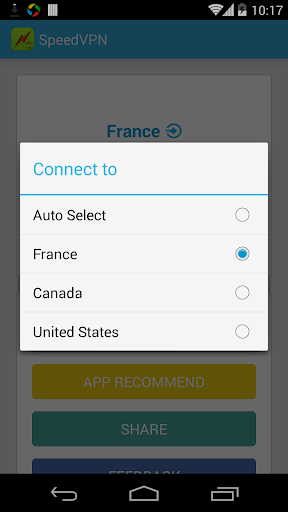
• Multi locations to connect including France, Canada and United States
• Speeds up your network browsing
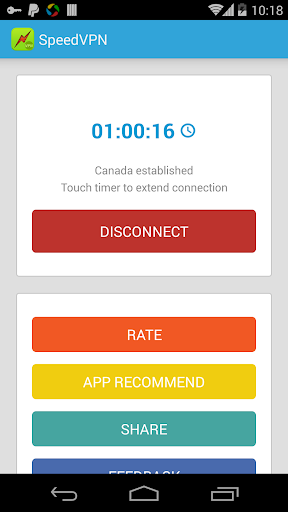
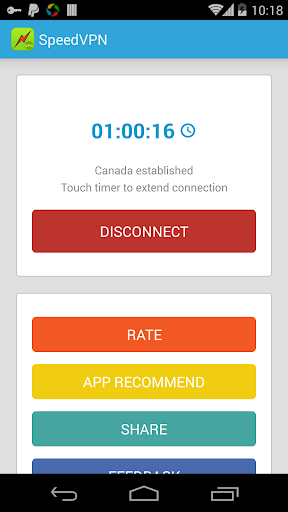
• Get 240 minutes free time for each connection, connect as many times as you like
• Protect your privacy, prevent tracking
• No registration required, no settings required
• No system root required
• Reliable servers and premium traffic
Privacy
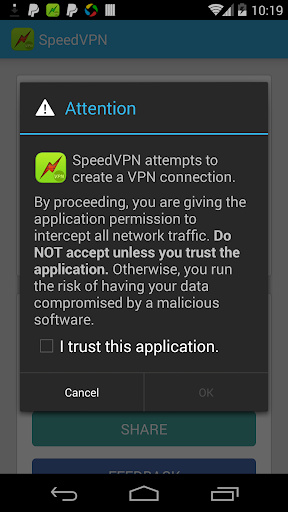
Given the app's lack of permissions requests, users should be cautious about what data may be collected and how it is being used. To minimize potential risks, users should review the app's terms of service and privacy policy carefully, and consider using a secondary account or login method to protect their personal information. Additionally, users should be aware of the potential risks of using a VPN service, including the possibility of data collection and logging.
Tips
To get the most out of SpeedVPN, users should first review the app's settings and options to ensure they are using the service effectively. Users can also optimize their experience by selecting the best server location for their needs and adjusting their connection settings accordingly. Additionally, users can minimize data usage by connecting to the VPN service only when necessary, such as when using public Wi-Fi networks.
What's New
Fix some crash bugs
In-app purchases
$2.99 - $59.99 per item
Version Information
- Version
- 1.8.5
- Downloads
- 10M+
- Updated on
- Dec 23, 2025
- Released
- Jun 24, 2014
- Requires
- Android 6.0
Statistics
Google Play Rating History
Rating Distribution
Downloads Over Time
SpeedVPN Secure VPN Proxy has been downloaded times. Over the past 30 days, it averaged downloads per day.
Shaded area shows 30-day prediction based on historical trends
Historical data collection started recently. More data points will be available over time.
SpeedVPN Secure VPN Proxy - Google Play Rankings
Top Rankings
| Rank | Country | Category | List | Change |
|---|---|---|---|---|
| — |
Ranking History in
No ranking data available yet. Rankings are updated daily.
#27 in Top Free Productivity in Saudi Arabia

SpeedVPN Secure VPN Proxy users say on Google Play
 Ahmad Abbas
After update not working
 Salma Akter
this vpn so good☺️
 AMZAD HUSAIN
good
 amjad yousafzai
disconnecting issue every time please repair now
ApkTrusted Ratings & Reviews
Similar Apps

Turbo VPN - Secure VPN Proxy
Free

Hotspot Shield: Fast VPN Proxy
Free

Ultra VPN — Super Secure Proxy
Free

Super Browser: Fast & Private
Free

HMA VPN Proxy & WiFi Security
Free

Secure VPN-Safer Internet
Free

VPN Master
Free

VeePN - Secure VPN & Antivirus
Free

VPN PotatoVPN - WiFi Proxy
Free

Octohide VPN - Fast & Secure
Free

VPN - Super Unlimited Proxy
Free

Aloha Browser Lite - Fast VPN
Free

Thunder VPN - Fast, Safe VPN
Free

Psiphon VPN: Freedom Online
Free

Fiery Browser - Fast & Private
Free

Opera browser beta with AI
Free
Scan this QR code to download

Forwarding you to the page at Google Play market in seconds...
Open Google Play market now