Satellite Locator v0.7.5
Zekitez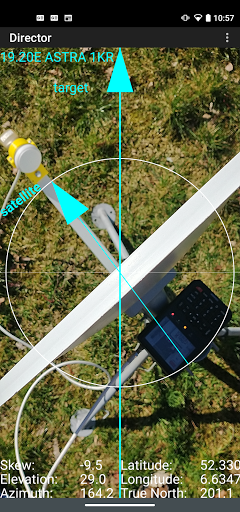




About this app
Developer Description
Finding a TV satellite, in azimuth, is difficult. Satellite Locator helps.
WARNING: when you are close to or in between walls, roofs, sheds, trees, houses, flats or close to metal the phone's GPS location can be totally wrong which will result in a faulty satellite position !! Your satellite dish and target should be preferably in an 'open space'.
How does it work ? In 3 steps or screens:
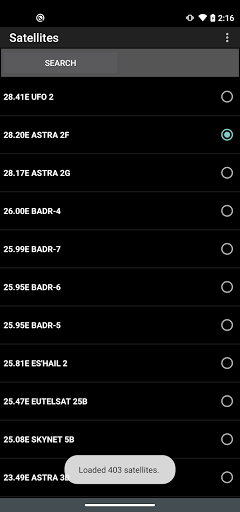
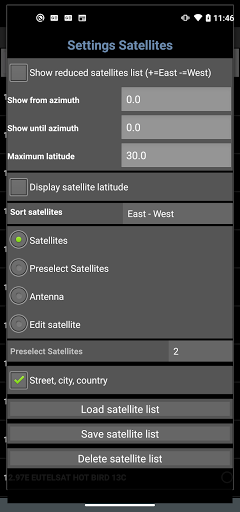
1- Select the desired TV satellite
2- The GPS location of the satellite dish and the GPS location of a target (or reference point) is needed. The target can be the GPS location of a house, tree, plant, etc. Just enable the GPS in your phone or enter the GPS locations with the help of Google Earth/Maps (satellite dish position and a visible target position).
To indicate how stable or good the values are they get a color. RED = not good or not stable, YELLOW = better but not good, GREEN = good or stable, CYAN = don't know. To receive good GPS signals you should be in the 'open'. GPS signals can be blocked by buildings, trees, etc and that will result in false GPS locations with an error of several meters while the accuracy is good.
3- Set the dish elevation and skew to the calculated values, see screen 3. The satellite pole must be upright. With the GPS locations set, hold the phone steady above the satellite dish and aim the central arrow named 'target' at the target. Then aim the satellite arm to the arrow named 'satellite'. The success of finding the satellite depends on the accuracy of the phone's GPS and how steady your hands are. KEEP THE PHONE AIMED STEADY AT THE TARGET !!!
Check my instruction movie on
www.youtube.com (https://youtu.be/o7t9cTVfr1A) or
at http://home.caiway.nl/~fnijhuis/satloc/index.html .
When your phone crashes: stop running app's like: Facebook, Twitter, Whatsapp, Badoo, etc. Free up memory of the phone by removing apps you do not use, remove photos and music.
The satellite positions are derived from Agi's database.
Some positions may seem not accurate (example: Hispasat 30°w is at 29.96°w in the satellite list) but they are very accurate.
If you have any questions, requests or problems PLEASE write an email.
This app is add-free !
Help me to continue the work on this app and watch some of my videos on Youtube. The advertising in the videos provides some required money (hours of work, phones to test on, satellite equipment, etc.).
All language translations by Google Translator.
What's New
Layout issue with privacy policy dialog and use your location dialog.
Version Information
- Version
- 0.7.5
- Downloads
- 1M+
- Updated on
- Aug 16, 2025
- Released
- Jul 9, 2016
- Requires
- Android 5.0
Statistics
Google Play Rating History
Rating Distribution
Downloads Over Time
Satellite Locator has been downloaded times. Over the past 30 days, it averaged downloads per day.
Shaded area shows 30-day prediction based on historical trends
Historical data collection started recently. More data points will be available over time.
Satellite Locator users say on Google Play
 Quintas Rohana Wijekoon
This is a great application. It helps me a lot in finding the direction of satellite locations. Thanks for all who are behind this great app. Quintas R.Wijekoon. Proprietor of Orbit Satellites.Avissawella. Sri Lanka
 Shaukat Sahotra
Good work This aap
 Krishan Kumar Gautam
Good
 ChitOo Mg
not good.
 Zayan Ahmad Mir
It is not a great app I try to set my dish tv it not work on my phone my name is Galaxy one 7 pro
ApkTrusted Ratings & Reviews
More from Zekitez
See more apps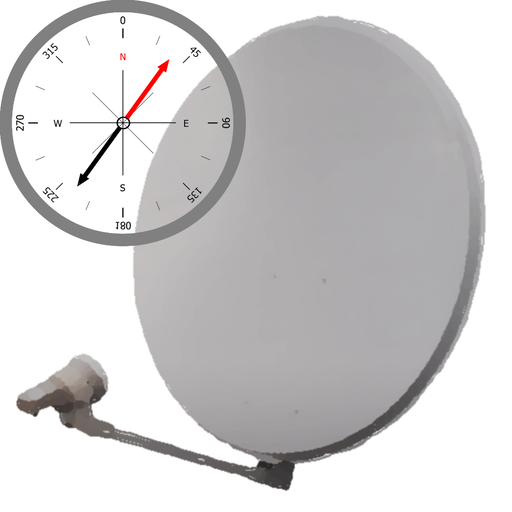


Similar Apps

Earth Map App - Live Cam View
Paid

Yubii Home
Free

Universal Remote for Smart TV
Free

SkySafari 7 Pro
Paid

Mobile Security Camera (FTP)
Free

My Emotional Compass
Paid

Qibla Direction- GPS Compass
Paid

SuperCam Plus
Free

TP-Link VIGI
Free

Satellite Finder: Dish Pointer
Paid

Yatse: Kodi remote and cast
Free

Ajax PRO: Tool For Engineers
Free

Reolink
Free
Opensignal - 5G, 4G Speed Test
Free

Nedis SmartLife
Free

ABAX Admin
Free
Scan this QR code to download

Forwarding you to the page at Google Play market in seconds...
Open Google Play market now