GPS АнтиРадар (радар-детектор) vVARY
AIRBITS & Reactive Phone











About this app
Developer Description
Warns of stationary cameras and traffic police radar on your way.
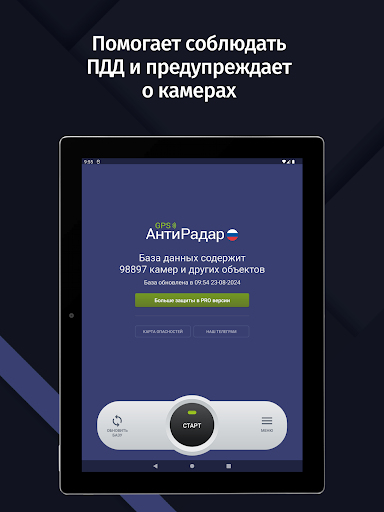
• GPS AntiRadar works as a radar detector and warns you about fixed cameras and traffic police radars along your route.
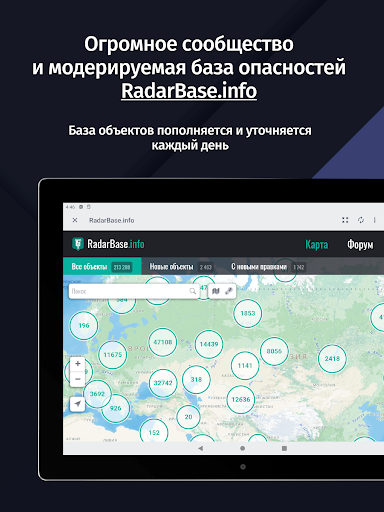
• Uses the latest RadarBase.info database of cameras and hazards.
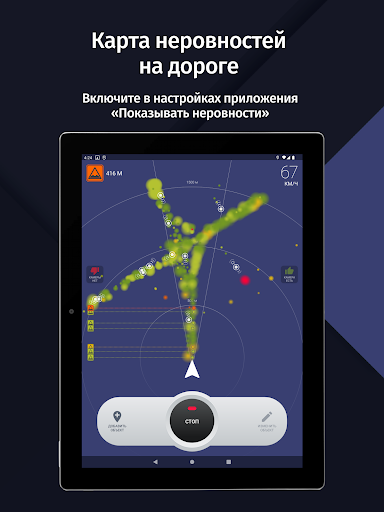
• The hazard database contains cameras, obstacles, speed bumps, dangerous pedestrian crossings, and other objects that require driver attention.
• Convenient, simple, and fully Russified interface.
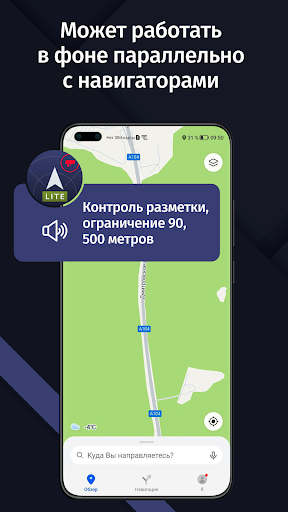
• Runs in the background. You can run Yandex or Google Maps, navigation, or any other programs. The app will notify you in a pleasant female voice when approaching a camera or hazard.
• The database covers all regions of Russia and some CIS countries.
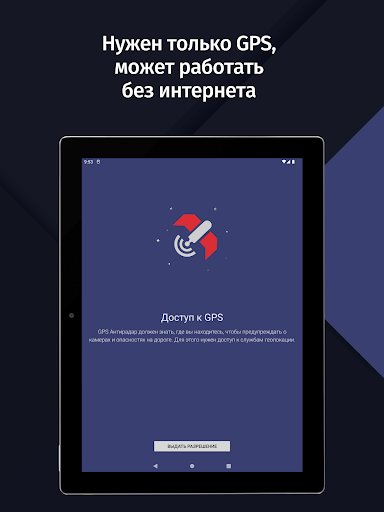
• The app does not require an internet connection. Just update the database before your trip.
• An indispensable assistant on the road and while traveling by car!
If your speed is more than 19 km/h above the speed limit when approaching a camera, the app will play a warning sound. This is important, as the fine for speeding by more than 20 km/h now starts at 500 rubles.
• Map of cameras in our database: https://radarbase.info
• Our Telegram channel: https://t.me/radarbase
• Our forum: https://radarbase.info/forum/sections
Here you can leave your suggestions, comments, information about missing cameras, etc.
The app works using known data on the locations of fixed cameras and traffic police radars (such as Strelka or Start ST) and other objects. The PRO version allows you to add missing cameras manually and synchronize them between users! You don't need to wait for us to add cameras; it's updated easily and conveniently by users themselves!
Attention! GPS AntiRadar is your assistant, but it does not guarantee the absence of fines, as new cameras may not be added to the database immediately. Please obey traffic rules. A real radar detector is certainly more reliable, but this app is free!
---
Frequently Asked Questions:
1. The app can't find a GPS signal. What should I do?
GPS performance depends on many factors, including weather. Many apps, such as navigation apps, use GSM triangulation using cell towers in addition to GPS (we don't use this due to its high error rate).
• Go to an open area. The GPS signal won't be found in an apartment or other enclosed space.
• Make sure the GPS module is enabled. When GPS AntiRadar is enabled, a system notification about GPS operation should appear in the Android event bar.
• Try turning the GPS module off and then back on.
• Try restarting the device.
2. There is no sound notification. What should I do?
• Make sure the volume for all notifications is set to maximum. You can find this setting by following this path: open the standard Android settings -> Sound -> Volume.
• Make sure the "Always Warn" mode is set in GPS AntiRadar. This will allow the sound to play without violating traffic regulations.
• Test the functionality by driving near a camera. As soon as the camera type and speed limit for that camera appear on the screen, a beep should sound.
• When connecting the device to the car stereo via Bluetooth, make sure other apps can play sound notifications.
3. For the app to run in the background on Xiaomi, Huawei, Meizu, and some other devices, you need to configure the device settings. See our instructions:
• Xiaomi: https://radarbase.info/forum/topic/125
• Meizu and ZTE: https://radarbase.info/forum/topic/126
• Huawei and Honor: https://radarbase.info/forum/topic/124
• OPPO: https://radarbase.info/forum/topic/123
• Samsung: https://radarbase.info/forum/topic/128
• General for all devices: https://radarbase.info/forum/topic/122
Version Information
- Version
- -
- Downloads
- 10M+
- Updated on
- -
- Released
- Jan 18, 2026
- Requires
- Android Varies with device
Statistics
Google Play Rating History
Rating Distribution
Downloads Over Time
GPS АнтиРадар (радар-детектор) has been downloaded times. Over the past 30 days, it averaged downloads per day.
Shaded area shows 30-day prediction based on historical trends
Historical data collection started recently. More data points will be available over time.
GPS АнтиРадар (радар-детектор) - Google Play Rankings
Top Rankings
| Rank | Country | Category | List | Change |
|---|---|---|---|---|
| — |
Ranking History in
No ranking data available yet. Rankings are updated daily.
#6 in Top Free Travel And Local in Russia


GPS АнтиРадар (радар-детектор) users say on Google Play
 Abduboriy Ruziboev
One of the most reliable app, catches almost every radar. I would recommend application detected unidentified radars or newly installed radar signals and notified by beeping at least to notify the driver. Thank you
 UZB DANTER
It's good app
 Jasur Ochilov
To zYfngy uimnygu gmzf6 nyfumuuuuumuuninbbnbinn nnunn innu nn nninuu vno n n innn xuuf gu n
 34767 34767
Отличная программа. Оплатил платную версию Pro, перестала программа Pro озвучивать голосом события, решил удалить и заново установить. Установить не возможно, ошибку выдает.
 Петр Шерстков
Шляпа по сравнению со стрелкой. Всплывающие окна предупреждений не работали сразу при установке. То есть чтобы работал антирадар, нужно было постоянно держать окно приложение на экране магнитолы 😵 Может быть конечно это как-то настраивается, но в стрелке это всё работает сразу, прямо "из коробки"
ApkTrusted Ratings & Reviews
More from AIRBITS & Reactive Phone
See more apps


Similar Apps

Yandex Navigator
Free

Yandex Maps and Navigator
Free

Yandex Metro
Free
Karta GPS Offline Maps Nav
Free

Yandex Weather & Rain Radar
Free

Uklon Driver
Free

Yandex Disk – Cloud Storage
Free

Uklon - More Than a Taxi
Free

My Track
Free

Yandex Music, Books & Podcasts
Free

Alif: shop, pay and transfer
Free

Yandex Telemost
Free

Save Location GPS
Free

Yandex Mail: Email & Cloud
Free
Sygic GPS Navigation & Maps
Free

OK: Social Network
Free
Scan this QR code to download

Forwarding you to the page at Google Play market in seconds...
Open Google Play market now