
Learn how to play Piano v1.0.58
Musycom Apps








About this app
Developer Description
Rock, Blues, Jazz, Funk & Latin Music on a real piano. It is not a virtual piano
Start playing Rock, Blues, Jazz, Latin Music and other contemporary styles on Piano/Keyboards. While you play the lessons you will intuitively understand how to read music. Piano/Keyboards lessons are fun with this app.
This app is to learn how to play a real Piano/Keyboard. It is not a virtual piano.
* With this app you don´t need to know how to read sheet music to learn how to play Piano or Keyboards.
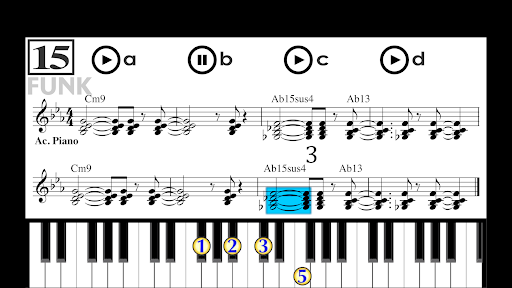
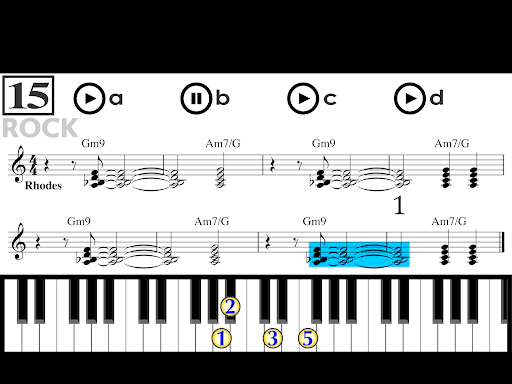
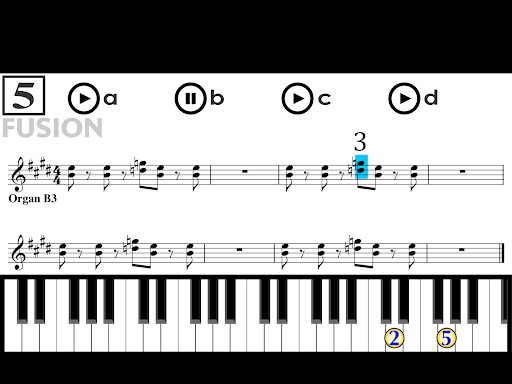
You simply watch the animations on each lesson and play the same by imitation on your own Piano/Keyboard.
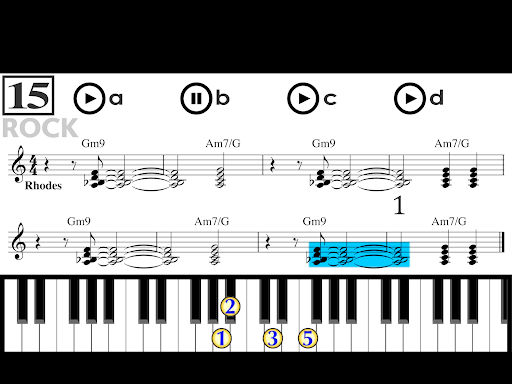
The numbers on the keyboard represent the fingers of your hands.
You will see animations of the beats, the notes on the stave, and what you need to do with your fingers on the Piano/Keyboard.
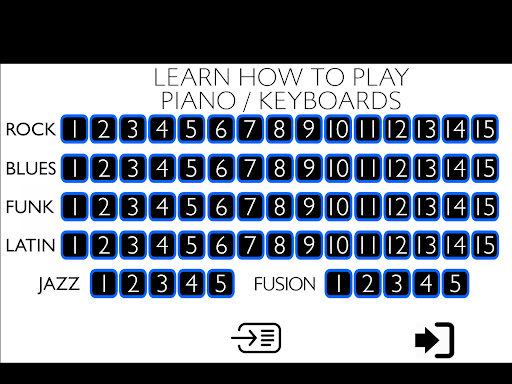
It includes seventy lessons on the following contemporary music styles:
- Rock (15)
- Blues (15)
- Jazz (5)
- Funk (15)
- Latin Music (15)
- Fusion (5)
On each lesson there are four buttons:
* With button "a" you can listen to whole band.
* With button "b" you will listen your instrument at slow speed. Use this section to learn the pattern.
* With button "c" you can listen your instrument at normal speed.
* With button "d" you will listen just the other instruments. You have to integrate the Piano/Keyboard part to the ensemble. No more animations. Audio repeats without stopping so you can practice until you reach the normal speed. You can improvise on the pattern, which is repeated over and over.
* While practicing with buttons "a", "b" y "c", you can click on any bar from which you want to repeat.
* The sheet music and the animations of the notes on the staff are presented to let you see that there is a very close relation between what is played on the Piano/Keyboard and how music is written and read. This helps on understanding the basis of reading music in an intuitive way. YOU DON´T NEED TO PAY ATTENTION TO THE WRITTEN MUSIC IF YOU DON´T WANT TO.
* The easiest style to begin with is ROCK.
* These Piano/Keyboard patterns are some of the most used musical phrases on ROCK, BLUES, JAZZ, FUNK, LATIN MUSIC & FUSION. Learning to play these patterns will give you a pretty good idea on how to play these styles.
HAVE FUN!!!
What's New
- Bug fixes and performance improvements.
Version Information
- Version
- 1.0.58
- Downloads
- 10K+
- Updated on
- Dec 13, 2024
- Released
- Nov 11, 2020
- Requires
- Android 7.0
Statistics
Google Play Rating History
Rating Distribution
Downloads Over Time
Learn how to play Piano has been downloaded times. Over the past 30 days, it averaged downloads per day.
Shaded area shows 30-day prediction based on historical trends
Historical data collection started recently. More data points will be available over time.
Learn how to play Piano users say on Google Play
 Robert Mal
I liked this application
 Adrhy Drive
⭐ ⭐ ⭐ ⭐
 C. V. U.
I tried it. Too difficult for an absolute beginner. Even the easiest notes.
 Safari Peter
It doesn't let me play
ApkTrusted Ratings & Reviews
More from Musycom Apps
See more apps

Similar Apps




Scan this QR code to download

Forwarding you to the page at Google Play market in seconds...
Open Google Play market now