MechLab Pro - smart Tools for vVARY
Kechkoindustries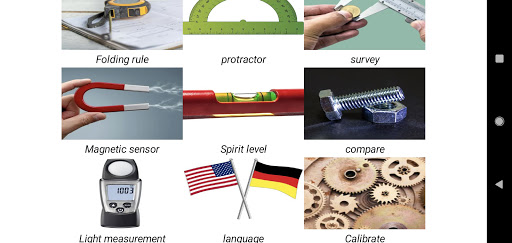


About this app
Developer Description
Mechlab Pro offers the most important functions for the engineer
1. Folding rule:
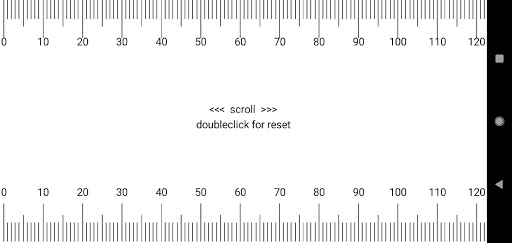
It's not just a ruler. With the MechLab folding rule can be measured areas of unlimited length. Simply press the display with your finger and slide the device underneath.
2nd protractor:
With the protractor you can quickly measure Tilt. The position sensor in the device shows the exact angle.
3. survey:
This is a digital caliper. Simply place the object on the display and outline it. The length, width and area are already displayed.
4. Magnetic sensor:
With the magnetic sensor, magnetic fields can be detected and the strength is displayed. With some sensors, power lines can be found in the wall.
5. Spirit level:
A practical spirit level makes leveling easier. A circular vial and digital display show the inclination.
6. Compare:
This function can be used to quickly compare the bolts or nuts required. In the app these are displayed in real size. No more guessing which mother you need right now. Just compare. currently only metric!
7. Light measurement:
The tool shows the current LUX value with the built-in sensor in the device. A measurement can be started to get the maximum value. Ideal to analyze the lighting in the room or to measure TV, monitor.
Calibration:
In order for the app to work precisely, it has to be calibrated once. With the function in the app, it's really quick. A ruler or the narrow side of a credit card will do.
attention:
Please note that the app must have the following sensors integrated for all functions.
-Orientation sensor
-Magnetic sensor
-Light sensor
If you are missing a function, please contact Kechkoindustries@gmail.com
Version Information
- Version
- -
- Downloads
- 5K+
- Updated on
- -
- Released
- Dec 20, 2020
- Requires
- Android Varies with device
Statistics
Google Play Rating History
Rating Distribution
Downloads Over Time
MechLab Pro - smart Tools for has been downloaded times. Over the past 30 days, it averaged downloads per day.
Shaded area shows 30-day prediction based on historical trends
Historical data collection started recently. More data points will be available over time.
MechLab Pro - smart Tools for users say on Google Play
 Heidy Peidro
I could find the most important functions for the engineer in this app.
 Anilkumar Ch.
How to change language?
 D Akimov
Lux meter does not work properly. Shows 49-66 lux at same conditions. 'compare' does not work at all. Ruller is a trick to use.
ApkTrusted Ratings & Reviews
More from Kechkoindustries
See more apps

Scan this QR code to download

Forwarding you to the page at Google Play market in seconds...
Open Google Play market now