
Digital Watch MB427 vVARY
MikichBlaz




About this app
Developer Description
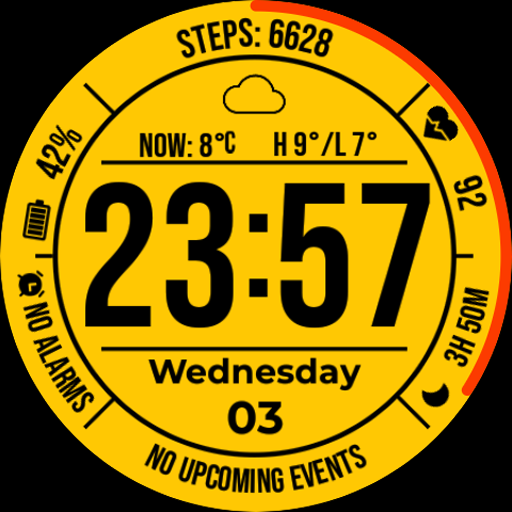
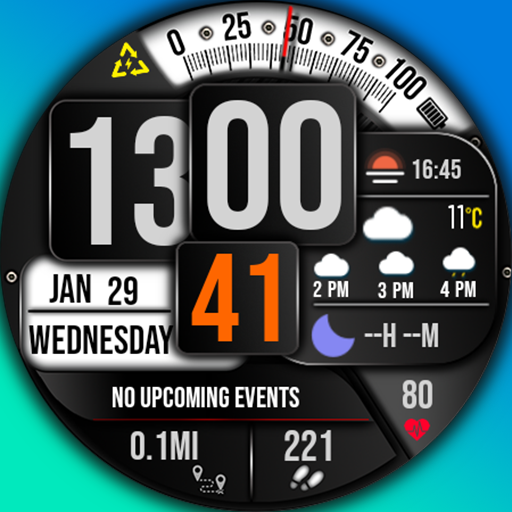
Digital Watch Face for Wear OS
Please try the following quick fixes if you encounter these issues:
Weather Displays "Unknown": Solution: Switch to another watch face and then switch back to the current one.
Mixed/Incorrect Fonts: Solution: Restart your watch.
🌟 Key Watch Face Features 🌟
Time: Large, easy-to-read digital display. Supports 12/24h format (synced with phone settings).
Date: Full day of the week and date display.
Detailed Weather: Condition icon, current temperature, daily High/Low, and unit (C/F).
Fitness Tracking: Current Steps count and Heart Rate.
Battery Indicator: Clear digital percentage display.
Customization: Multiple color theme options and support for Custom Complications.
Always-On Display (AOD): Time, Date, and Weather data.
Privacy Policy
https://mikichblaz.blogspot.com/2024/07/privacy-policy.html
What's New
- Stability improvements.
Version Information
- Version
- -
- Downloads
- 1K+
- Updated on
- Jan 12, 2026
- Released
- Dec 4, 2025
- Requires
- Android Varies with device
Statistics
Google Play Rating History
Rating Distribution
Downloads Over Time
Digital Watch MB427 has been downloaded times. Over the past 30 days, it averaged downloads per day.
Shaded area shows 30-day prediction based on historical trends
Historical data collection started recently. More data points will be available over time.
Digital Watch MB427 - Google Play Rankings
Top Rankings
| Rank | Country | Category | List | Change |
|---|---|---|---|---|
| — |
Ranking History in
No ranking data available yet. Rankings are updated daily.
#48 in Top Paid Personalization in United States


#3 in Top Paid Personalization in Poland


#10 in Top Grossing Personalization in Poland

#13 in Top Paid Personalization in Germany

Digital Watch MB427 users say on Google Play
 Aristides Reyes
Looks great. If I could turn off the seconds dial it would be perfect. the thick red band for the seconds is very distracting. otherwise this app is perfect for me. thank you. Edit: Dev very responsive. added the option to remove the seconds. looks amazing. love it now. thank you.
 Randy
Randy
I enjoy the look of the face, the only thing stopping from a 5 star is not being able to change the second hand color from red which is alittle distracting and also instead of a complete circle around the display maybe just a little tick that moves around.
 Robert Peña
there is no app shortcut as a complication. would give 5 stars if there was. also, the colors seem too muted and it is hard to see the text
 fishy
fishy
Didn't like it unfortunately can't refund me
ApkTrusted Ratings & Reviews
More from MikichBlaz
See more apps
Digital Watch face MB397
Paid

Analog Watch Face MB377
Paid

Christmas Magic
Paid
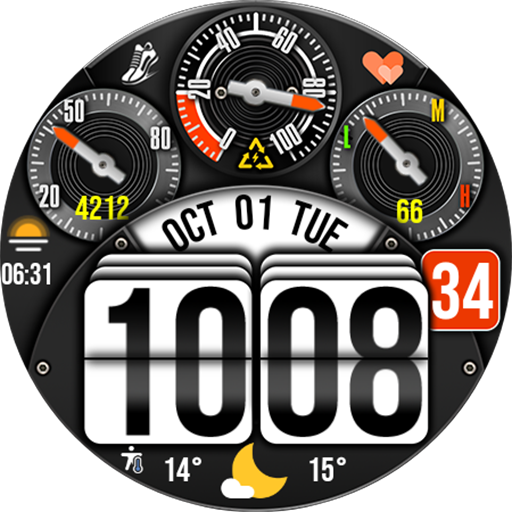
Digital Watch Face MB376
Paid

Analog Watch Face MB375
Paid

Analog Watch Face MB378
Paid

Analog Watch Face MB374
Paid

Digital Watch Face MB373
Paid

Digital Watch MB430
Paid

Digital Watch Face MB380
Paid

Digital Watch Face MB381
Paid

Digital Watch Face MB390
Paid

Digital Watch Face MB391
Paid
Digital Watch Face MB392
Paid

LCD Watch MB426
Paid

Digital Watch Face MB399
Paid
Scan this QR code to download

Forwarding you to the page at Google Play market in seconds...
Open Google Play market now