
ControlRef - PC/console game c v0.9.2
Acquasys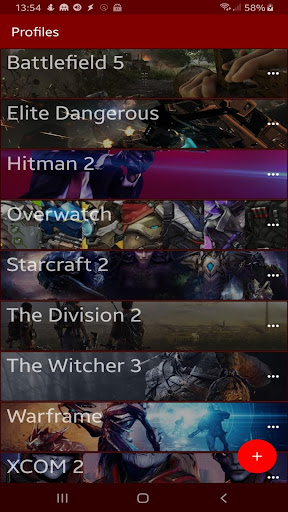
About this app
Developer Description
Build key/button lists as references for when playing PC or console games
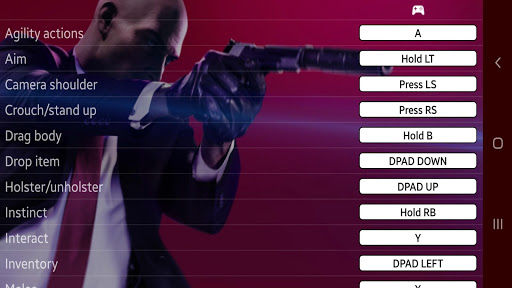
This app allows you to build custom lists with all key/button used in any console or PC game, and have them displayed as a reference on your phone while you play. Can also be used with complex desktop applications like Photoshop.
Features:
- Unlimited number of profiles (games) and functions (actions)
- Each function can be mapped for up to 3 devices as keyboard, mouse, gamepad, joystick etc
- Button labels can be typed directly with support for all Unicode symbols
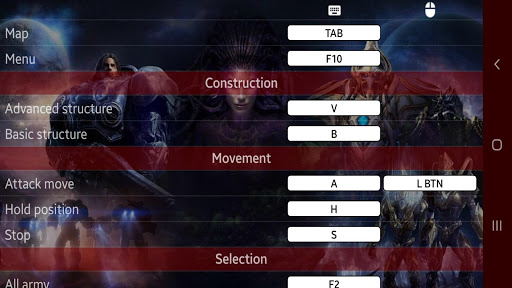
- Functions can be organized in custom groups ("navigation", "systems", "weapons" etc)
- Supports background images and themes
- Full screen mode for a cleaner view of all functions
- Export/import profiles
How to use:
1) From "Profiles" screen, tap "+" to create a new game profile. Give it a name (ex. "Starcraft") and select up to 3 input devices you use with that game (ex. "Keyboard" and "Mouse").
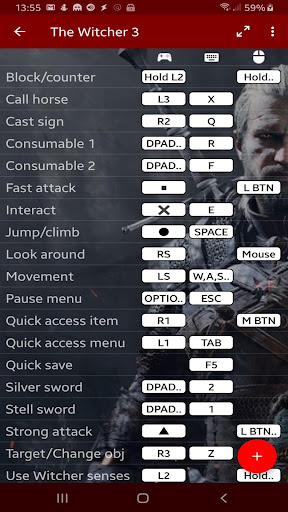
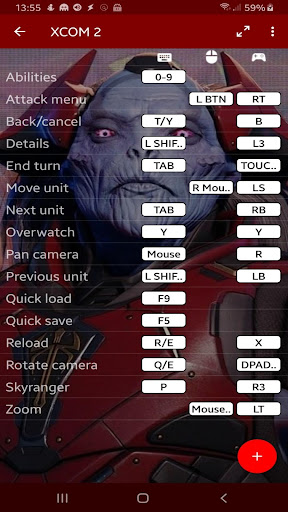
2) Tap the profile you've just created to open it, then tap "+" to map a function/action. Give it a name (ex. "Fire") and type the key/button that triggers the function in the white box, for each input device you will use with the game (ex. "SPACE" on Keyboard and "L BTN" on Mouse). Tap "Add" to save and continue entering the remaining functions. When done tap "Close".
3) When playing the game on your PC or console, open the corresponding profile in the app, place your phone in front of you either vertically or horizontally and use it as a reference table while you play. Use the "full view" mode to gain more screen space.
NOTE: This app DOES NOT allow you to use your phone as a game controller or map gamepad keys to play on your phone (like Octopus), it is a control reference only.
Please refer to the included sample profiles and let me know by e-mail if you have any issue or suggestion.
What's New
In-app purchases
$1.99 per item
Version Information
- Version
- 0.9.2
- Downloads
- 5K+
- Updated on
- Aug 12, 2019
- Released
- Aug 8, 2019
- Requires
- Android 4.0
Statistics
Google Play Rating History
Rating Distribution
Downloads Over Time
ControlRef - PC/console game c has been downloaded times. Over the past 30 days, it averaged downloads per day.
Shaded area shows 30-day prediction based on historical trends
Historical data collection started recently. More data points will be available over time.
ControlRef - PC/console game c users say on Google Play
 5aucy_4ngel
How
 A Google user
Not by the usful app i though it another thing but it is good for those who need it
 Alex Esparza
Bad
ApkTrusted Ratings & Reviews
More from Acquasys
See more apps



Scan this QR code to download

Forwarding you to the page at Google Play market in seconds...
Open Google Play market now