El Pose 3D vVARY
Agas Creative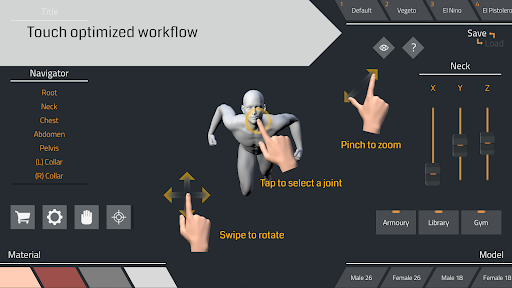
About this app
Developer Description
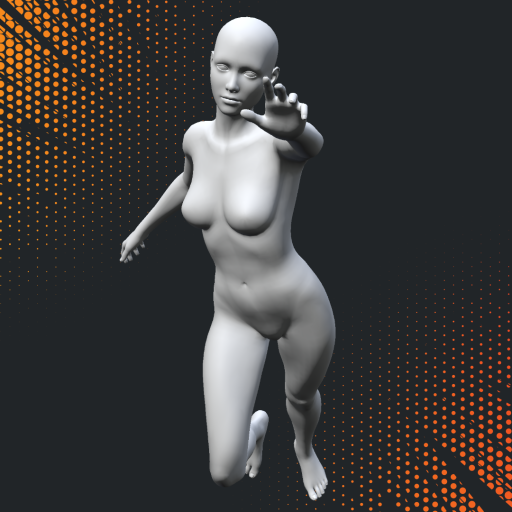
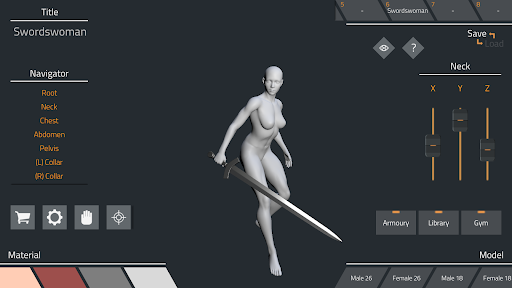
EI Pose 3D is a model posing tool for creating realistic poses.
Use EI Pose 3D to create pose references for your character design and illustration, drawing inspiration, perspective and proportion check, shading practice, paint over, anime / manga / comic / animation storyboard, visual novel draft, or any other artistic need.
Features:
- Responsive controls and navigation: Increase your productivity with smooth app performance.
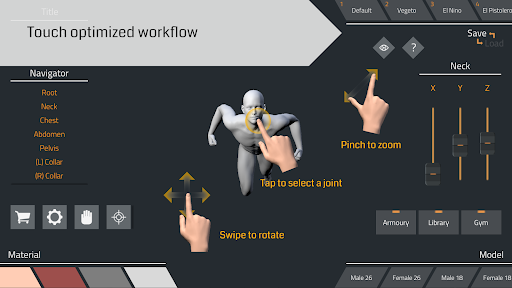
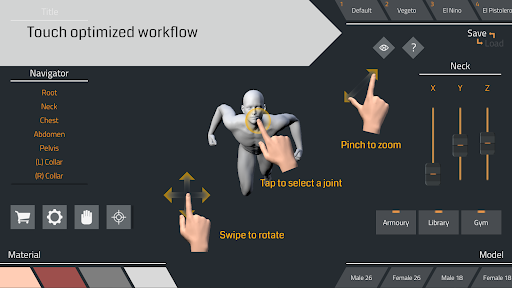
- Touch-optimized workflow: All controls and buttons are carefully laid out to create a simple yet efficient user interface.
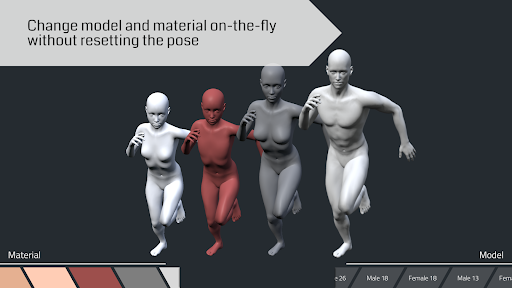
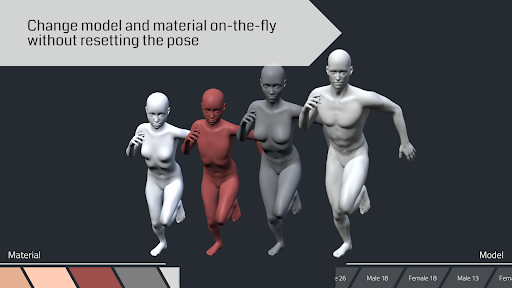
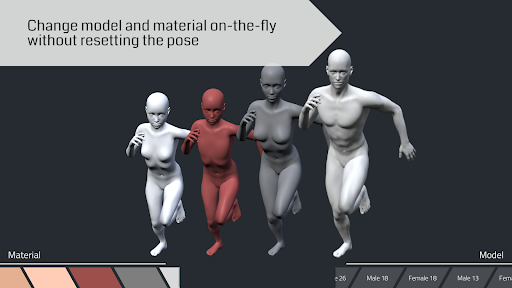
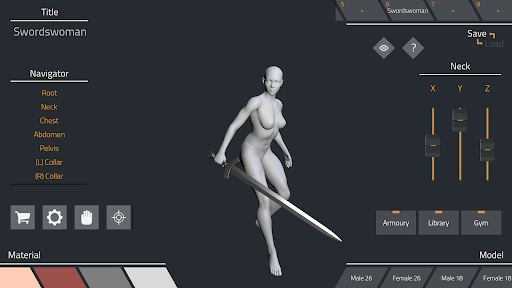
- Change model and material on-the-fly without resetting the pose: Be creative and try out a variety of age-sorted models and colorful materials.
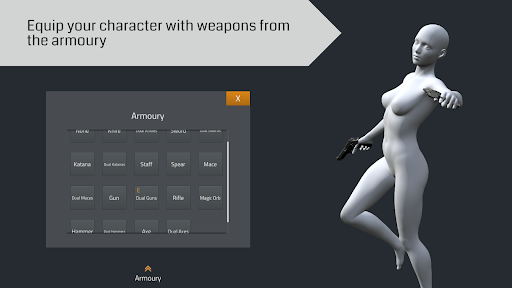
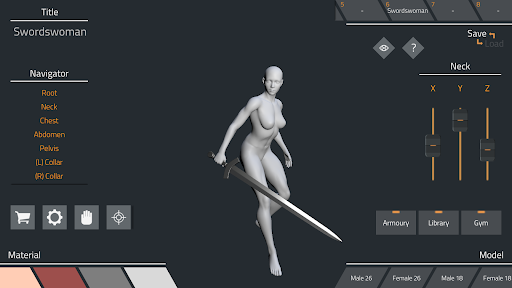
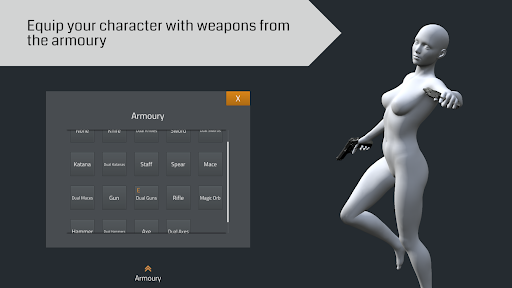
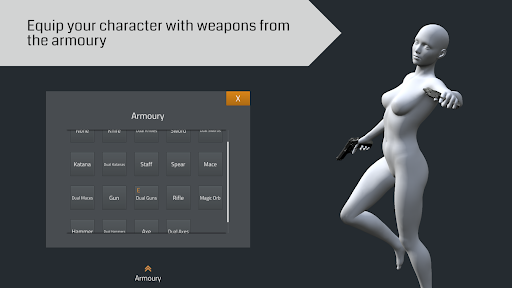
- Armoury with lots of weapons for your character to equip: Let your models do some actions by letting them carry the weapons.
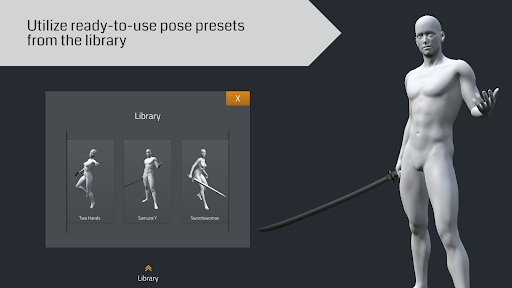
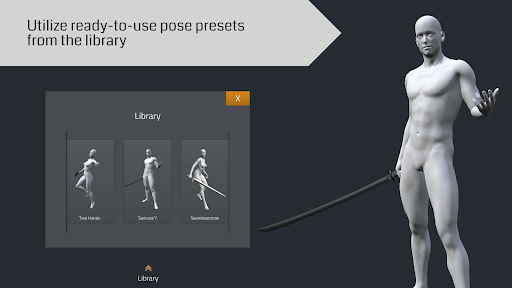
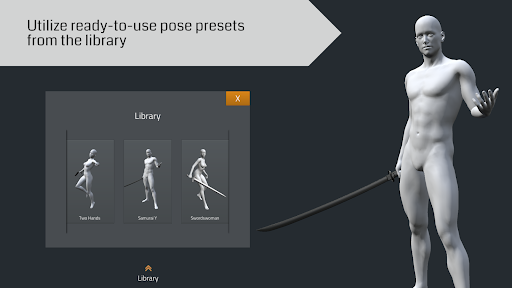
- Library with ready-to-use pose presets: Allows you to start with relevant basic poses like walking, standing, jumping, and others.
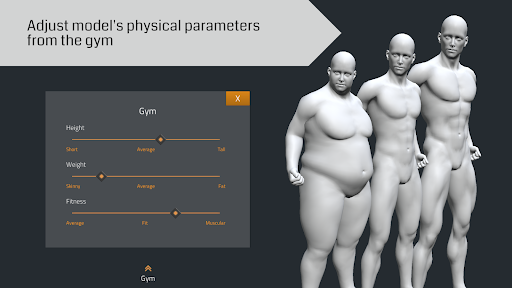
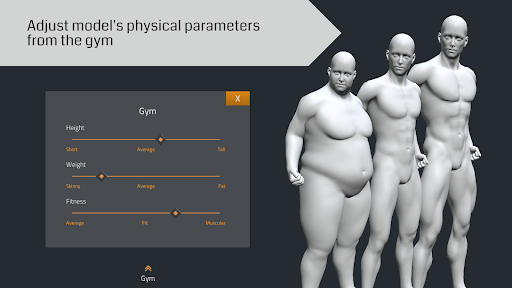
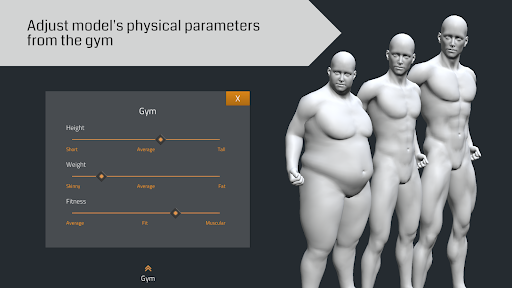
- Gym to adjust model's physical parameters, namely height, weight, and fitness: Don't like the shape of the model? Change it to your liking!
- True to anatomy and skeleton joint bend: No more distorted arm, shoulder, elbow, wrist, hand, finger, leg, knee, ankle, foot, neck, spine, and other commonly problematic joints.
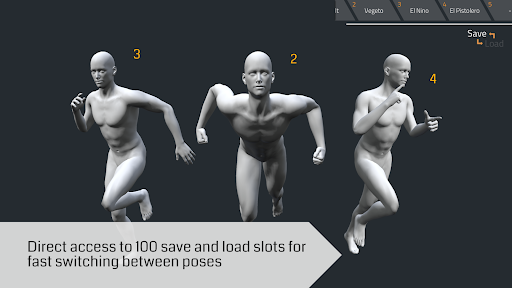
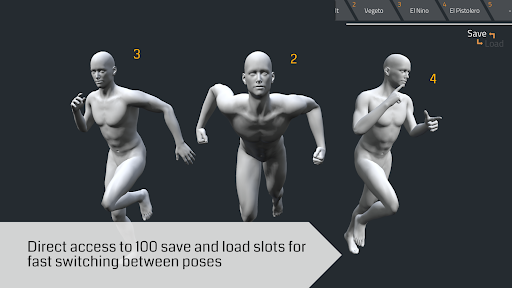
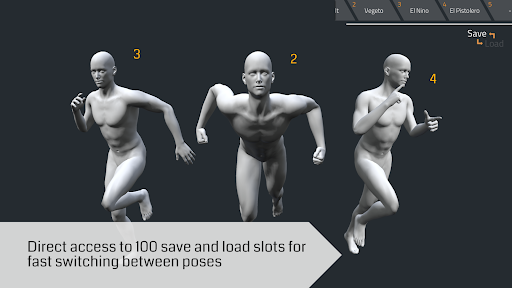
- Store up to 100 poses: Direct access to save and load slots from the main screen for quick switching between stored poses.
- Button to hide user interface: Makes it easy to capture a clean image of your art masterpiece.
- Green screen for post-processing: Cover the background with green tint for easier background removal later on.
What's New
- Android 14 support.
- Vulkan support.
- SDK and API upgrades.
- Fixed incorrect root rotation on some pose presets.
- Fixed shadows being too dark on unlit areas.
- Removed background blur to improve performance.
In-app purchases
$3.99 per item
Version Information
- Version
- -
- Downloads
- 1M+
- Updated on
- Oct 6, 2024
- Released
- Dec 7, 2018
- Requires
- Android Varies with device
Statistics
Google Play Rating History
Rating Distribution
Downloads Over Time
El Pose 3D has been downloaded times. Over the past 30 days, it averaged downloads per day.
Shaded area shows 30-day prediction based on historical trends
Historical data collection started recently. More data points will be available over time.
El Pose 3D - Google Play Rankings
Top Rankings
| Rank | Country | Category | List | Change |
|---|---|---|---|---|
| — |
Ranking History in
No ranking data available yet. Rankings are updated daily.
#120 in Top Free Art And Design in Russia


El Pose 3D users say on Google Play
 Ynna Frry
I can't believe it!!... It's too detailed to be free!!... I expected functions to be limited if you don't purchase anything, but it turns out to be detailed like this!... The lighting, even the fingers and toes can move. My god!... Try and download it! You'll not regret it, I promise!!
 Helios Alenka (Maryyryryryr)
I just found this app and it is absolutely almost perfect for me. So far I have only a few issues issues about it. I wish there was an undo and redo button, and also where you can add another model next to the model you're working on, I'm kinda bothered by the pop up when you click the gym button because it covers the entire model. Please make this also a portrait mode because this app have so many potential to be better. Thank you for the app!
 JMRK VXL
It's Good app. I really like the control, it's so smooth and the option where you can choose which part of the body that you can move. I wish we can rotate it not just only landscape. I think adding skeleton and anatomy on this app will make it more-more amazing!
 Peyton Abrahamsen
I do like it but I really didn't like that you can only have I character on the screen at a time and that I couldn't dress them like I couldn't put outfits on then
 Delano G
It's just impossible to maneuver in this app. Every pop up window covers the entire body of the model. I can tell you are a great developer and I gave you credit for that based on the features but unfortunately, making this a landscape app completely messed it up. This is a posing app which should allow us the see what we are working with. I strongly suggest that you put this in portrait mode with a simple drop down menu with tabs that holds everything.
ApkTrusted Ratings & Reviews
Similar Apps

Magic Poser - Art Pose Tool
Free
Handy Art Reference Tool
Paid

Nomad Sculpt
Free
Poseit
Free

MediBang Paint:Draw Art, Comic
Free
Easy Pose - 3D pose making app
Free

HiPaint: Sketch & Draw art
Free

Sketchar AR Drawing Sketchpad
Free

Sketch Pro: Draw & Create Art
Free
Prisma3D - Animation, Modeling
Free
CUSTOM CAST
Free

ibis Paint
Paid

Pixel Studio: pixel art editor
Free

Fectar | Meet in AR Metaverse
Free

xOne: 3D Scanner & 3D Editor
Free
Stick Nodes - Animation
Free
Scan this QR code to download

Forwarding you to the page at Google Play market in seconds...
Open Google Play market now