
TV Remote: Control Smart TV vVARY
RACCOON TECH







About this app
Developer Description
Universal Remote Control App to turn your phone into a remote to control your TV
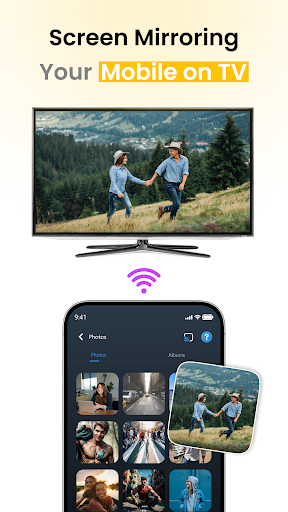
TV Remote: Control Smart TV app can be useful as a backup remote or as an everyday tool to manage their Smart TVs more conveniently. Universal Remote offers a simple setup — just make sure your phone and TV are connected to the same WiFi network. Once connected, you can start using your phone to control your TV without any extra equipment.
Key Features Of TV Remote: Control Smart TV App:
WiFi-Based TV Remote Control:
No infrared? No problem. Connect to your Smart TV over the same WiFi network and start controlling it instantly.
Universal Remote Compatibility:
Works with many modern Smart TVs that support wireless control over local network. Setup may takes just a few seconds!
Remote Navigation
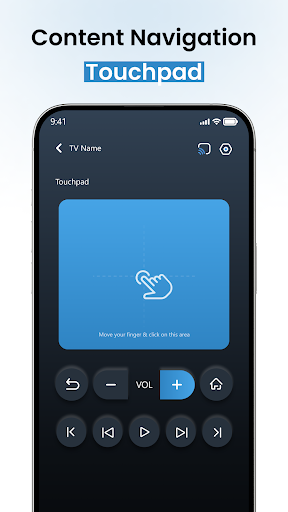
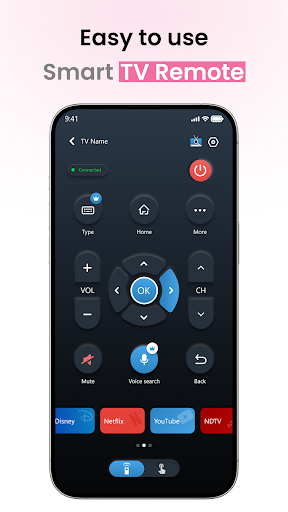
Using TV Remote Control app you can easily adjust volume, change channels, access input sources, or navigate your TV’s interface.
Easy Pairing
Fast and simple setup. The Remote Control For TV app automatically scans for TVs on your WiFi and connects with a few taps.
User-Friendly Interface
Minimal design with responsive buttons. Control your TV just like the physical remote.
Why Choose TV Remote: Control Smart TV App?
No hardware required — works with WiFi-enabled TVs
Saves time when you misplace your TV remote
Perfect backup remote while relaxing on your couch
Ideal for Smart TVs with network control support
Important Notes Before You Begin:
Make sure your Smart TV and phone are connected to the same WiFi network
Your Smart TV must support remote control over a local network (WiFi/LAN)
TV Remote app won’t work with non-smart TVs or TVs that lack network-based control features
Disclaimer:
This TV Remote app is not affiliated with any TV brand. It works only with Smart TVs that support remote control over a WiFi or LAN network. Not compatible with non-smart TVs.
Version Information
- Version
- -
- Downloads
- 500+
- Updated on
- -
- Released
- Jan 18, 2026
- Requires
- Android Varies with device
Statistics
Google Play Rating History
Rating Distribution
Downloads Over Time
TV Remote: Control Smart TV has been downloaded times. Over the past 30 days, it averaged downloads per day.
Shaded area shows 30-day prediction based on historical trends
Historical data collection started recently. More data points will be available over time.
ApkTrusted Ratings & Reviews
More from RACCOON TECH
See more apps
Music Player - MP3 Player
Free
GPS Map Camera & Navigation
Free
Photo Recovery: Recover Photos
Free

Document Scanner and Reader
Free
Cleanup Space: Storage Cleaner
Free

Ai Photo Editor - Remove BG
Free
Gallery - Album & Photo Vault
Free
Tutor AI: Math Homework Helper
Free

Screen Mirroring, Cast to TV
Free
To Do List - Task Tracker
Free

Soft Voice: AI Text To Speech
Free

VeilNet - VPN Proxy Master
Free
Similar Apps



Scan this QR code to download

Forwarding you to the page at Google Play market in seconds...
Open Google Play market now