
Atmosphere Connect vVARY
Amway Corp.

About this app
Developer Description
Take control of Amway Atmosphere Sky and Sky Mini air filtration units.
REMOTE CONTROL: An easy set up process to pair your SKY unit to your mobile device via Wifi or Bluetooth allows you to adjust settings, change fan speed, and track usage.
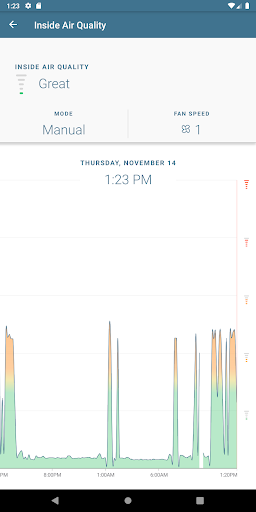
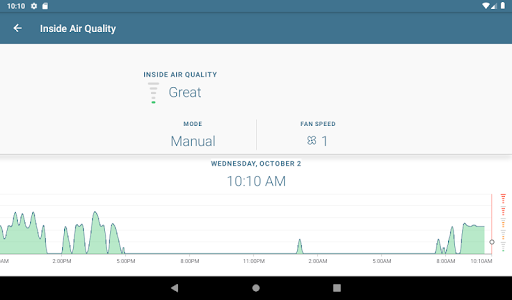
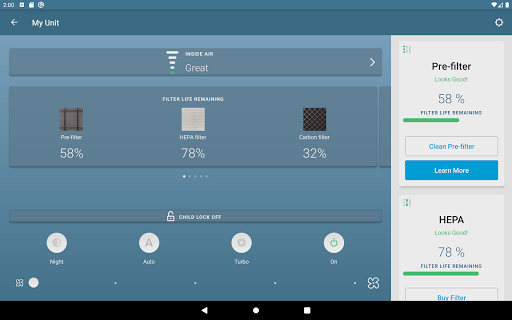
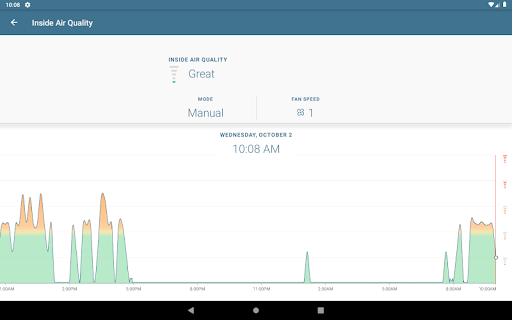
INDOOR AIR QUALITY: Track and monitor your indoor air quality.
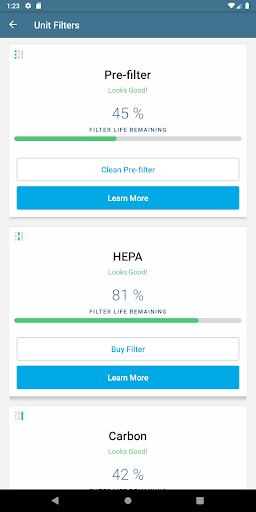
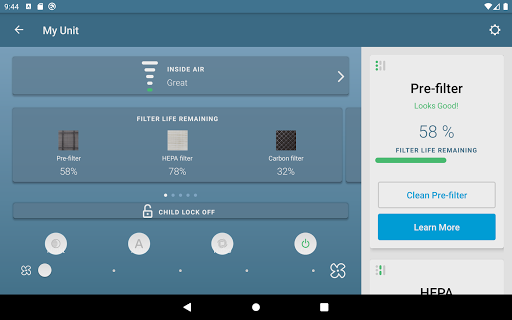
FILTER STATUS: Track the usage of your filters and purchase new filters directly from the Atmosphere Connect app.
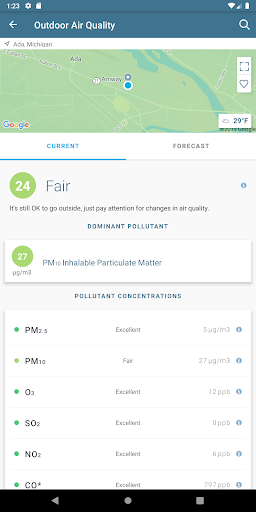
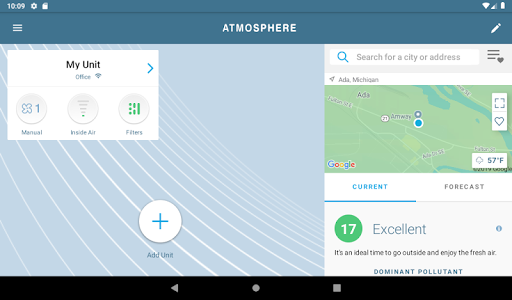
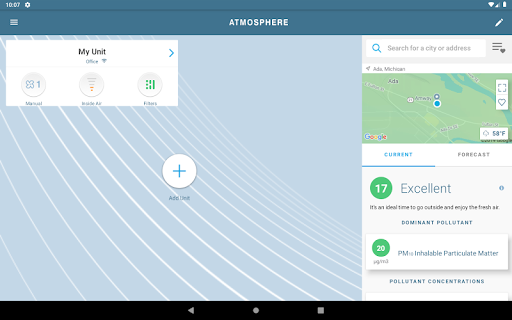
OUTDOOR AIR QUALITY: Receive real-time pollution information in your area, search other areas to see the most up-to-date air quality information, and save favorites so you can quickly see the air quality of locations that matter to you.
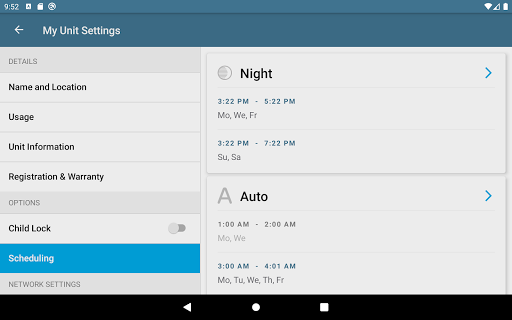
CHILD LOCK: Lock the unit's display so your children or pets do not change the settings without your knowledge.
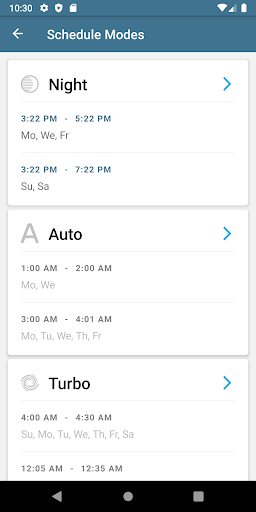
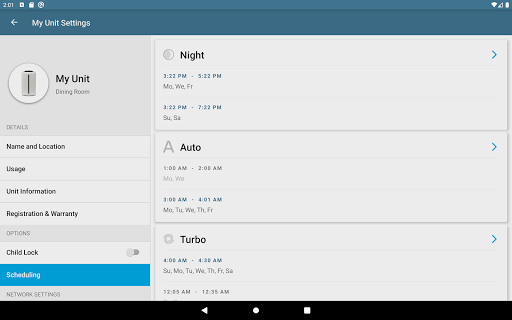
SCHEDULING: Set a schedule of when you want the SKY unit to go into a certain mode.
REGISTRATION: Register your unit or filters within the app with a single touch!
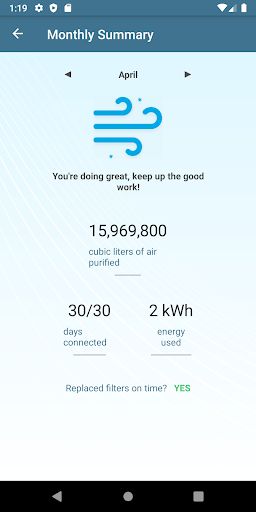
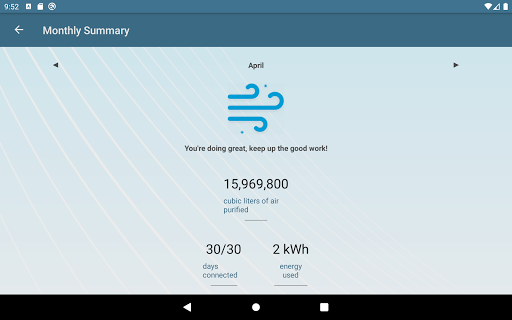
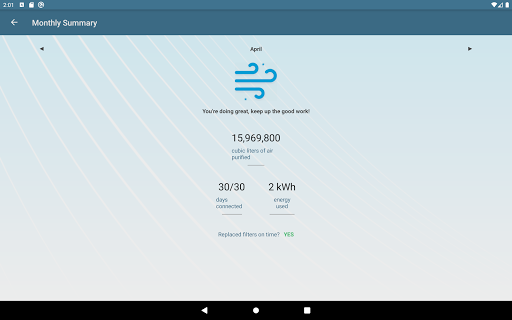
MONTHLY SUMMARY: A report that shows what your SKY unit did over the past month to help you live a better life through clean air, including monthly usage, average indoor air quality, fan speed run time and filter status.
Version Information
- Version
- -
- Downloads
- 100K+
- Updated on
- -
- Released
- Jun 18, 2017
- Requires
- Android Varies with device
Statistics
Google Play Rating History
Rating Distribution
Downloads Over Time
Atmosphere Connect has been downloaded times. Over the past 30 days, it averaged downloads per day.
Shaded area shows 30-day prediction based on historical trends
Historical data collection started recently. More data points will be available over time.
Atmosphere Connect users say on Google Play
 Oscar Caballero
Hi all, hope this review helps everyone who is having connection issues. This is what worked for me. 1 - Make sure you are connected and pairing while on one band of the wifi, meaning if your 2g and 5g are merged you will have trouble pairing. They should be split. 2 - Next update firmware. I also tapped it and said "Updating Firmware" I left it for about 15 to 20 mins to give it enough time just in case. 3 - Next close the app, clear cache/ data, relaunched app it was up to date & connected 💯
 Jerica Skees
THIS APP IS 100X BETTER THAN THE NEW APP THAT HAS NO REMOTE BUTTONS FOR CONTROLLING MY AIR PURIFIERS!!!
 Markus Schild
Not very satisfied with this app. Atmosphere gets always disconnected.
 Daniel Amerman
The app is just not good. I constantly have connection issues. It won't connect to wifi, or drops connection, or won't allow the firmware upgrades because it can't connect to wifi, or it drops Bluetooth connection, or it can't find the device... Etc. I've spent the last 45 minutes trying to connect to a unit to upgrade the firmware, and it still can't connect. Grrrrr! And this isn't the first time. When working, I like the features. But most of the time, I have trouble connecting to wifi.
 Nikki Switzer
Was able to connect app to Atmospheres initially thru Wi-Fi and Bluetooth, then they got disconnected from both. Got new Wi-Fi, but now I can't reconnect the Atmospheres to the Wi-Fi. One will only connect to Bluetooth, the other won't connect to this app at all.
ApkTrusted Ratings & Reviews
More from Amway Corp.
See more apps

Scan this QR code to download

Forwarding you to the page at Google Play market in seconds...
Open Google Play market now