
Flowchart Creator vVARY
Anvaysoft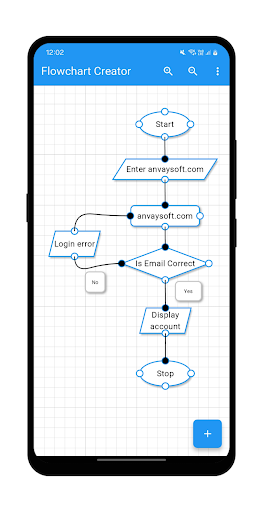

About this app
Developer Description
Create flowcharts
Key Features:
Diverse Flowchart Elements
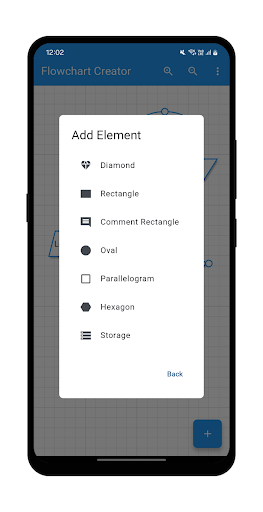
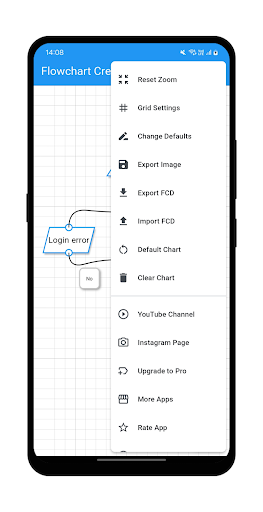
Create stunning flowcharts with a variety of shapes, including rectangles, diamonds, ovals, parallelograms, hexagons, and more. Every element is fully customisable to suit your design needs.
Text Customisation
Personalise your diagrams with fully editable text. Adjust font style, size and colour to make your flowcharts more readable and engaging.
Element Customisation
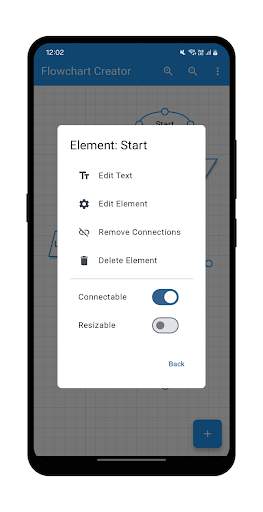
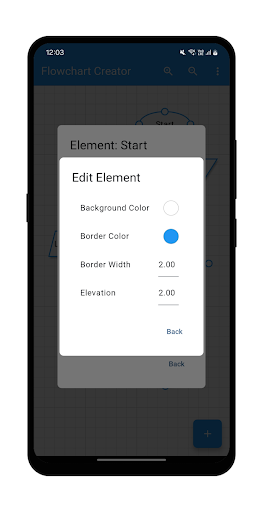
Modify the colour, border, transparency, and size of each element to create visually appealing flowcharts tailored to your project.
Handler Customisation
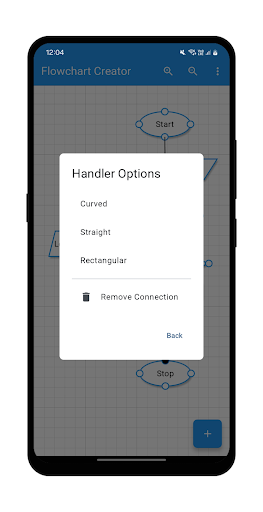
Connect elements effortlessly with customisable connection styles. Choose between straight, curved, or rectangular connectors to define the flow of your diagram. Drag-and-drop handlers make adjusting connections smooth and intuitive.
Resizable Elements
Scale elements freely to fit your layout without losing clarity. Resize, rotate, and align shapes effortlessly for a well-structured flowchart.
Grid Customisation
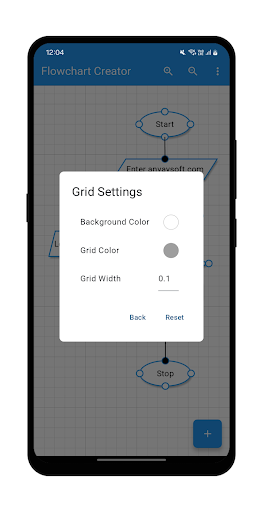
Customise the background colour, grid colour, and grid line width to match your preferred workflow and enhance the clarity of your flowchart.
Whether you’re designing algorithms, business workflows, or brainstorming ideas, the Flowchart Creator app is your perfect companion. With a rich set of features and user-friendly tools, you can bring your concepts to life effortlessly.
Developed by Anvaysoft
Programmer- Hrishi Suthar
Made with love in India
Version Information
- Version
- -
- Downloads
- 10K+
- Updated on
- -
- Released
- Mar 11, 2025
- Requires
- Android Varies with device
Statistics
Google Play Rating History
Rating Distribution
Downloads Over Time
Flowchart Creator has been downloaded times. Over the past 30 days, it averaged downloads per day.
Shaded area shows 30-day prediction based on historical trends
Historical data collection started recently. More data points will be available over time.
Flowchart Creator users say on Google Play
 Akash
Akash
Simple,easy to use, fast and effective. Best app I've used for making flowcharts!.
 Subrat Maharana
It is very good but I want some more options like 1- in flowchart the letters are always in horizontal direction I want vertical arrangement. always keep it simple
 GURUNATH DALVI
You should give stepwise tutorial at the beginning to show how to do it. now i do not know how to draw connections damn it.....
 Vincent Bell
Okay, but you can't export the flowchart because it gives you an ad before you can export it which closes the export menu.
 Mach Fiver
Lacks basic elements like the START pill, and much more. Has very few flowchart elements. Which results in non universally understood elements that need comments to be able to state what the element actually means. TO THE DEVELOPER: Look up NCHs ClickCharts app it will give you all the relevant elements that a flowchart needs to have.
ApkTrusted Ratings & Reviews
More from Anvaysoft
See more apps
C++ Compiler
Free

Icon Creator
Free

C# Compiler
Free

HTML Creator
Free

Java Compiler
Free

C Compiler
Free

SwiftCore Compiler(Pro)
Paid

SwiftCore Compiler
Free

API Tester
Free

TypeRush(Pro)
Paid

SQL Playground
Free

Kotlin Compiler
Free

FlutterLab
Free

JSON Viewer
Free

HTML Creator(Pro)
Paid

JavaScript Compiler
Free
Similar Apps

EdrawMax: AI Flowchart Diagram
Free

EdrawMind: AI Mind map & Note
Free

Desmos Graphing Calculator
Free

MindMeister - Mind Mapping
Free

Xmind: Mind Map & Brainstorm
Free

Numerade - Homework Help
Free

GitMind: AI Mind Mapping App
Free

magicplan
Free

ConstructionOnline
Free

DreamBuild: Sketch to 3D
Paid

Miro: your visual workspace
Free

GeoGebra Calculator Suite
Free

Symbolab: AI Math Solver
Free

Cxxdroid - C/C++ compiler IDE
Free

xTiles: notes, tasks, projects
Free

Workflowy |Note, List, Outline
Free
Scan this QR code to download

Forwarding you to the page at Google Play market in seconds...
Open Google Play market now