
Photo Album Watch Face v1.3.0
AppMosaic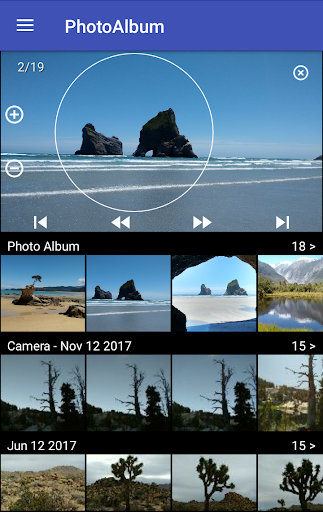
About this app
Developer Description
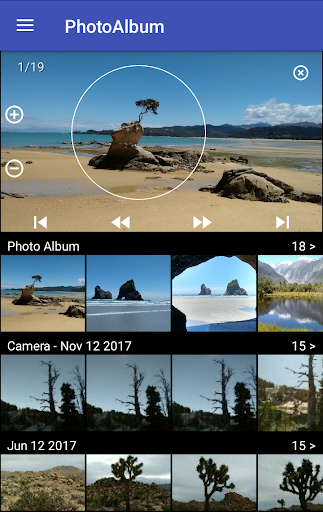
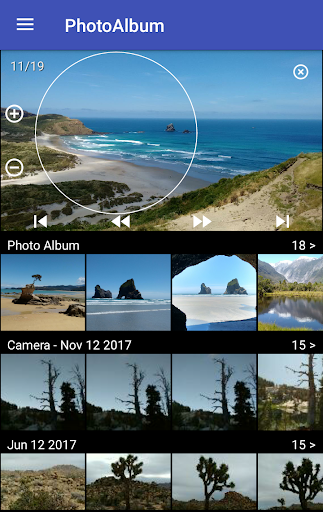
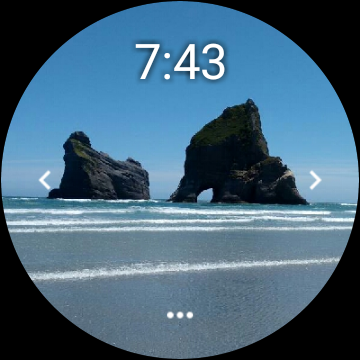
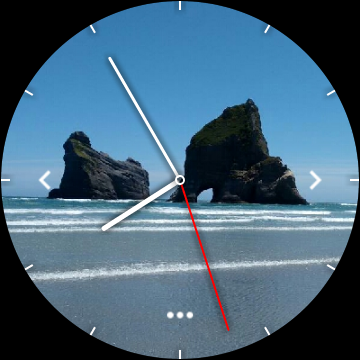
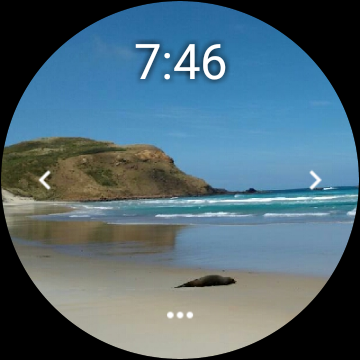
Photo Album Watch Face shows your favorite pictures as a Watchface.
Please watch the video and read the FAQ:
www.PhotoAlbumWatchFace.com
The smartwatch will automatically cycle through the pictures in your Photo Album or you can tap left/right to see the next picture.
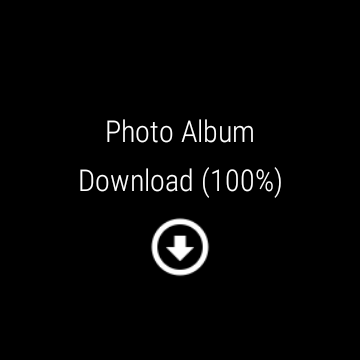
On your watch: tap the "..." button and then the Download button to download new pictures from your phone.
The Photo Album Watch Face can be used without connection to your phone.
But you need the phone app "Photo Album Watch Face" to download new pictures to your watch.
This app works also with Wear OS smartwatches.
Please read the FAQ:
http://www.photoalbumwatchface.com/faq/
What's New
http://www.PhotoAlbumWatchFace.com/faq/
Version Information
- Version
- 1.3.0
- Downloads
- 10K+
- Updated on
- Jul 13, 2025
- Released
- Dec 3, 2017
- Requires
- Android Varies with device
Statistics
Google Play Rating History
Rating Distribution
Downloads Over Time
Photo Album Watch Face has been downloaded times. Over the past 30 days, it averaged downloads per day.
Shaded area shows 30-day prediction based on historical trends
Historical data collection started recently. More data points will be available over time.
Photo Album Watch Face - Google Play Rankings
Top Rankings
| Rank | Country | Category | List | Change |
|---|---|---|---|---|
| — |
Ranking History in
No ranking data available yet. Rankings are updated daily.
#24 in Top Paid Photography in United States

#37 in Top Paid Photography in India

#37 in Top Paid Photography in Vietnam
#38 in Top Paid Photography in Pakistan
Photo Album Watch Face users say on Google Play
 A Google user
Although took a moment to get it to work - the video is very helpful. All steps must be followed for this to work. Able to load personal photos for a watch face - love it.
 slay tanic
Agrivating, I FINALLY FIGURED THIS APP OUT, at first I had all the same problems. *Read Reviews* The trick is to ONLY LOAD 6 PICS AT A TIME *possibly more, I wasn't going to push it*. Every time you add more pics you have to redownload again. Works just fine for me, for now.
A Google user
Works for Fitbit Versa. I was a bit skeptical at first after reading the other reviews, but I'm glad I gave the app a shot. I only gave 4 stars because it is not a quick install the app and your good to go. I received several error messages and had to use a few of the trouble shooting tips including a restart of my device Samsung Galaxy 8+. I like being able to add multiple pictures versus having only one.
 Dianna Mueller
This app does not work. Down loaded once and will not again
A Google user
If I could give this app 0 stars I would. I should have heeded all of the negative reviews before purchasing. This app does not work at all! It is a waste of money. I have been trying for 2 days to get my Fitbit Versa 2 to connect to the app with no luck. I have tried every Troubleshooting method I could find online. I know my Fitbit is connected to my phone because I am receiving all of my texts and notifications. Do not make my same mistake. Do not purchase this app!
ApkTrusted Ratings & Reviews
More from AppMosaic
See more apps


Similar Apps

3D Photo: Imager
Paid

Banano Pro İmage Generator
Paid

Photobook: Photo Books & Gifts
Free

Simple Gallery Pro
Paid

Video Recorder
Paid

LockMyPix Photo Vault PREMIUM
Paid

Photo Scan App by Photomyne
Free

POV – Disposable Camera Events
Free

DreamBuild: Sketch to 3D
Paid

MindSync - Therapy Journal
Free

PicMaster - AI Photo Editor
Paid

PICNIC - photo filter for sky
Free

Earth Map App - Live Cam View
Paid

PicWish: AI Photo Editor
Free

Eventer - Unforgettable Events
Free

Gallery
Free
Scan this QR code to download

Forwarding you to the page at Google Play market in seconds...
Open Google Play market now