
myVault - Hide Photos & Videos vVARY
Arytan Technologies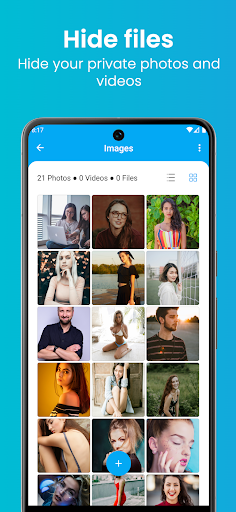


About this app
Developer Description
Hide your secret photos, videos and documents using this app.
myVault app allows you to transfer your private photos and videos from the Gallery to the vault. A calculator and fingerprint lock inside the app will protect your private data.
myVault app provides extra features by saving your notes, private web browser, built-in video player, intruder selfie, disguise app icon, etc.
How to use the app:
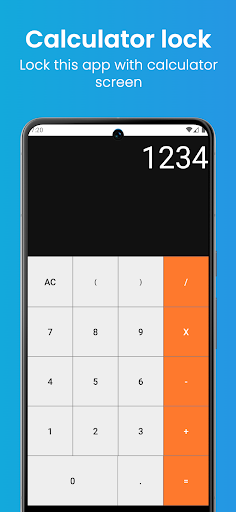
1. First, set the PIN in the calculator lock screen.
2. Set a security question and answer.
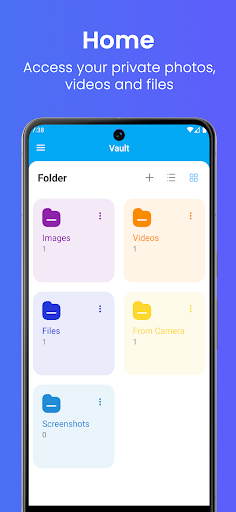
3. The home screen provides some default folders. You can also create new folders.
4. Choose your folder on the app home screen. Multiple options will be displayed when you click on the + button.
5. Click any option and select files to import. This process hides your file.
6. If you want to put files back to their original location. Long-press and select the files. You can use the unhide option from the menu.
Features:
Vault
Hide private photos, videos and document files with a calculator lock screen.
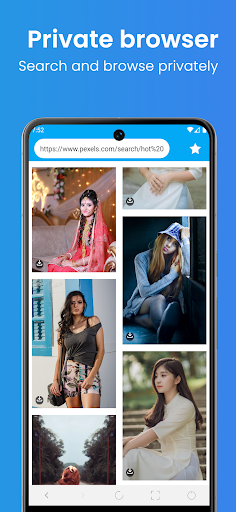
Private Browser
You can browse web pages and view online videos on a private browser. The browser stores no history.
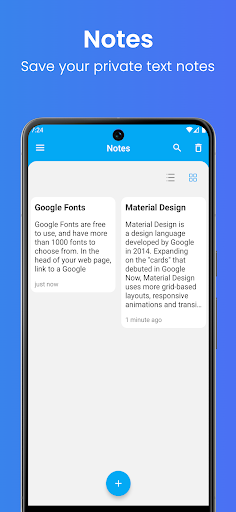
Note
You can save and read your important text notes.
Intruder Selfie
Take a picture of intruders trying to access your app with unauthorised access.
Built-In Video Player
You can play your video files with the built-in video player.
Disguise Icon
You can change your app icon to different calculator icons.
Calculator Lock Screen
This screen works as a login screen for the app.
Settings
It provides you with lock, unlock and private camera settings.
Important Information!
To avoid losing any files, make sure to unhide your photos, videos and other files from the vault before uninstalling this app.
Website: https://arytan.com/
Email: arytansoftware@gmail.com
Version Information
- Version
- -
- Downloads
- 100+
- Updated on
- -
- Released
- Aug 20, 2024
- Requires
- Android Varies with device
Statistics
Google Play Rating History
Rating Distribution
Downloads Over Time
myVault - Hide Photos & Videos has been downloaded times. Over the past 30 days, it averaged downloads per day.
Shaded area shows 30-day prediction based on historical trends
Historical data collection started recently. More data points will be available over time.
myVault - Hide Photos & Videos users say on Google Play
 Kheti Fi
good
 Chethan Dandgey
Update the app name to include photos, that way it's easier to search within the apps.
 MEHEDI
Add Dark Mode
ApkTrusted Ratings & Reviews
More from Arytan Technologies
See more apps




Similar Apps

LockMyPix Photo Vault PREMIUM
Paid

Video Downloader & HD Player
Paid

Lib of Dev (Open Source)
Free

Video Recorder
Paid

PRIVARY Secure Photo Vault
Free

LockTrip
Free

All Recovery: Photo Video
Free

Applock - lock apps - pin lock
Free

Zenith AI - The AI Superpower!
Paid

MobiSaver: Data&Photo Recovery
Free

Lume: Quit Gaming Now
Paid

Fothong Pass - Pass Manager
Free

MYCPE ONE
Free

TIKTOK Meme
Paid

TAP Kiln Control Mobile
Free

Cloaked: Protect your privacy
Free
Scan this QR code to download

Forwarding you to the page at Google Play market in seconds...
Open Google Play market now