Treadmill Speed Transmitter v3.1
BIPR Cycling & Running



About this app
Developer Description
Broadcat your treadmill or running speed to Zwift or Arcade Fitness over BLE
Use your phone as a sensor while running on a treadmill for Zwift or Arcade Fitness
Broadcast speed and heart rate (with Garmin watches) over Bluetooth Low Energy
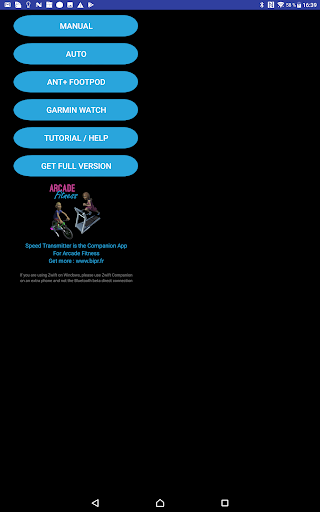
Manual Mode
⭐️ Set the speed manually by pressing on screen buttons.
⭐️ A custom button allows you to enter your own speed value which can be great for hiit.
⭐️ No calibration or measurement issue.
⭐️ Speed is recorded very precisely.
Auto Mode
⭐️ Put your phone in an arm band
⭐️ Or take it in your hand
⭐️ Running speed will be computed automatically
⭐️ Adjust running speed by setting up step length parameter (we advise you to do this when you are running around 10km/h)
With ANT+ Footpod
⭐️ Bridge ANT+ footpod into Bluetooth Smart sensor with Running Speed and Cadence feature
⭐️ Requires ANT+ native smartphone or ANT+ USB stick
With Garmin watch
⭐️ Use your Garmin watch with its integrated accelerometer
⭐️ Broadcast heart rate from optical Garmin watch sensor to Zwift over BLE
⭐️ In case you get an exclamation mark when starting the watch app, please reboot the watch, start the watch app alone. If you get the same, this means that your watch is probably not compatible with our watch app. In this case we advise you to use the manual mode.
🚨 Important to read with Zwift 🚨
⭐️ If you start and your avatar doesn't move or if you get disconnected regularly this is probably because you are using the Bluetooth direct connection which is selected by default with Zwift on Windows.
⭐️ In this case you need connect through Zwift Companion app on a separate phone
⭐️ If you get multiple 'Speed T', this is because Zwift connect to your device in order to know if running speed is available and the virtual address of your phone changes for privacy reasons. This address change is implemented by device manufacturers and cannot be avoided by developers since it is linked to 'privacy and security'. Don't worry, your phone still have only one address but since it has changed, it appears in Zwift as a new device.
⭐️ We regularly update the help page and strongly advise you to read it carefully when trying to connect Speed Transmitter to Zwift : https://bipr.fr/treadmill-speed-transmitter
The app is free for 8 minutes workouts, if you want to do longer exercises, you will have to buy the full version.
For any other question or for help, we will be happy to help you per mail : contact@bipr.fr
What's New
3.0 : Bluetooth connection improvements, especially with iOS external devices
2.6 :
Manual mode custom button for hiit training and 0 button
Calibrate and adjust speed with Garmin mode
Other small fixes
2.5 : Manual speed up to 22 km/h
2.2 : Broadcast HR with Garmin watch
In-app purchases
$2.49 per item
Version Information
- Version
- 3.1
- Downloads
- 10K+
- Updated on
- Nov 28, 2020
- Released
- May 2, 2017
- Requires
- Android 5.0
Statistics
Google Play Rating History
Rating Distribution
Downloads Over Time
Treadmill Speed Transmitter has been downloaded times. Over the past 30 days, it averaged downloads per day.
Shaded area shows 30-day prediction based on historical trends
Historical data collection started recently. More data points will be available over time.
Treadmill Speed Transmitter users say on Google Play
 Dina Happy Feet
My search officially ends here. I was looking for an app so I can run on my treadmill and link it with zwift. Tried it free for the first 7 minutes, managed to stay connected in Zwift without ANY hickup, didn't hesitate to pay for the full version right after.
 Kris
Kris
Does what it says. Used it as a practice at first, connected and moved the avatar immediately. Edit: doesn't allow me to go over 10mph. If I press + whilst on 9.9mph it jumps me up to 10.9!! Is this a glitch?? Is it possible to rid the top row of low speeds to include a row faster options?? 2nd edit. Really disappointing that it doesn't go faster than a 6 min mile pace for safety reasons. Can't be used for any zwift workouts as it doesn't go high enough. Shame.
 Chris Fall
Work well when it works. The buttons to change stride length need to be muc bigger. You have to adjust the with every speed change on garmin option and its hard to do when running at 12-13km/h. Its a bit buggy to start sometimes but when it does, it's a good solution. DEV: please increase the stride length change buttons and make them more prominent.
 Arman A
It kind of works (Garmin Fenix 3 + chest HRM), but it drops connection after 5-10 minutes, and reconnection requires starting long pairing procedure from beginning (which is not an option when running). Do not recommend paying for the full version. Get Bluetooth runpod or treadmill speed sensor instead (such as Runn)
 A Google user
I'm having the same problem as Nathan on a Pixel2 XL. I hope you are able to fix it, I'll gladly pay for the full version too. Thanks. Update: still using a Pixel2XL trying to pair with a Forerunner 920. The app now displays "APP STATUS: PROMPT NOT SHOWN ON DEVICE." Still not working.
ApkTrusted Ratings & Reviews
More from BIPR Cycling & Running
See more apps
Scan this QR code to download

Forwarding you to the page at Google Play market in seconds...
Open Google Play market now