HR2VP Watch Bike Computer v3.2
BIPR Cycling & Running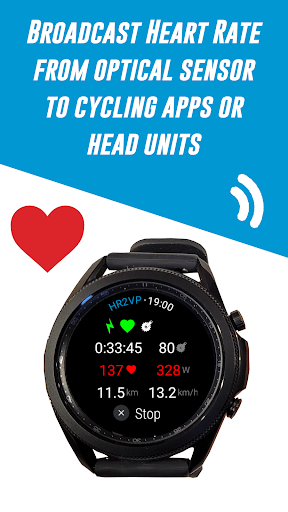

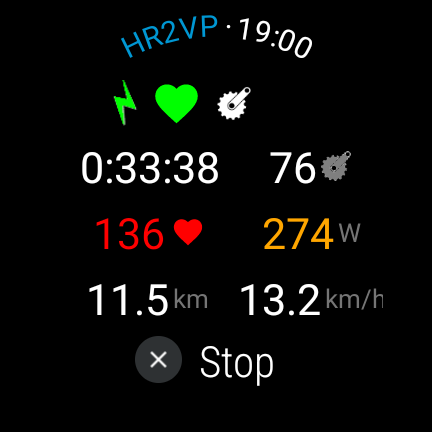
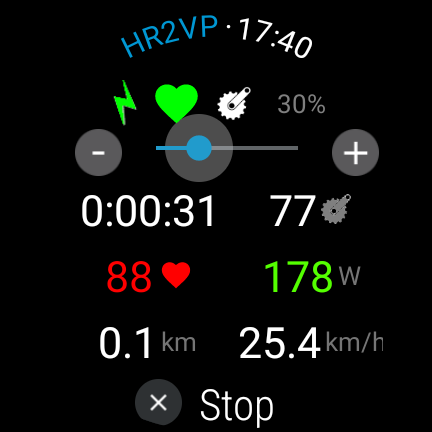
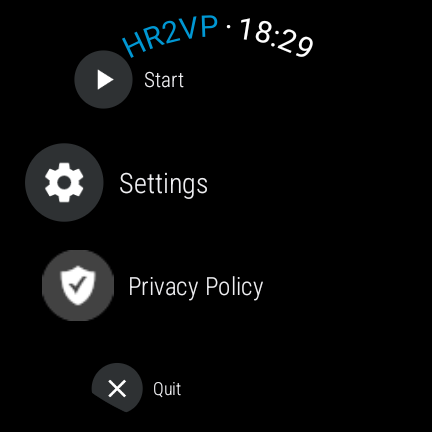
About this app
Developer Description
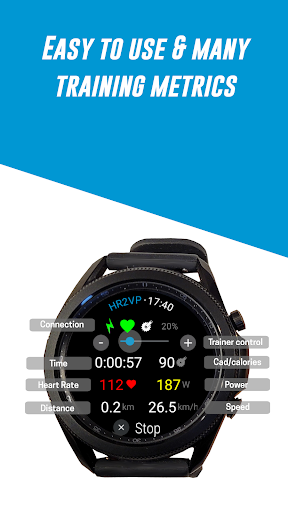
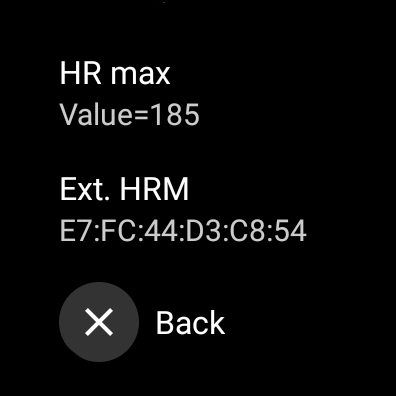
Use your watch as a bike computer, heart rate monitor and cycling power meter
Use your Wear OS watch as a heart rate monitor and cycling tracker while riding on a bike
Connect your watch to bike computers or to indoor training apps. Display and broadcast heart rate and power based on HR over Bluetooth Low Energy or ANT+ from your Wear OS watch to indoor cycling apps such as Zwift.
1/ Use your Wear OS watch as a BLE heart rate monitor
• HR2VP will measure your heart rate with the optical built-in sensor of the watch and broadcast HR over Bluetooth Low Energy as a heart rate monitor during your workouts
2/ Connect your watch to your Garmin Edge bike computer
• Download the HR2VP data field on the Connect IQ store and add it to one of your screen: https://apps.garmin.com/en-US/apps/ab94e897-c1a0-4d5c-9688-89ecfb11126a
• Enable broadcasting to Garmin data field in the watch app's Settings
• Your phone will act as a bridge between your Wear OS watch and your bike GPS
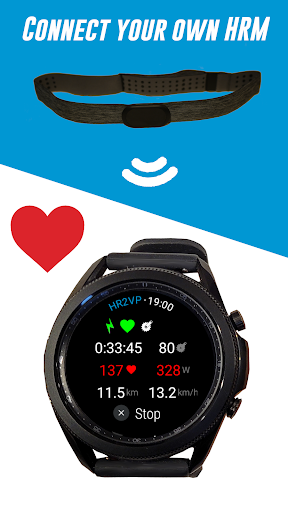
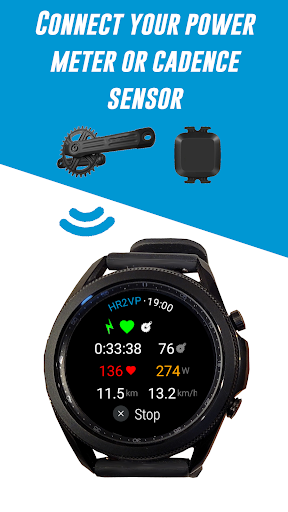
3/ Connect your own heart rate monitor, power meter or cadence sensor to your watch
• Connect your own sensors and get more training metrics while riding indoor or outdoor
• Compatible with Bluetooth Smart power meters
• Cadence sensors
• Heart rate monitors
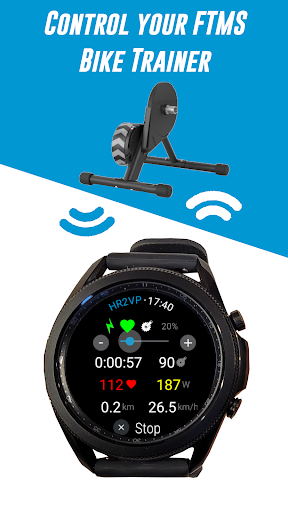
• FTMS bike trainer (use the rotating bezel for control)
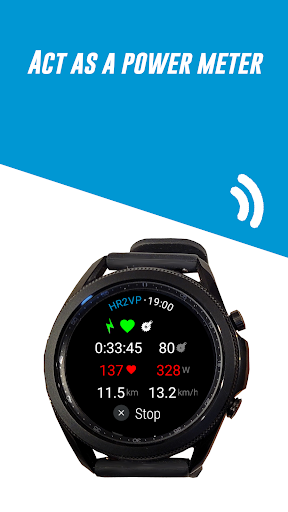
4/ Add power to your rides
• Our advanced matching algorithm computes power based on heart rate, which is measured by the optical built-in watch sensor or by your own chest strap
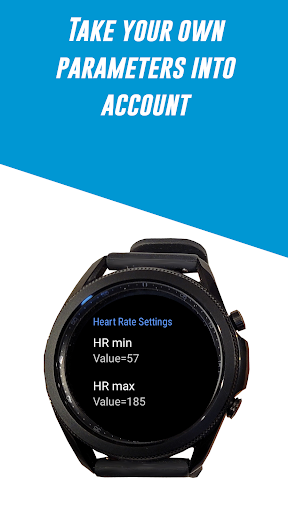
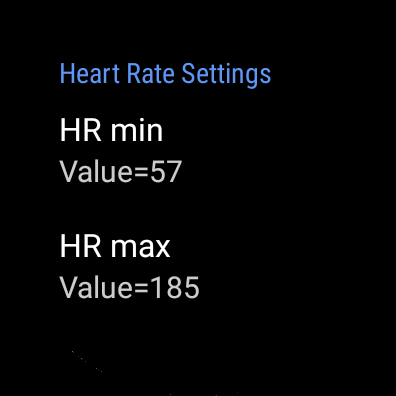
• Your individual parameters such as FTP, resting heart rate, and max heart rate, are taken into account for improved accuracy
• See how many calories you have spent during your workouts and monitor your fitness
5/ Upload to Strava
• Pair your watch with Strava and automatically upload your rides (with power) in order to visualize them on a map
6/ Frequently Asked Questions:
Is a phone app required?
=> No, HR2VP for watch can be used as a standalone app during your ride, exept if your want to connect with ANT+ or use the Garmin DF.
Is my cycling head unit compatible?
=> Non exhaustive list of compatible head units with BLE: Hammerhead Karoo 1 & 2, Coospo, Magene BLE devices.
For other cycling computers such as Wahoo or XOSS, see next point about ANT+.
How to connect to bike computers?
=> The best option is to use ANT+. If your phone is not ANT+ native, please use Garmin, Wahoo or Magene ANT+ USB sticks. Then, enable ANT+ broadcasting in HR2VP's Settings, and download ANT Radio, ANT+ Plugin, and ANT USB services on your phone. Be sure to set unrestricted Battery usage for each app on your phone as well as for HR2VP companion app.
What is the FTP?
=> The FTP or Functional Threshold Power is the maximum average power that you can hold for an hour.
How to know my FTP?
=> There are 2 estimation tools online: http://hr2vp.com
How to connect to Zwift?
=>Try the Bluetooth direct connection and avoid the connection through the Companion app (use the icon on the top in the pairing screen). If it doesn't work, reboot the watch and try again. Always start the watch app before Zwift.
I get disconnected, what can I do?
=> Be sure to disable battery optimization. Check that location permissions is granted on the remote device/app.
How accurate is power based on heart rate?
=> Our advanced matching algorithm gives a good estimation of power but there are still a few limitations. First there is a 10 seconds lag before your heart rate goes up when pushing harder on the pedals. High intensity short intervals (<30 seconds) use energy without oxygen, with no impact on heart rate. This is why power will be underestimated on short intervals.
Can the app be refunded if it doesn't work?
=> The Playstore can refund your purchase within 48 hours.
If you need some help or have feedback, please contact us per mail: contact@bipr.fr
What's New
3.1: target Android API 34
3.0: Sensors connection fixes + broadcast to Garmin Data Field
2.8: UI
2.7: Strava post ride
2.5: Running mode
2.2: Fixes + GPS in background
2.1: Improved BLE sensors pairing
2.0: Connect to ANT+ cycling head units through phone (ANT+ native, or with ANT+ USB stick) => for Garmin
1.6: Strava pairing
1.4: Please enable background execution in Galaxy Wearable app (on phone)
1.2: Ergometer mode
1.1: BLE power meter, cadence & FTMS smart trainers control
Version Information
- Version
- 3.2
- Downloads
- 1K+
- Updated on
- Aug 30, 2025
- Released
- Dec 29, 2023
- Requires
- Android Varies with device
Statistics
Google Play Rating History
Rating Distribution
Downloads Over Time
HR2VP Watch Bike Computer has been downloaded times. Over the past 30 days, it averaged downloads per day.
Shaded area shows 30-day prediction based on historical trends
Historical data collection started recently. More data points will be available over time.
HR2VP Watch Bike Computer - Google Play Rankings
Top Rankings
| Rank | Country | Category | List | Change |
|---|---|---|---|---|
| — |
Ranking History in
No ranking data available yet. Rankings are updated daily.
#35 in Top Paid Health And Fitness in United States

#5 in Top Paid Health And Fitness in United Kingdom
#6 in Top Paid Health And Fitness in Brazil
 Skin Temperature Ultra
 QZ (qdomyos-zwift)
#7 in Top Paid Health And Fitness in Canada

HR2VP Watch Bike Computer users say on Google Play
 SosBoss_ Media
Was looking to Transmit my Hr From My Galaxy Watch 6 on to my Wahoo Element Roam. This Does just that. There is one downside, I have to repare the app and my Wahoo everytime i finish a workout, the wahoo doesnt find the signal automatically once you restart the wahoo or app. I hope this will be fixed in the future. I always wear my watch and just would hate to have to wear another hr monitor, and im happy this app allows that.
 Dirk Van Haerenborgh
Doesn't seem to work for my Galaxy Watch5 Pro + Wahoo Boltv2. As such, I can't leave a meaningful review.
 Richard Alston
update: I left the review below and mailed the team. They got back straight away with some tips and settings. I'll try that to see if it works. They offered to refund it it still doesn't work. So, good customer service. Here's my first post: cuts out half way through rides. never records the total distance. so not a great cycle computer. save your money. I'll be trying to get my money back. I revise that now - 1 to 3 stars. I'll make 5 if it works out.
 Alex Gall
Really annoying features that I can't turn off. Frustrating that it seems paying $12 for this half-baked app is the only way I can cast my watch's heart rate monitor to Zwift. Hear are a few points I would really appreciate if improved: - Constant/singular BLE casting name - Ability to turn off always on display (accidental stopping of monitoring is really easy when sweaty) - Ability to cast to Zwift companion app (doesn't work for me at all) The app 'works', but QoL is poor.
 Eoin O'Cinnéide
I bought this in so that I could broadcast my HR from my Galaxy Watch 6 to my Garmin Edge 130. I've tried all the settings but no joy. The Garmin can't see it. I tried BLE and ant+ turned both on and off. Tried every possible combination. Wear OS doesn't allow turning on background data but I found where it puts apps on a sleep list under battery and devices. Took it off sleep list. Tried everything in the YouTube vid and more but no joy
ApkTrusted Ratings & Reviews
More from BIPR Cycling & Running
See more apps
Similar Apps
Zwift Companion
Free

TrainerRoad
Free

JOIN Cycling Coach & Training
Free
Tacx Training™
Free

Garmin Jr.™
Free

Wahoo: Ride, Run, Train
Free

iFIT Workouts
Free

Bike Route Planner
Paid

FitShow: Treadmill Workout
Free

Zwift: Indoor Cycling Fitness
Free
waterdrop® Hydration App
Free

TrainingPeaks
Free

Joggo - Run Tracker & Coach
Free

Fitdays
Free
5K parkrunner results
Free
eBike Flow
Free
Scan this QR code to download

Forwarding you to the page at Google Play market in seconds...
Open Google Play market now