
Digital Watch Face CUE111 vVARY
Creation Cue



About this app
Developer Description
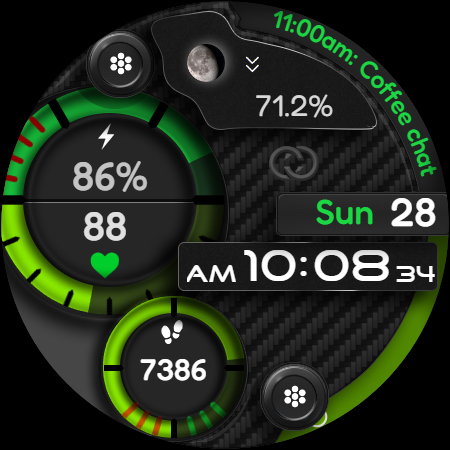
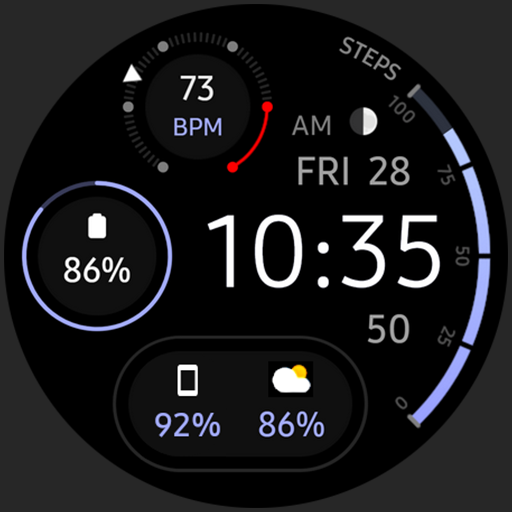
Stylish & customizable watch face for ultimate personalization.
Features include:
▸24-hour format or AM/PM (without leading zero - based on phone settings).
▸Add or remove watch hands.
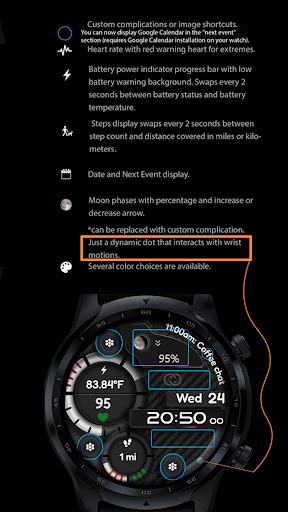
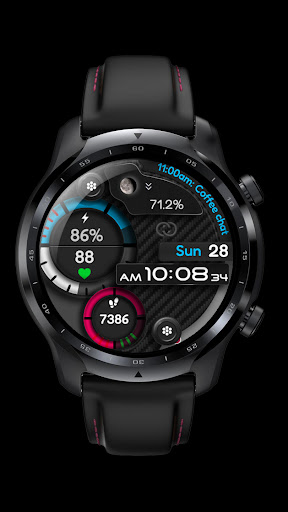
▸Heart rate display with marker for High/Low zones.
▸ Steps count. Distance measurements are displayed in kilometers or miles, accompanied by a moving percentage indicator towards the target. Steps display swaps every 2 seconds between step count and distance covered in miles or kilometers. You can set your step target using the health app.
▸Battery power indication with low battery red flashing warning background. Swaps between power and battery temperature in °C or °F.
▸Upcoming events display.
▸Moon phase progression percentage with increase or decrease arrow. Can be replaced with custom complication. Select empty to bring back the moon phases display.
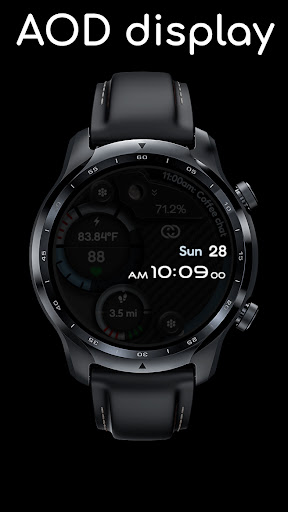
▸3 AOD levels.
▸You can add 7 custom complications on the watch face (2 Short text complications, 1 long text complication, 3 image shortcuts and Next Event or Text App shortcut). You can now display Google Calendar in the "next event" section (requires Google Calendar installation on your watch).
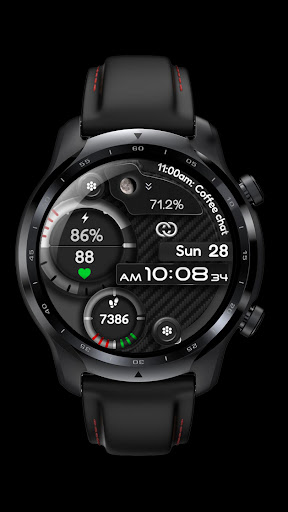
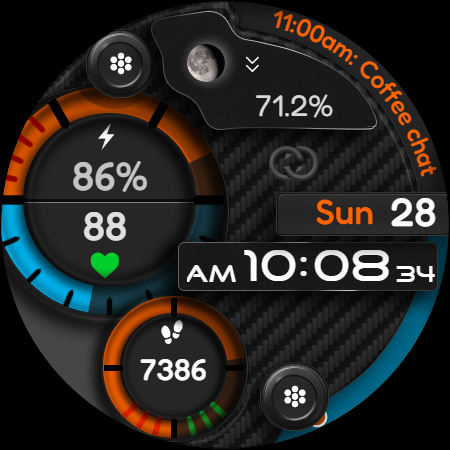
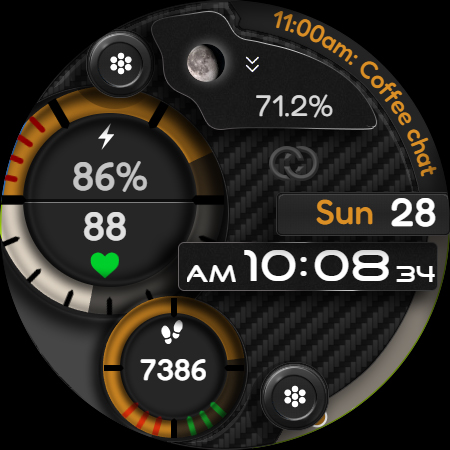
▸Multiple color themes available.
Feel free to experiment with the different areas available for custom complications to discover the optimal placement that suits your needs and preferences.
If you encounter any problems or installation difficulties, please contact us so we can assist you with the process.
Email: support@creationcue.space
What's New
Version Information
- Version
- -
- Downloads
- 1K+
- Updated on
- Aug 29, 2025
- Released
- Apr 23, 2024
- Requires
- Android Varies with device
Statistics
Google Play Rating History
Rating Distribution
Downloads Over Time
Digital Watch Face CUE111 has been downloaded times. Over the past 30 days, it averaged downloads per day.
Shaded area shows 30-day prediction based on historical trends
Historical data collection started recently. More data points will be available over time.
Digital Watch Face CUE111 users say on Google Play
 Etienne Willemse
Just 1 of the best designers around. Amazing designs and his work is just getting better by the day. Please buy this watch face you will love it. Thank you for your beautiful designs.
 Rubayet B.
I really like the watchface but there's one issue. the time doesn't change on AOD which is a big deal. several time I looked at watch without lifting my arm to check what time it was only find out I made a mistake. please fix this issue.
 dortyboy
Double pay. Can't I stall it because it's asking me to pay again on the watch and it won't allow me to install
ApkTrusted Ratings & Reviews
More from Creation Cue
See more apps
Digital Watch Face CUE108
Free

Digital Watch Face CUE100
Paid

Digital Watch Face CUE107
Free

Digital Watch Face CUE099
Paid
Digital Watch Face CUE024
Paid

Digital Watch Face CUE101
Paid

Digital Watch Face CUE102
Paid

Digital Watch Face CUE098
Paid

Digital Watch Face CUE105
Paid
Digital Watch Face CUE103
Paid

Digital Watch Face CUE106
Paid

Digital Watch Face CUE104
Paid

Digital Watch Face CUE097
Paid

Digital Watch Face CUE109
Paid
Digital Watch Face CUE110
Paid

Digital Watch Face CUE114
Paid
Similar Apps

A340 Digital Watch Face
Free

IA70 Digital Watchface
Paid

Digital Simpul Watch face
Paid

ORB-30 The Wave
Free

Digital Artumi Watch face
Paid

IA42 Digital Watchface
Free

Animated Onysy Watch face
Paid

Retro Half Tone ZKin Watch
Paid

IA73
Free
ORB-27 Venturer
Paid

ZKin Watch Gray Texture
Free
![[SSP] Clean Watch face icon](https://play-lh.googleusercontent.com/xT3XY0pBk2-R0WFoL8uWhdGuN00p4wLOVShbMBAyLpSHYGOebvoFbC0fySowX3QMmMxR)
[SSP] Clean Watch face
Free

Secret Machine ZKin Watch
Free

TVV Sport 7 Digital Watch Face
Free

TVV Sport 5 Digital Watch Face
Free
n-Digital 2: Watch face
Paid
Scan this QR code to download

Forwarding you to the page at Google Play market in seconds...
Open Google Play market now