
Flat Dark Evo - Icon Pack v6.5
FLDESIGN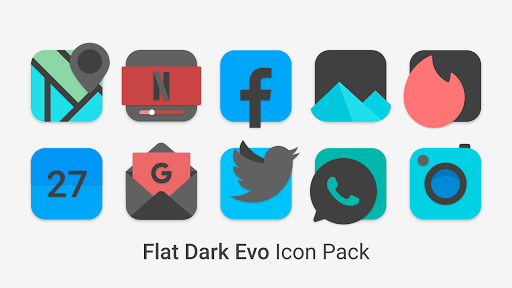

About this app
Developer Description
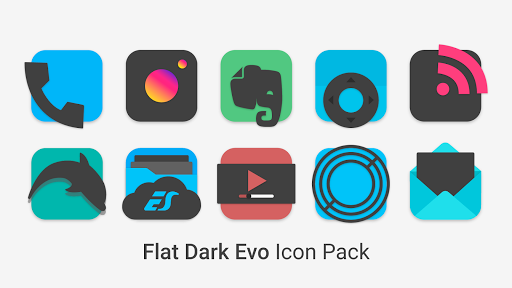
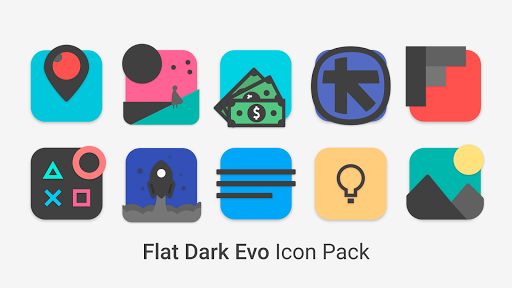
3100+ high quality Dark Icons inspired by Flat and Material Design.
• 3100+ high quality Dark Icons inspired by Flat and Material Design.
• Exclusive Wallpapers.
• Frequent Updates.
• Alternative Icons.
• Dynamic Calendar support.
• Icon Request Tool.
• Icon Search.
On some launchers you need to enter the launcher settings to activate the icon pack. :)
If you are using OnePlus launcher just enter the launcher settings: hold your finger on the home screen, then click "home settings" and then "icon pack".
Supports
• Nova Launcher
• Apex Launcher
• OnePlus Launcher
• Hyperion Launcher
• Go Launcher
• ADW2
• Action Launcher
• ABC Launcher
• Aviate Launcher
• Evie Launcher
• Holo Launcher
• ICS Holo Launcher
• Lucid Launcher
• M launcher
• Zero launcher
• V Launcher
• Smart Launcher
• Mix Launcher
• Cool Pixel Launcher
• Lawnchair Launcher
• Super P Launcher
• Rootles Launcher
• Solo Launcher and many more...
How to Apply Icons with Flat Dark Evo Icon Pack
1- Open Flat Dark Evo Icon Pack
2- Navigate to Apply Flat Dark Evo
3- Select Your Launcher
4- Enjoy Your New Theme :)
Stay in touch:
https://twitter.com/FLDesign5
https://www.instagram.com/fl_icon_design/
What's New
Some icons fixed.
More icons requested coming soon.
Thank you very much for purchasing and supporting application development.
In-app purchases
$2.49 - $250.00 per item
Version Information
- Version
- 6.5
- Downloads
- 1K+
- Updated on
- Aug 7, 2025
- Released
- Aug 1, 2019
- Requires
- Android 5.0
Statistics
Google Play Rating History
Rating Distribution
Downloads Over Time
Flat Dark Evo - Icon Pack has been downloaded times. Over the past 30 days, it averaged downloads per day.
Shaded area shows 30-day prediction based on historical trends
Historical data collection started recently. More data points will be available over time.
Flat Dark Evo - Icon Pack users say on Google Play
 A Google user
Love it. Quick question: Using Microsoft Launcher. You have to manually apply which is ok. However, to update it when new icons come out, how should one work that out. Should one basically download update, then manually change it to another icon pack, then change back. Or would it be sort of automatic with the updates. Ty
 dogmaJo
Nice Icon pack, just needs more support for Apps, as several that I use aren't masked. & there's one thing that's annoying, when I restore a backup with Nova launcher, the icons are visibly smaller, not all but some, so I have to go in & pick the one for that certain app again to make it look good again, never had such issue with other icon packs.
 Bean
Bean
Unlike the Sweet series which are superb, the masking here for unsupported icons are zoomed-in, unfocused, & generally unpleasant to look at. I've purchased the original Sweet icon pack & will eventually the dark version, but I won't install this pack again.
 Josh Storie
Absolute trash click on a icon no way to apply it DO NOT BUY IT IS A SCAM
ApkTrusted Ratings & Reviews
More from FLDESIGN
See more apps
Plume Red - Icon Pack
Paid
Flat Squircle - Icon Pack
Paid

Flat Circle - Icon Pack
Paid

Flat Pie - Icon Pack
Paid
Omega - Icon Pack
Paid

Fun - Icon Pack
Paid
Flat Square - Icon Pack
Paid

Astro - Icon Pack
Paid
Black Sweet - Icon Pack
Paid
Flat Evo - Icon Pack
Paid

Black Pie - Icon Pack
Paid

Flat TearDrop - Icon Pack
Paid

Plume Line - Icon Pack
Paid

Smooth - Icon Pack
Paid

Plume Black Line
Paid
Intense Red - Icon Pack
Paid
Similar Apps

Vera Icon Pack: shapeless icon
Paid

BOLT Icon Pack
Paid

PurpleLine Icon Pack : LineX
Paid

Ares Light: Pastel Icon Pack
Paid

Ares Dark Icon Pack
Paid

Borealis - Icon Pack
Paid

Retro Mode - Icon Pack (Light)
Paid
Olympia - Cartoon Icons Pack
Paid
Gothic Forest Green Icons
Free
Pattern Wallpapers PRO
Paid
Good Lock: Premium Lock Screen
Free

Anaesthesia Vault
Paid
Scan this QR code to download

Forwarding you to the page at Google Play market in seconds...
Open Google Play market now