
Collage Maker & Photo Editor vVARY
Kohati Studio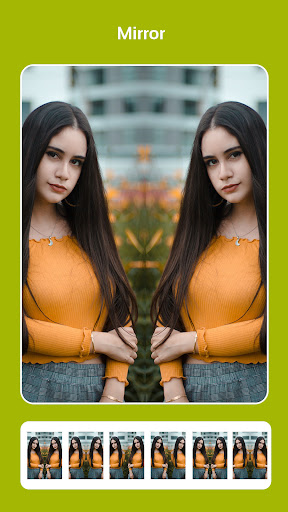


About this app
Developer Description
Photo Collage Maker & Editor to make your Photos more beautiful and attractive
Features
1. Combine up to 10 photos to create photo collage.
2. Multiple Layouts of frames to choose
3. A large numbers of backgrounds, stickers and fonts.
4. 100+ collages to use.
5. Rotate photos and scale photos functionality inside and outside collage.
6. Crop photos and change backgrounds at runtime to Edit Photo Collage
with built-in Photo Editor.
7. Remove backgrounds and add new backgrounds any time.
8. Blur background and re sharp background.
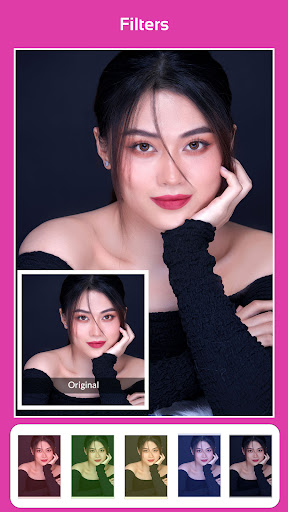
9. Add filters to your photos.
10. Save Photos in high resolution to your Phone.
11. Share your beautiful Photos with friends and family members.
How to use
1. Open Collage Maker and photo Editor
2. To make photo Collage click on Photo Collage then select photo at least 1
at at most 10 click next.
3. Choose Collage of your choice.
4. Choose background of your choice for photo Collage background.
5. To add stickers choose stickers, you can select all 123 stickers at once
for making Photo Collage.
6. To add text write your won text with built in text editor including font
styles and colors.
7. You can increase/decrease spacing between photos and also round you
corners.
8. To use photo Editor open Photo Editor.
9. Choose Photo you want to Edit.
10. Add your effect if you want.
11. To crop your Image click crop.
12. To Rotate your Image click Rotate.
13. Add Text if you want.
14. Add frame of your choice if you want.
15. Draw anything you want in Photo Editor.
16. To Add Focus to specific point use focus.
17. To Blur Photo use blur option.
18. To use mirror functionality open Mirror inside Photo Collage Maker and
Photo Editor.
19. To use Templates of Collage Maker &Photo Editor open Templates
which have many templates including Birthday, Love, Life, New Year
and Travel Templates.
20. To view your saved work open Gallery from Your Photo Collage Maker
and Photo Editor.
Version Information
- Version
- -
- Downloads
- 1K+
- Updated on
- -
- Released
- Mar 12, 2023
- Requires
- Android Varies with device
Statistics
Google Play Rating History
Rating Distribution
Downloads Over Time
Collage Maker & Photo Editor has been downloaded times. Over the past 30 days, it averaged downloads per day.
Shaded area shows 30-day prediction based on historical trends
Historical data collection started recently. More data points will be available over time.
ApkTrusted Ratings & Reviews
More from Kohati Studio
See more apps




Similar Apps

Video Downloader & HLS Player
Free

Status Saver App
Paid

3D Photo: Imager
Paid

Text & Image to Video AI Gen
Paid

Song Detector
Free

PixaGen: Ai image generator
Paid

AR Drawing: Learn & Sketch Art
Free

TIKTOK Meme
Paid

KiWi Vault: Hide Photos, Video
Free

LiveMic: Bluetooth Mic Speaker
Paid

Ai Logo Maker : Design Studio
Paid

DramaFlix: Stream Drama Short
Paid

VUDE
Paid

Video Downloader & HD Player
Paid

Hamster News
Paid

Video downloader: Vid Play
Free
Scan this QR code to download

Forwarding you to the page at Google Play market in seconds...
Open Google Play market now