Language Translator Camera: AI vVARY
Kohati Studio


About this app
Developer Description
Learn English Speaking in Urdu with lessons, conversations, and vocabulary
😍 Voice and Text urdu tanslator is for translating urdu language to all other languages.
✅ Learn English Speaking in Urdu with lessons, conversations, and vocabulary.
🤗 Learn English Speaking in urdu Text to Text Translation for English Speaking. Learn English Speaking in urdu Translator also supports Text to Voice translation and Translator urdu Language
🖮 Learn English Speaking in urdu supports Voice to Text Translation by default is English to Spanish Translator but it can be changed to urdu to English.
🗯️ English Speaking in urdu Translator can translate word, sentence and paragraphs. English Speaking in urdu Translator will instantly translate anything from urdu language to english language whatever conversion you want.
🤠 Learn English Speaking Voice and Text Translator you can chat and speak english with any foreigners with their native languages without joining academy to learn those languages.
🗽 English Speaking Translator Voice and Text Translator is free All languages translator and Voice and Text Translator is very easy to use.
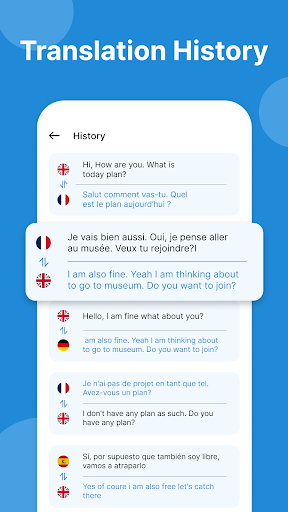
🌎 View English Speaking in urdu translated history which is automatically saved and you save your favorite translations separately as well. You can also delete favorite and history records as well. You can also use chat translations which are automatically saved and delete that translations as well.
How To Use
1. Install Learn English Speaking in urdu
2. Open Learn English Speaking in urdu
3. Enter Text which you want to translate.
4. Click Translate button to translate it to other english language.
5. Click on Speaker to Listen pronunciation of translated output.
6. Click on mic For Voice Translation.
7. Click on Base language to change your base language.
8. Click on Target language to change target language.
9. Click on search icon on top for searching your desired language.
10. Click on language to choose your desired language.
11. To swap target language and base language just click double arrow
icon.
12. Click on copy symbol to copy translated text to your clipboard and paste
it anywhere you want.
13. Click on share symbol to Share translated text for sharing anywhere via other apps like messenger, messages, Bluetooth etc.
For any qurey please contact us on given mail. We will guide you.
Version Information
- Version
- -
- Downloads
- 1K+
- Updated on
- -
- Released
- Jun 4, 2021
- Requires
- Android Varies with device
Statistics
Google Play Rating History
Rating Distribution
Downloads Over Time
Language Translator Camera: AI has been downloaded times. Over the past 30 days, it averaged downloads per day.
Shaded area shows 30-day prediction based on historical trends
Historical data collection started recently. More data points will be available over time.
Language Translator Camera: AI users say on Google Play
 ZAHID IQBAL IYW
All Languages Translator Application is very impressive, outstanding and best latest version of the year for use. 🌴
 Mujaffar Sanadi
Translate text from one language to another, translations are very accurate and conversion is fast.
 NIVEDITA SINGH
Worst! Worst! App. Experiences crashes more often. Zero rating for this worthless and useless App
ApkTrusted Ratings & Reviews
More from Kohati Studio
See more apps





Similar Apps

Verba - Translation App
Free

RosettaMind
Free

Qibla Direction- GPS Compass
Paid

Al Quran- Qibla & Prayer Times
Paid

Text & Image to Video AI Gen
Paid

All Languages Translator App
Free

Funny Ringtones - Ai Sound App
Paid

Leadership Lessons
Paid

Hamster News
Paid

BooKeep
Paid

Hakma - Little Muslim Hub
Free

Public Speaking Tip
Paid

Joylux Menopausal Health App
Free

Voice & Language Translator
Free
Scan this QR code to download

Forwarding you to the page at Google Play market in seconds...
Open Google Play market now