EasyCanvas - Subscription v4.8.10
easynlight






About this app
Developer Description
You can use your tablet as a liquid crystal tablet or dual monitor.
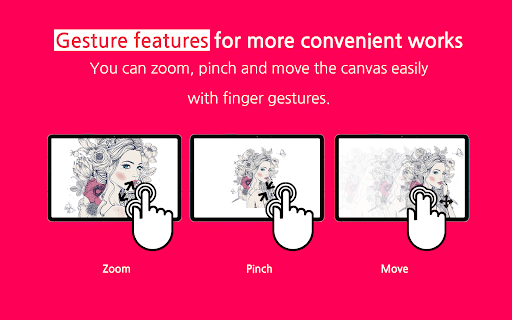
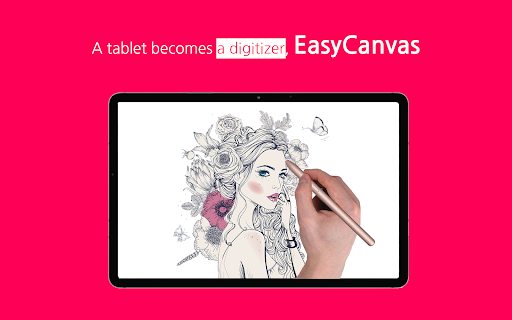
EasyCanvas is an app that lets you use your tablet as a liquid crystal tablet.
Draw directly in PC programs such as Photoshop and Clip Studio through your tablet.
▶ Excellent performance of Galaxy Tab and S Pen
Now, if you have a Galaxy Tab and S Pen, you don't need to buy an expensive LCD tablet
The excellent hardware of the Galaxy Tab is combined with the technology of EasyCanvas to make the perfect LCD tablet.
▶ Familiarize yourself with drawing on paper
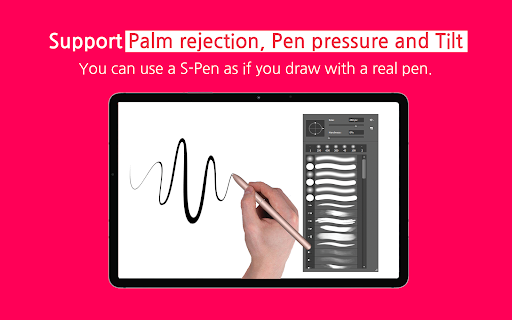
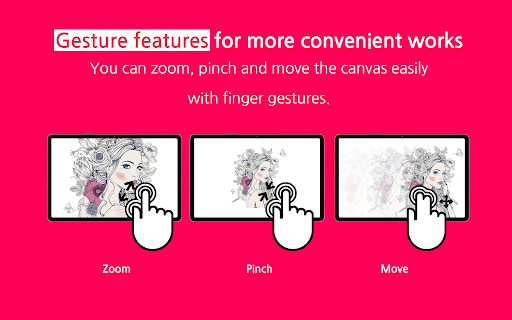
It fully supports "Palm Rejection", which allows you to draw with your palm on the screen, and "Pen Pressure" and "Tilt" of the S Pen.
Also, the 120Hz refresh rate makes the screen and stylus movement smoother.
▶ Independent Virtual Display Solution
Easy&Light's virtual display solution provides extended display. It can be used as an extended monitor in triple or higher environments as well as a dual monitor.
▶ Simultaneous wired/wireless connection support
It supports both stable USB connection and convenient wireless connection via Wi-Fi.
Now work anywhere, anytime, any way you want.
Pay after you experience it for yourself!
We provide a trial function that you can use for free for 3 days.
[Support Environment]
PC: Windows 10 or later (WDDM version 2.0 or later)
Tablet: Galaxy Tab S3, S4, S6, S6 Lite, S7, S7+, S7 FE
Support : https://easynlight.oqupie.com/portal/2247/request
Privacy policy : http://www.easynlight.com/easycanvaspolicy/
What's New
In-app purchases
$4.99 per item
Version Information
- Version
- 4.8.10
- Downloads
- 10K+
- Updated on
- Dec 1, 2025
- Released
- Dec 8, 2020
- Requires
- Android 8.0
Statistics
Google Play Rating History
Rating Distribution
Downloads Over Time
EasyCanvas - Subscription has been downloaded times. Over the past 30 days, it averaged downloads per day.
Shaded area shows 30-day prediction based on historical trends
Historical data collection started recently. More data points will be available over time.
EasyCanvas - Subscription users say on Google Play
 Metal Slug
I hope there is a way using it without pen
 Ibod Bayu Priyambodo (Ibod)
Application are great but recenty its disconect often while im working, i use samsung s6 lite and hp notebook. Could you give me advice?
 Andrew Gerber
S-Pen resolution was terrible. OS: Windows App: Onenote Tablet: Galaxy Tab S6 lite
 Ignat Fialkovskiy
First impression is a good one, you can change the displayed resolution to make the S Pen signal more detailed. Although some software does not recognise the pressure from the tab (but do so from a Wacom). Will wait for a Support response to change the review. Win 10 + Samsung S6 Lite. UPD Support never responded my email, so downgrading the review =( PS the support never answered my inquiry....
ApkTrusted Ratings & Reviews
More from easynlight
See more apps

Scan this QR code to download

Forwarding you to the page at Google Play market in seconds...
Open Google Play market now