
Audio Recorder v1.1.21
Digit Grove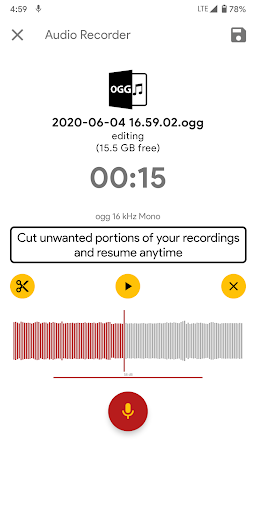


About this app
The Audio Recorder app by Digit Grove effectively solves the problem of recording high-quality audio on Android devices, benefiting podcasters, journalists, and musicians who require crisp sound. With a 4.2-star rating and over 500,000 downloads, it stands out in the Music And Audio category for its simplicity and reliability. Compared to alternatives, Audio Recorder's unlimited recording time and high-definition quality make it a strong contender, although its lack of advanced editing features might deter some users. Overall, it's a solid choice for those seeking a straightforward recording app.
Pros
- The app's high user rating of 4.2 out of 5 stars indicates a well-received product with a strong reputation, suggesting that the developer, Digit Grove, has successfully met the needs of its users.
- With over 500,000 downloads, the app has achieved moderate social proof, implying that a significant number of users trust and use the app for their audio recording needs.
- The app's ability to record unlimited hours of high-definition audio is a significant advantage, making it suitable for long-form recordings such as podcasts, lectures, or interviews.
- The developer's website and email support suggest a commitment to customer service and feedback, which is reassuring for users who may encounter issues or have suggestions for improvement.
- The app's small size and lack of permissions required suggest efficient coding and a low risk of privacy violations, making it a good choice for users concerned about data security.
Cons
- The presence of ads in a free app with in-app purchases may detract from the user experience, potentially leading to distractions or interruptions during critical recording sessions.
- The app's monetization model, which includes in-app purchases, might be seen as aggressive by some users, particularly if the purchased features are deemed essential for the app's core functionality.
- The lack of advanced editing features within the app itself may require users to seek additional software for post-recording editing, which could be inconvenient for those seeking an all-in-one solution.
- Some users may find the app's simplicity to be a limitation, as it lacks features such as noise reduction, EQ, or effects that are available in more comprehensive audio recording applications.
Best for: The ideal user for the Audio Recorder app is likely an individual who requires a simple, reliable, and high-quality audio recording solution, such as podcasters, journalists, students, or musicians, who value ease of use and clarity of sound over advanced editing features or complex functionality.
Developer Description
Record Unlimited Hours of High definition Audio and Voice
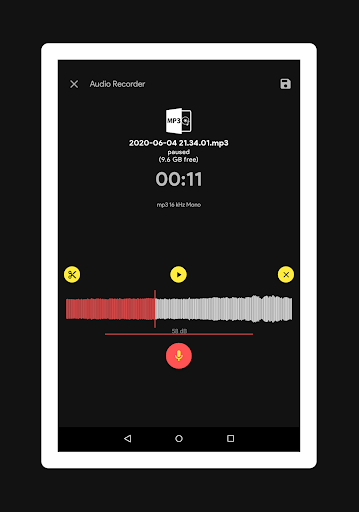
An intuitive recording interface in this tool makes it easy for recording, pausing, storing and editing the Audio
Best Features of Voice Recorder
✓ High Quality and HD Audio Recording
✓ you can pause, edit, cut a portion of the audio and stop the audio files while recording.
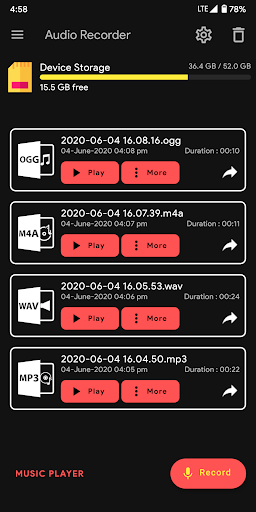
✓ you can share your recordings easily.
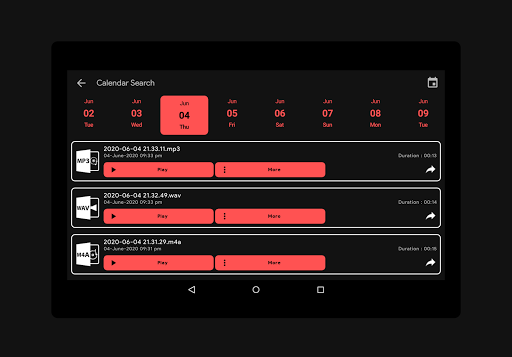
✓ Calendar is available within this tool for organising all your recordings day wise
✓ you can delete your recordings anytime easily
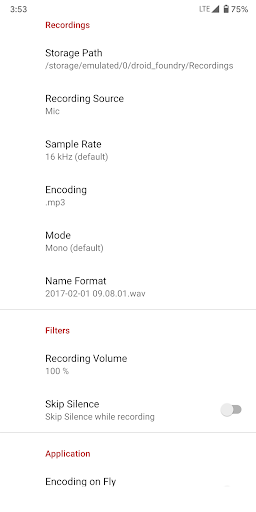
✓ you have option to change the recording quality ranging from low to High
✓ you can change your recording folder location
✓ Bluetooth recording support
✓ Adjust Recording Sound
✓ You have option to pause or continue to record while a call is on progress
✓ Recording controls are available in device Notification and lock screen
✓ MP3, WAV, M4A, OGG, FLAC formats
✓ 8 kHz - 48 kHz Sample Rate
✓ Mono, Stereo
Device Permission Usages
★ android.permission.READ_PHONE_STATE : To Pause or resume Recording while a call is on progress
★ android.permission.READ_EXTERNAL_STORAGE, android.permission.WRITE_EXTERNAL_STORAGE : To read, and store your audio recordings
★ android.permission.RECORD_AUDIO : To use your device Microphone to record your audio
★ android.permission.MODIFY_AUDIO_SETTINGS : To place your phone in silent mode while recording the audio. This is optional.
★ android.permission.ACCESS_NOTIFICATION_POLICY : To show recording controls in notification screen
We welcome all your reviews and suggestions. Thanks for your support.
Privacy
Given that the Audio Recorder app requires no permissions, the risk of data collection or privacy violations appears to be minimal. However, users should still be cautious when using any app that records audio, ensuring they are aware of their surroundings and have the consent of all parties being recorded. To further protect privacy, users can review the developer's privacy policy on their website.
Tips
For optimal performance, users should ensure their device has sufficient storage space before initiating long recordings. Additionally, closing other resource-intensive apps can help prevent interruptions or quality issues during recording sessions. Users can also explore the app's settings to customize their recording experience, such as choosing the output format or adjusting the microphone sensitivity.
What's New
Version 1.1.21
✓ High Quality, HD Audio Recording, Audio Tagging, Editing and Playback
✓ Play, pause, edit your audio file while Recording. Select Audio Channels.
✓ Supports major file formats (MP3, WAV, OGG, FLAC, M4A) and quality of Recordings
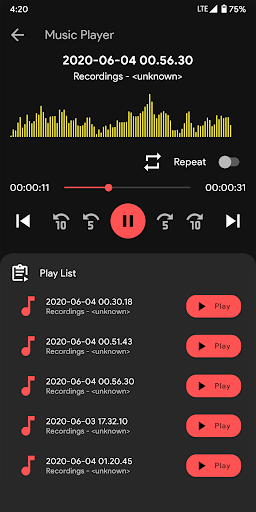
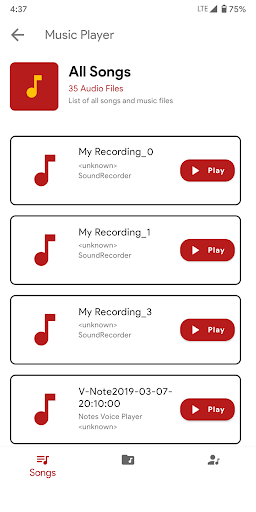
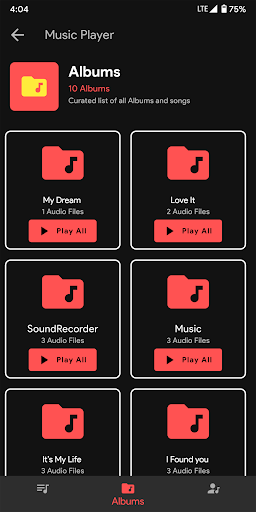
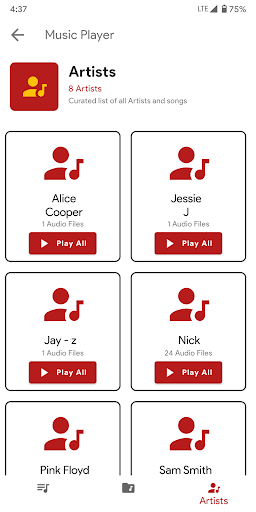
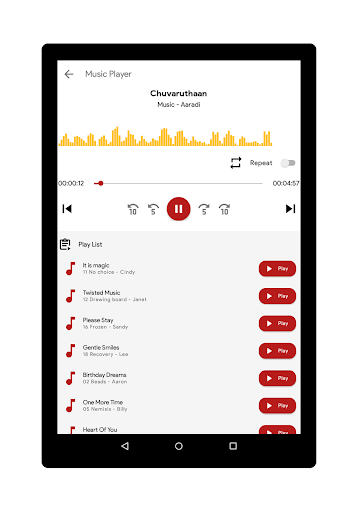
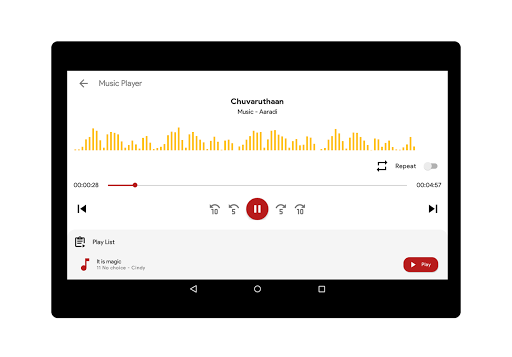
✓ Built-In brand new music player, Android 12 Support
✓ Bug Fixes, dark theme, Language Change, add cover photo, audio tagging
In-app purchases
$1.75 per item
Version Information
- Version
- 1.1.21
- Downloads
- 500K+
- Updated on
- Jan 16, 2023
- Released
- May 29, 2018
- Requires
- Android 4.2
Statistics
Google Play Rating History
Rating Distribution
Downloads Over Time
Audio Recorder has been downloaded times. Over the past 30 days, it averaged downloads per day.
Shaded area shows 30-day prediction based on historical trends
Historical data collection started recently. More data points will be available over time.
Audio Recorder users say on Google Play
 Vadakkedath Prakasan Babu
This is also make the life easier. Very good compared to other audio recorders.
 Vijay S
It has an unique feature specially useful for singers if you are recording songs and if u got something wrong just pause n erase the part and start recording again on the go. Kudos to the team 👍🏻. But still lots of improvements needed in UI and stability.
 Sunil H
The app is good however while renaming the file, the file gets deleted automatically hence difficult to use this app without this function.
 SUDHA BATTA
Pause, forward & rewind feature doesn't work in premium purchase also... disappointed...pls help
 Ren
Ren
I used this app to record a four hour d&d sessio with some friends, split into three parts. When I went check how the recordings went, there as no problems initially until I changed the title of the recording using the in-app editor. AS SOON AS I TAPPED 'Proceed' the recording vanished. No error message, no confirmation box, no warning. Just gone. There's no folders associated with the app so there doesn't seem to be a way to recover them. Haven't heard back from the email l sent to support
ApkTrusted Ratings & Reviews
More from Digit Grove
See more apps



Similar Apps
Simple Voice Recorder
Free
Recorder AI:Voice&Meeting Note
Free

ASR Voice Recorder
Free

Dwellspring: Sleep Sounds
Free

voice recorder - pro recorder
Free
Podcast Guru - Podcast App
Free

Shuttle Music Player (Legacy)
Free

Voice Recorder
Free
Weather Live
Paid

Sleep Tracker & Cycle : Dirim
Free

Sleep Tracker basic
Paid

Voice Memos: Braindump
Free
Easy Voice Recorder
Free

Minimalistic Task Reminder
Free
Voice Recorder & Audio Editor
Free

Call Recorder - Talker ACR
Free
Scan this QR code to download

Forwarding you to the page at Google Play market in seconds...
Open Google Play market now