
Epson Label Editor Mobile v1.7.0
Seiko Epson Corporation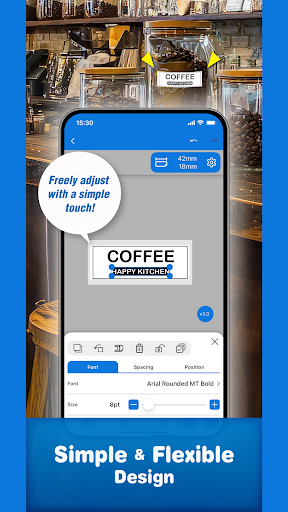
About this app
Developer Description
Greater flexibility in label design…
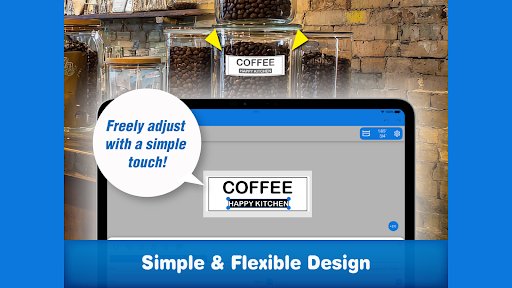
Epson Label Editor Mobile is a user-friendly app that allows you to design and print personalized labels for every situation.
Whether you're organizing your home, wrapping gifts, or managing an office and on-site operations, this app offers powerful features to meet your needs.
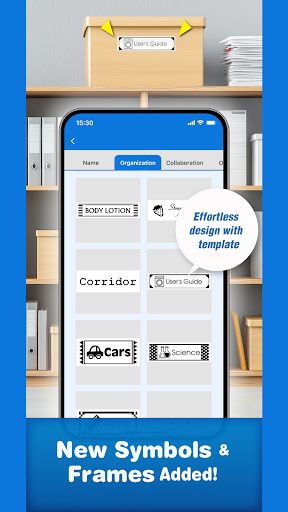
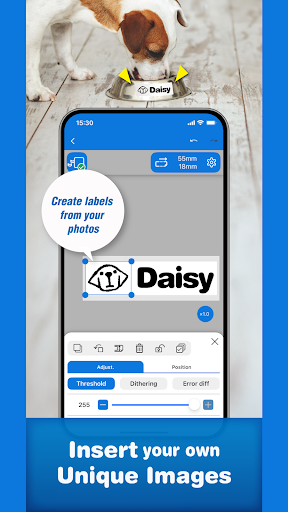
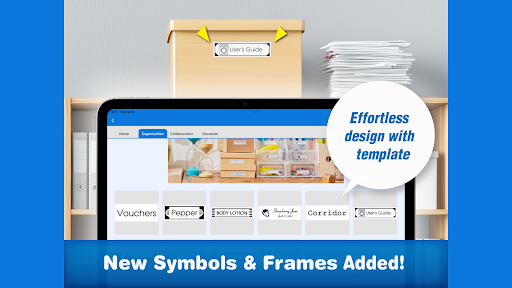
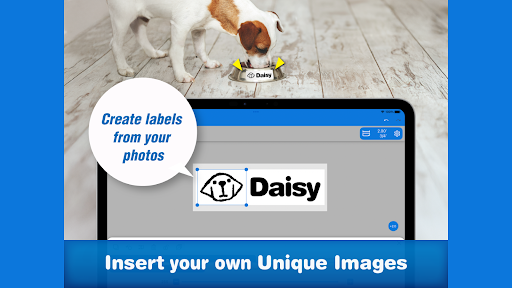
With over 870 symbols, 60+ frame designs, and full support for your own images, you can create original labels from scratch or quickly edit templates to suit your purpose.
Key Features
■ Intuitive and Flexible Label Design & Templates
Over 870 symbols and 60+ frames (continuously updated)
Insert images, illustrations, and custom shapes
Use any font installed on your device
Quick and easy label creation using built-in templates
Design your own marks with built-in creation tools
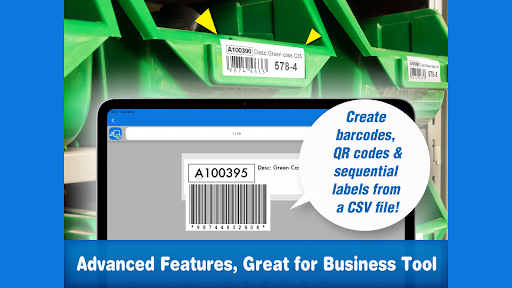
■ Business-Ready Advanced Tools
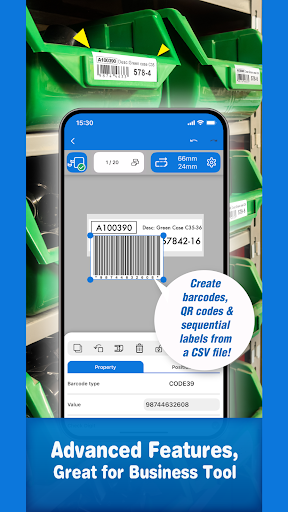
Generate barcodes and QR codes
Import data from spreadsheets (CSV file) to create labels in bulk
Insert tables up to 10 rows × 10 columns
■ Save and Share Your Label Designs
Save up to 100 label designs for quick reuse
Share saved designs with other users for easy collaboration
■ Seamless Integration with PC Software
Open and print label files created in Epson’s PC software Label Editor
Easily sync and edit designs across PC and mobile devices
Watch How-To Videos
https://www.youtube.com/playlist?list=PL_i6ZFZucFD8kUS0JHLJRJ01APyWSli3C
Check Supported Devices
https://support.epson.net/appinfo/labeleditormobile/list/
*For more information about Epson Label Editor Mobile and LabelWorks solutions, please visit our official website.
What's New
Create your own marks, make fun pair labels with friends, and record your day with a short phrase on your label.
Plus, find your favorite fonts faster with our new recommended font list!
In-app purchases
$0.49 - $18.99 per item
Version Information
- Version
- 1.7.0
- Downloads
- 100K+
- Updated on
- Dec 18, 2025
- Released
- Jun 3, 2022
- Requires
- Android 10
Statistics
Google Play Rating History
Rating Distribution
Downloads Over Time
Epson Label Editor Mobile has been downloaded times. Over the past 30 days, it averaged downloads per day.
Shaded area shows 30-day prediction based on historical trends
Historical data collection started recently. More data points will be available over time.
Epson Label Editor Mobile users say on Google Play
 David Maxwell
everything just works. Nice alignment and positioning options for a mobile app!
 Abaid Mughal
Simple enough app to use to produce nice-looking labels. Wish it had option to autoscale font to fit within the text-box constraints.
 Danielle Brekke-Low
App crashes whenever "print" is selected. I can make a whole label, and when I go to print, it crashes and I get a message saying app has a bug. Just tested with phone instead of my usual tablet and it worked great! Id love to use tablet with app
 Marc Somerville
App has all the potential to be good. But, neither WiFi Direct or Wireless will connect to my WF-7610. Have followed the videos and the help files but to no avail, it just will not connect. This is odd coz I can connect iPrint without any trouble at all. Very Disappointed that Epson does not have label software that I can use
 Col Moses
The fonts are horrible, jagged and don't scale well. Doesn't bring in my old history and saved labels. Sticking with the old app until these things are fixed.
ApkTrusted Ratings & Reviews
More from Seiko Epson Corporation
See more apps
Epson Creative Print
Free
Epson Smart Panel
Free

Epson Cloud Solution PORT
Free

Epson Projector Config Tool
Free

Epson iProjection
Free

Epson Datacom
Free

Epson FastFoto
Free

Epson Print Enabler
Free

Epson Printer Finder
Free

Epson DocumentScan
Free

Epson マルチロールプリント
Free

年賀状 2026 スマホでカラリオ年賀 はがきを作成 印刷
Free

Epson Classroom Connect
Free

Epson Projection Studio
Free

Epson Projection Studio
Free

Epson ColorWorks Print
Free
Similar Apps







Scan this QR code to download

Forwarding you to the page at Google Play market in seconds...
Open Google Play market now