
FPS Meter Real-time Display v1.1.9
Lean Bytes








About this app
Developer Description
show fps with this fps counter in real time display fps monitor
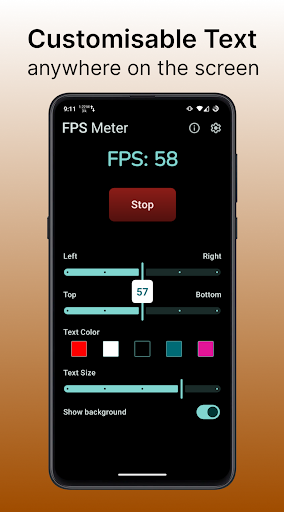
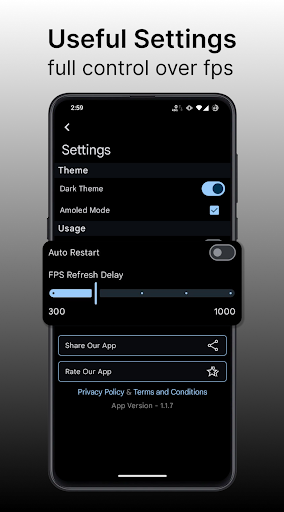
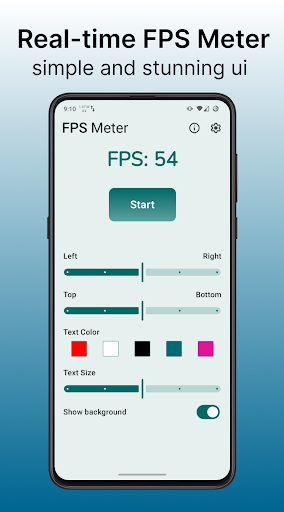
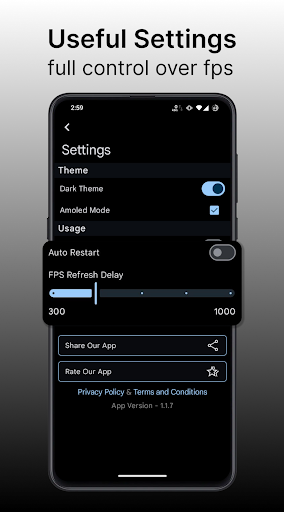
FPS Meter let's you customise the position of the FPS Meter anywhere on the screen. You can also customise the text size and colour.
This Display FPS Meter App has a modern and minimalistic design with Material Ui and Material Colours.
This refresh rate checker shows the screen refresh rate of your device, Not the refresh rate of your Game or GPU
Get lifetime access to this fps counter app with just one time payment for unlimited use to show fps real time Frames Per Second (FPS) of your device anywhere on the screen.
Note:- This FPS Meter shows the Frames Per Second of you device, it is similar to what we get in the developers options. It doesn't show the game fps meter. The app shows the FPS Meter from the Choreographer of your device.
Despite of this, we are continuously working to improve the efficiency of the fps meter as much as we can.
Thank you!!
What's New
- Added Material 3 expressive animations
- More flexible fps meter position
- Put real-time display fps meter anywhere on your screen
Version Information
- Version
- 1.1.9
- Downloads
- 5K+
- Updated on
- Oct 27, 2025
- Released
- Mar 26, 2024
- Requires
- Android 8.0
Statistics
Google Play Rating History
Rating Distribution
Downloads Over Time
FPS Meter Real-time Display has been downloaded times. Over the past 30 days, it averaged downloads per day.
Shaded area shows 30-day prediction based on historical trends
Historical data collection started recently. More data points will be available over time.
FPS Meter Real-time Display - Google Play Rankings
Top Rankings
| Rank | Country | Category | List | Change |
|---|---|---|---|---|
| — |
Ranking History in
No ranking data available yet. Rankings are updated daily.
#25 in Top Paid Tools in Spain

#27 in Top Paid Tools in Brazil


#49 in Top Paid Tools in Mexico


#52 in Top Paid Tools in India


FPS Meter Real-time Display users say on Google Play
 Pawanesh Kumar Yadav
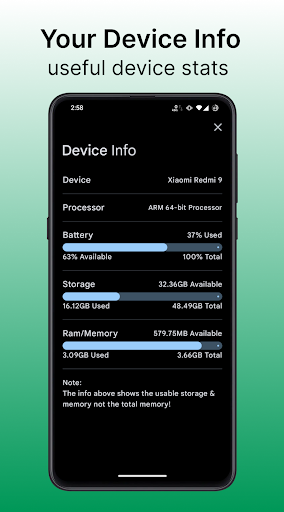
This app actually works and shows your fps and current refresh rate idk why people are complaining and leaving bad reviews. There's a lot of ads but for the performance i think it's worth it. You can also adjust the size and location of the meter. You can even see your device information. Highly recommend.
 Sayan ?
FPS ki Lea Best App Ha
 Qi Xu
Qi Xu
Not sure why is causes fps spikes in some of the games that I play but I'll edit the review once the issue gets fixed
 Rupjyoti Ray
I thought it will show me the exact fps but it was only showing the refresh rate that's not good not value for money
 Abhishek Palariya
This apps just shows how much refresh rate is the screen of your device is. It will not serve the purpose of showing you the fps count in BGMI or any game it will just show how much the default screen rate is. Misguided by the app.
ApkTrusted Ratings & Reviews
More from Lean Bytes
See more apps






Similar Apps
CPU Monitor - temperature
Free

Game Booster 4x Faster Pro
Paid

LagoFast Game Booster: Low Lag
Free

G-CPU:Monitor CPU, RAM, Widget
Free

Castro Premium - system info
Paid

Freedom Street Garage
Free

F-Secure: Total Security & VPN
Free

Cyberpunk Red Companion
Free

Ajax PRO: Tool For Engineers
Free

Mantis Laser Academy
Free

3DMark — The Gamer's Benchmark
Free

Probuilds for LoL & Wild Rift
Free

Final Surge
Free

Ares Dark Icon Pack
Paid

ChargeNow
Free

Razer Cortex Games: Rewards
Free
Scan this QR code to download

Forwarding you to the page at Google Play market in seconds...
Open Google Play market now