
3DMark — The Gamer's Benchmark v2.6.5025
UL Benchmarks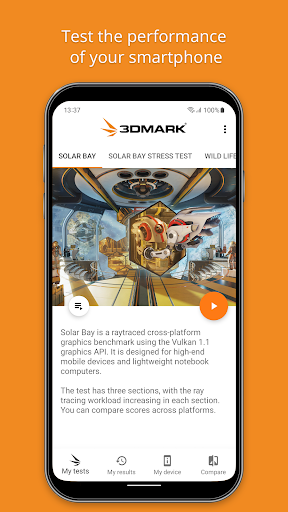


About this app
The 3DMark — The Gamer's Benchmark app solves the problem of accurately measuring Android device performance, particularly for gamers who need to assess their device's capabilities. This app benefits gamers and tech enthusiasts the most, providing a comprehensive benchmarking tool that stands out from alternatives in the Tools category due to its detailed scoring system and lack of ads or in-app purchases. Compared to other benchmarking apps, 3DMark offers a more detailed analysis of device performance, making it a valuable tool for those looking to optimize their device's gaming capabilities. However, its complexity might make it less accessible to casual users.
Pros
- With over 5 million downloads and a 4.0/5 rating, 3DMark has established itself as a trusted and widely-used benchmarking tool, providing social proof of its effectiveness and reliability.
- The app's lack of ads and in-app purchases ensures a clean and uninterrupted user experience, allowing users to focus on benchmarking their device without distractions.
- The developer, UL Benchmarks, has a reputation for creating high-quality benchmarking tools, and 3DMark is no exception, with regular updates and a well-maintained website and support channel.
- The app's offline capability and minimal permission requirements make it a secure and private option for users, allowing them to benchmark their device without compromising their data or security.
- 3DMark's detailed scoring system and comprehensive analysis of device performance make it a valuable tool for gamers and tech enthusiasts looking to optimize their device's capabilities.
Cons
- One concern is that the app's complexity might make it less accessible to casual users who are not familiar with benchmarking terminology or procedures.
- Some users may find the app's lack of a user-friendly interface or guided tutorial to be a drawback, particularly for those who are new to benchmarking.
- The app's focus on gaming performance might make it less relevant to users who are looking for a more general-purpose benchmarking tool.
- There is a potential concern that the app's benchmarking results might not be entirely accurate or consistent across different devices or testing conditions.
Best for: The ideal user for 3DMark is a tech-savvy gamer or enthusiast who is looking for a comprehensive and accurate benchmarking tool to assess and optimize their Android device's gaming performance, and is willing to invest time and effort into understanding the app's features and results.
Developer Description
The benchmark app that gives you more than a score.
Please note our latest benchmark 3DMark Solar Bay, will only run on very new Android devices with Vulkan Ray Tracing support.
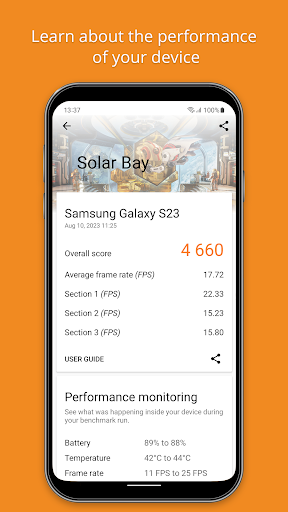
3DMark benchmarks the GPU and CPU performance of your device. At the end of the test, you get a score, which you can use to compare models. But 3DMark also gives you so much more.
More than a score
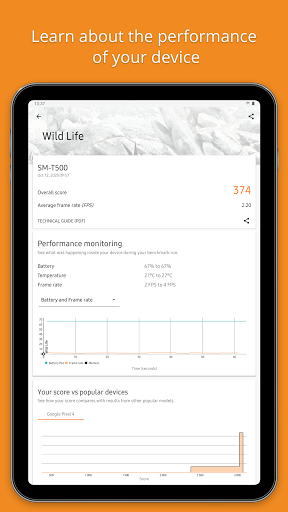
3DMark is designed around data-driven stories that help you learn more about your smartphone and tablet. With its unique charts, lists and rankings, 3DMark gives you unrivaled insights into the performance of your device.
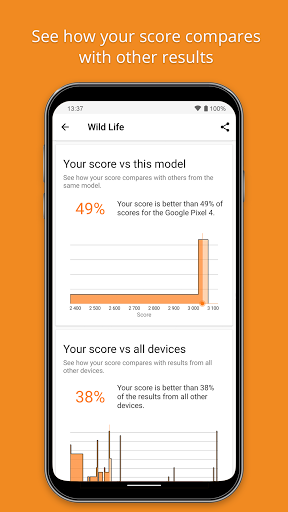
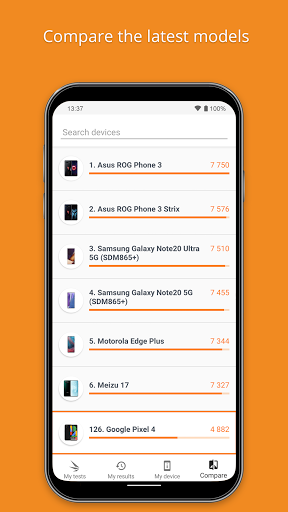
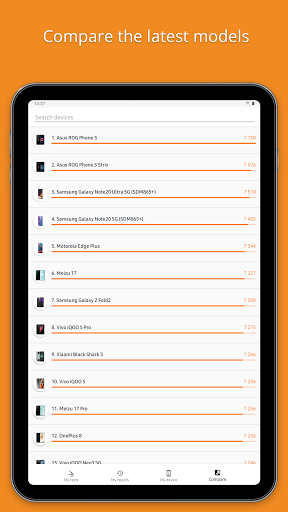
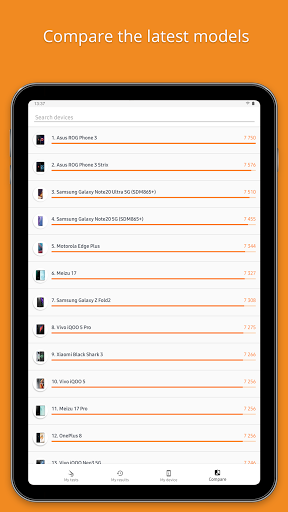
• Compare your score with others from the same model.
• Compare your device’s performance with other popular models.
• See how your device’s performance changes with each OS update.
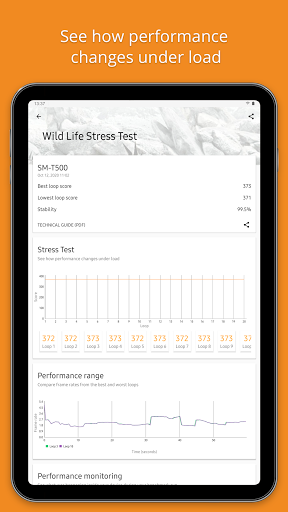
• Discover the devices that perform consistently without slowing down.
• Search, filter and sort our lists to compare the latest mobile devices.
Best benchmark for your device
When you open the app, 3DMark will recommend the best benchmark for your device. To save storage space and minimize download times, you can choose which tests you want to install.
Run 3DMark Solar Bay to compare the latest Android devices that support for gaming with real-time ray tracing. Ray tracing is a new technology in Android games that is used to produce far more realistic lighting.
3DMark Solar Bay is our latest and most demanding test for compatible Android devices. It has three sections with increasingly higher ray tracing workloads, helping you understand how enabling ray tracing will affect your device’s gaming performance.
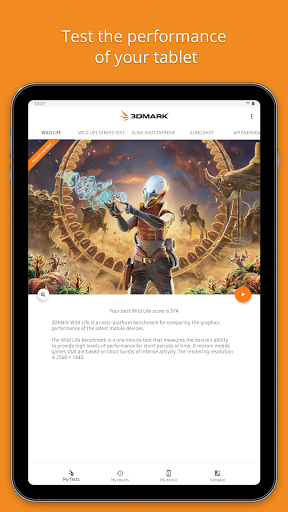
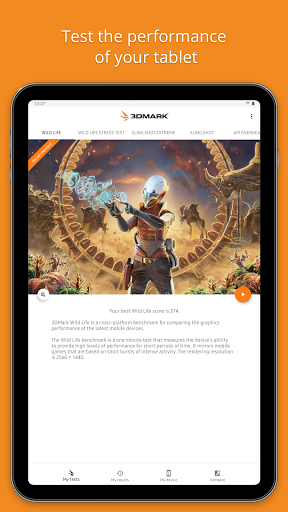
Run 3DMark Wild Life to compare new Android devices from Google, Huawei, LG, OnePlus, Oppo, Motorola, Samsung, Sony, Vivo, Xiaomi and other manufacturers with the latest iPhone and iPad models.
3DMark Wild Life Extreme is a new test that sets a high bar for the next generation of Android devices. Don’t be surprised by low frame rates as this test is too heavy for many current phones and tablets.
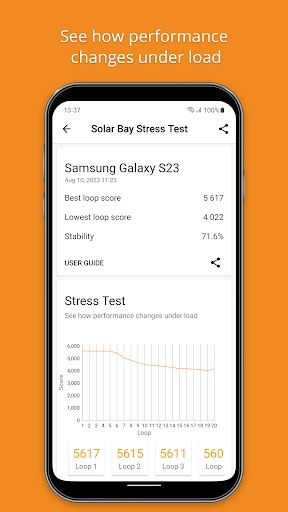
3DMark Solar Bay, Wild Life, and Wild Life Extreme offer two ways to test your device: a quick benchmark that tests instant performance and a longer stress test that shows how your device performs under longer periods of heavy load.
Choose Sling Shot or Sling Shot Extreme benchmarks to compare low- to mid-range Android devices with older iPhone and iPad models.
Choose your next phone the easy way
With in-app performance data for thousands of devices, it is easy to find and compare the best smartphones and tablets with 3DMark. Search, filter and sort the in-app rankings to compare the latest Android and iOS devices.
Download 3DMark for free
3DMark is a free app. There are no ads or in-app purchases. Download it today and join millions of people who choose 3DMark for accurate and impartial benchmark results.
System requirements
• Solar Bay benchmarks require Android 12 or above, 4GB or more of RAM, and support for Vulkan 1.1 ray query.
• Wild Life benchmarks require Android 10 or above and 3 GB or more of RAM.
• All other benchmarks require Android 5 or above.
This app is for non-commercial use only.
- Business users contact UL.BenchmarkSales@ul.com for licensing.
- Members of the press, please contact UL.BenchmarkPress@ul.com.
Privacy
Since 3DMark requires no permissions, users can be confident that their data and security are not at risk. However, users should still be cautious when interpreting benchmarking results and take steps to ensure their device is properly configured and optimized before running the benchmark. Additionally, users should be aware that benchmarking can potentially stress their device's hardware, and take necessary precautions to avoid overheating or damage.
Tips
To get the most out of 3DMark, users should ensure their device is fully charged and in a cool, well-ventilated area before running the benchmark. Additionally, users can optimize their device's performance by closing other resource-intensive apps and background processes before running the benchmark. Finally, users can use the app's detailed scoring system to identify areas for improvement and optimize their device's settings and configuration for better gaming performance.
What's New
Version Information
- Version
- 2.6.5025
- Downloads
- 5M+
- Updated on
- Nov 10, 2025
- Released
- Apr 2, 2013
- Requires
- Android 6.0
Statistics
Google Play Rating History
Rating Distribution
Downloads Over Time
3DMark — The Gamer's Benchmark has been downloaded times. Over the past 30 days, it averaged downloads per day.
Shaded area shows 30-day prediction based on historical trends
Historical data collection started recently. More data points will be available over time.
3DMark — The Gamer's Benchmark users say on Google Play
 Cody Kren
Yo guys if anyone can't update the tests re-download the app it fixed it for me it's just a bug ♥️👍
 William Gosztola
Since the most recent app update, I seem to be unable to download the updated versions of Wild life and Steel Nomad Light on my Galaxy S24. After tapping the download button, they just sit at 0%. I would like to try things like deleting and reinstalling the app, but I don't want to lose my past scores. Other tests updated fine. Also, I think the app should show Wild Life Extreme as the reccomended benchmark for powerful devices, like the S24 series, since they can max out regular Wild Life.
 天下獸耳為我婆
I've been using 3DMark as a testing app everytime I try with different gadgets (phones attached to semiconductors and phones without it) and it's always fascinating to see such a difference with these nugget phones. But ever so often when I tried to update the tests, they are just stuck at zero. I had to uninstall 3DMark and reinstall it to get it going...
 69aSable andaVee
2 updates won't download no matter how many times I've tried. even in wifi. yet the rest updated apart from 2.
 Dimitri P
took close to 1 hour to download the wildlife test, to then give a corrupt file error and try to download again.
ApkTrusted Ratings & Reviews
More from UL Benchmarks
See more apps
Similar Apps

G-CPU:Monitor CPU, RAM, Widget
Free

CPU Monitor - temperature
Free

DevCheck Device & System Info
Free

Speedtest by Ookla
Free

MacroDroid - Device Automation
Free

dynamicSpot - Dynamic Island
Free
GlassWire Data Usage Monitor
Free

Touch Screen Test
Free
Charge Meter
Free
AccuBattery
Free

Xiaomi Home
Free

Xiaomi Community
Free

DREO
Free
NetSpeed Indicator
Free

1Tap Cleaner (clear cache)
Free

UserLAnd - Linux on Android
Free
Scan this QR code to download

Forwarding you to the page at Google Play market in seconds...
Open Google Play market now