
PCMark for Android Benchmark v3.0.4061
UL Benchmarks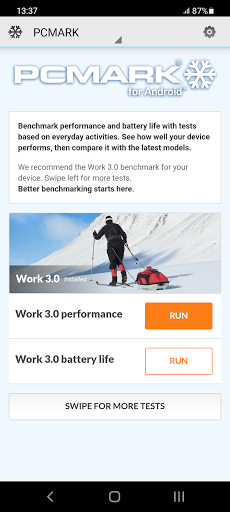




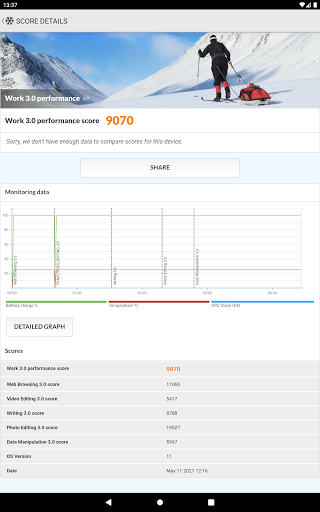
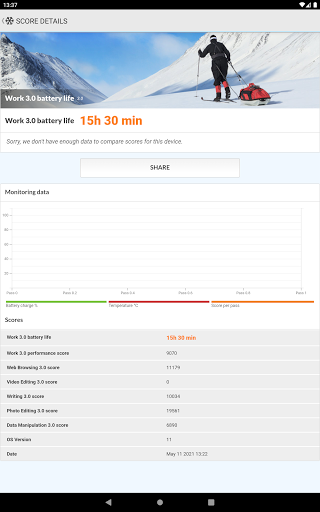
About this app
Developer Description
A better benchmark for Android devices from UL, the benchmark experts.
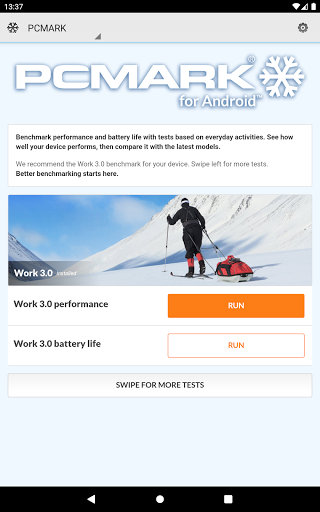
Work 3.0 benchmark
See how your device handles common productivity tasks— browsing the web, editing videos, working with documents and data, and editing photos. Use Work 3.0 to measure the performance and battery life of your device with tests based on real applications.
Storage 2.0 benchmark
Slow storage speed in a device can cause annoying lag and stutters in everyday use. This benchmark tests the performance of your device's internal storage, external storage, and database operations. You get detailed results for each part of the test as well as an overall score to compare with other Android devices.
Compare devices
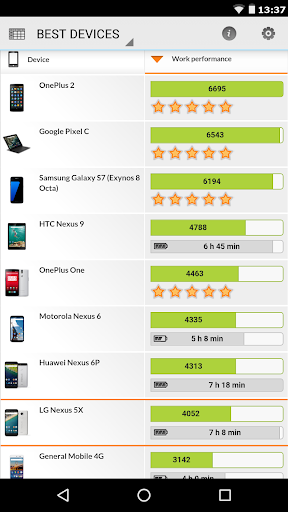
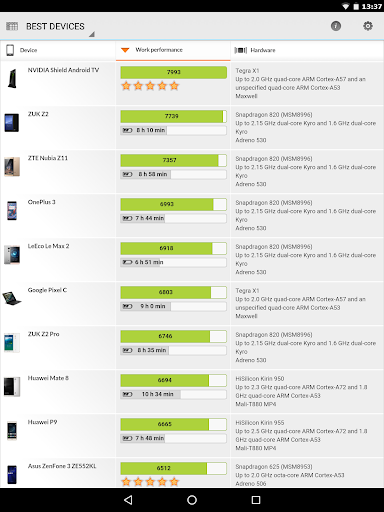
Compare the performance, popularity, and battery life of the latest smartphones and tablets with the Best Devices list. Tap any device to see a side-by-side comparison with your own device, or search for a specific model, brand, CPU, GPU or SoC. You can even filter the scores by Android version number to see how OS updates affect the rankings.
The experts' choice
"PCMark is actually a solid example of mobile benchmarking done right."
Alex Voica, Senior Marketing Specialist at Imagination Technologies
"tends to test every aspect of a mobile device, unlike microbenchmarks that can often miss aspects of the system that can affect performance."
Ganesh TS, Senior Editor at AnandTech
"Battery life is generally difficult to quantify due to the huge variation in potential workloads...The best test we have for this is PCMark, which performs a few common tasks instead of purely synthetic loops."
Matt Humrick, Staff Editor at Tom's Hardware
Choose your tests
After you download the app, you choose which benchmarks you want to install. You can add and remove tests as needed without losing your saved scores.
Minimum Requirements
OS: Android 5.0 or later
Memory: 1 GB (1024 MB)
Graphics: OpenGL ES 2.0 compatible
This benchmark app is for non-commercial use only
• Business users should contact UL.BenchmarkSales@ul.com for licensing.
• Members of the press please contact UL.BenchmarkPress@ul.com.
What's New
Please note that benchmark scores from this version are not comparable with results from older versions of the app.
With this release, the Work 2.0, Work 1.0, Storage (1.0) and Computer Vision benchmarks are no longer supported and have been removed from the app.
Version Information
- Version
- 3.0.4061
- Downloads
- 500K+
- Updated on
- Jun 21, 2021
- Released
- Oct 27, 2014
- Requires
- Android 5.0
Statistics
Google Play Rating History
Rating Distribution
Downloads Over Time
PCMark for Android Benchmark has been downloaded times. Over the past 30 days, it averaged downloads per day.
Shaded area shows 30-day prediction based on historical trends
Historical data collection started recently. More data points will be available over time.
PCMark for Android Benchmark users say on Google Play
 A Google user
Outstanding app. It's lightweight, easy to use and best of all it compares your device to others in the same category. I only used it to benchmark my A2 SD card and the results I got were on par with the ones I obtained from Crystaldiskmark from my PC using a USB 3.0 card reader. This app does what it says without the annoyance of ads.
A Google user
Its been almost a year since i start using this..and today..when i ran the benchmark..my data manipulation score was way off the chart...like its showing like 8digit score... Don't know why though..i ran the bench mark at airplane mode..with my charger disconnected.
 James Franko
I have used the battery test on a significant number of phones and quite a few it simply won't work. It just give an error message and shuts off. If this didn't happen if give 5*'s.
A Google user
It hasn't been updated for years. Can't even full screen on S20. Please update to support newer devices and Android SDK. Edit: found an option to make it full screen, but PCMark won't show any past test results. "My device" section remains blank.
A Google user
After all the tests are done I get sorry we don't have enough data to compare with this device? 4494 score and there's a list of devices with scores above and below this so what the hell just happened?
ApkTrusted Ratings & Reviews
More from UL Benchmarks
See more apps
Similar Apps
CPU Monitor - temperature
Free

DevCheck Device & System Info
Free

Ajax PRO: Tool For Engineers
Free

G-CPU:Monitor CPU, RAM, Widget
Free

Lexus
Free

xHP Flashtool
Free

ChargeNow
Free

F-Secure: Total Security & VPN
Free
NetSpeed Indicator
Free

F-Secure Mobile Security
Free

Castro Premium - system info
Paid

Emaldo
Free

Freedom Street Garage
Free

CompTIA Security+ Exam Prep
Free

FAST Speed Test
Free

AppDash: App Manager & Backup
Free
Scan this QR code to download

Forwarding you to the page at Google Play market in seconds...
Open Google Play market now