NetSpeed Indicator v1.12.0
Nisarg Jhaveri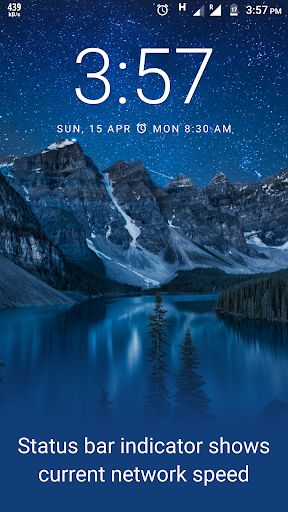
About this app
Developer Description
Shows network speed in the status bar to easily monitor your internet connection
Key features:
• Real-time internet speed in status bar
• Track and monitor daily data and WiFi usage from notification
• Unobtrusive notification to let you focus on what's important
• Highly customizable
• Battery and memory efficient
• No ads, No bloat
Feature details:
Real-time
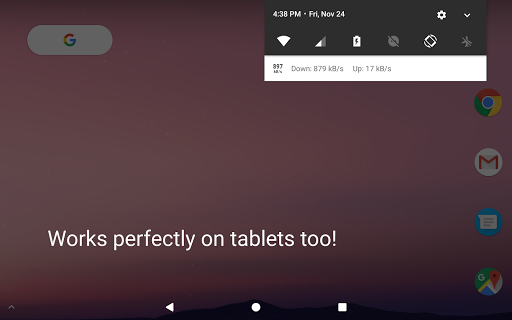
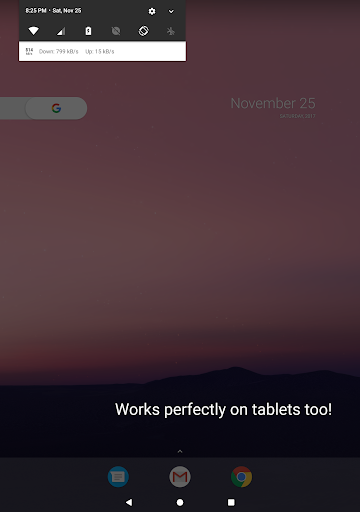
It adds an indicator in your status bar that shows mobile data or WiFi speed. The indicator shows the current speed at which your internet is being used by other apps. The indicator updates in real-time showing the current speed at all time.
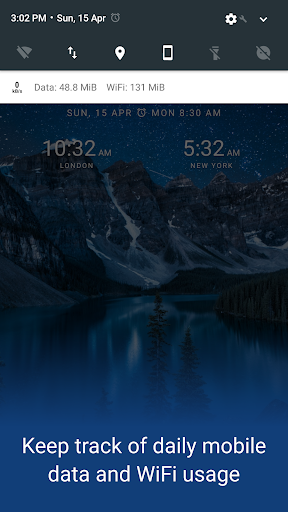
Daily data usage
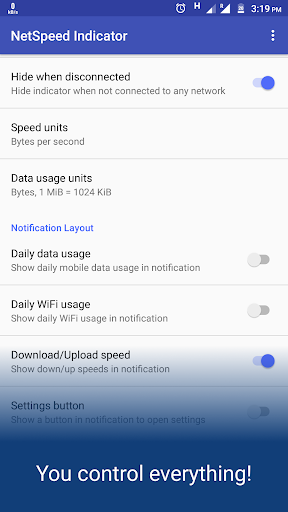
Track your daily 5G/4G/3G/2G data or WiFi usage right from notification bar. When enabled the notification shows daily mobile data and WiFi usage. No need of a separate app just to keep track of your daily data usage.
Unobtrusive
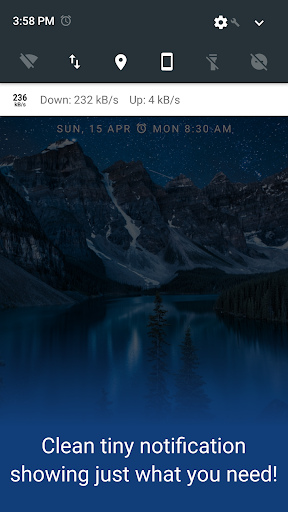
This provides and easy way to monitor your network usage and speed throughout the day without needing to open a separate app. Additionally the notification area shows a carefully designed notification that takes minimal space and attention so that it doesn't come in your way ever.
Highly Customizable
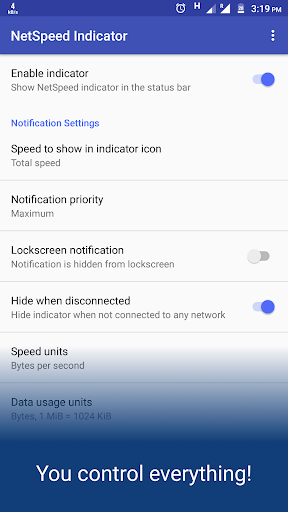
You can customize almost everything you want. Easily show and hide the indicator if needed. Decide for you where you want to show the indicator in the status bar, whether it should be shown on lockscreen or whether you want to use bytes per second (e.g. kBps) or bits per second (e.g. kbps) to show the speed.
Battery and memory efficient
The indicator is designed keeping in mind that we don't have unlimited battery backup, and our experiments shows that it consumes significantly less memory compared to other popular Internet Speed Meter Apps.
No ads, No bloat
No ads that can interrupt you. No bloatware or unnecessary features to help you focus on what's important for you. It never sends anything over the internet to ensure your privacy.
What's New
Tap on "Notification settings - Disconnected" for more control over notification priority and lock-screen notification when disconnected! Keep the "Hide when disconnected" option off for better reliability.
In-app purchases
$0.99 - $6.99 per item
Version Information
- Version
- 1.12.0
- Downloads
- 5M+
- Updated on
- Sep 28, 2025
- Released
- Nov 25, 2017
- Requires
- Android 6.0
Statistics
Google Play Rating History
Rating Distribution
Downloads Over Time
NetSpeed Indicator has been downloaded times. Over the past 30 days, it averaged downloads per day.
Shaded area shows 30-day prediction based on historical trends
Historical data collection started recently. More data points will be available over time.
NetSpeed Indicator users say on Google Play
 Young Malang
Earlier it was fine but not anymore. Now there is a upgrade due to which even if you turn off the internet, the notification keeps showing at the top. Earlier it was that if you turn off the internet, it would disappear from the notification bar.
 Keith Pearson
Works well but keeps getting shut down. battery not optimised (unrestricted) and background data always allowed. NetSpeed disconnected notification unselected.??
 Petr Streit
it was great app until last update, now it doesn't show real time transfer speed in the top bar, only static icon. can you fix this and have it like it was before?
 Noyan Mahmud
good app
 KaYaS
KaYaS
It worked perfectly until the upgrade of Oxygen OS 16, now just shows the app logo on the top left corner not internet speed... Disappointed 😥
ApkTrusted Ratings & Reviews
Similar Apps
Opensignal - 5G, 4G Speed Test
Free
GlassWire Data Usage Monitor
Free

Speedtest by Ookla
Free

NetGuard - no-root firewall
Free

DNSChanger for IPv4/IPv6
Free

DevCheck Device & System Info
Free
Charge Meter
Free
Speedify Fast Bonding VPN
Free

WiFiman
Free

Quick Settings app
Free

AVG Secure VPN Proxy & Privacy
Free

FAST Speed Test
Free

G-CPU:Monitor CPU, RAM, Widget
Free

F-Secure Mobile Security
Free

My Data Manager: Data Usage
Free
WiFi Analyzer (open-source)
Free
Scan this QR code to download

Forwarding you to the page at Google Play market in seconds...
Open Google Play market now