
NetGuard - no-root firewall v2.334
Marcel Bokhorst, FairCode BV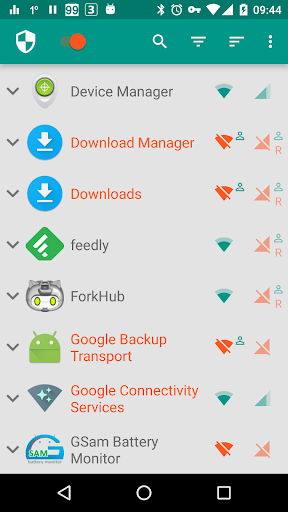
About this app
NetGuard, a no-root firewall app, solves the problem of controlling internet access on a per-application basis, benefiting power users and those concerned about data privacy. Compared to alternatives in the Tools category, NetGuard stands out with its simplicity and effectiveness, but may fall short in terms of advanced features. With its high download numbers and good user rating, NetGuard is a reliable choice, but its lack of permissions raises questions about its functionality. Overall, NetGuard is a solid option for those seeking a straightforward firewall solution.
Pros
- NetGuard's high download numbers and good user rating indicate a well-received and reliable app, suggesting that it is a trustworthy choice for users.
- The app's simplicity and ease of use make it accessible to a wide range of users, including those without extensive technical knowledge.
- The developer's reputation and responsive email support suggest a commitment to user satisfaction and issue resolution.
- NetGuard's lack of permissions is a significant advantage, as it minimizes potential privacy and security risks.
- The app's offline capability and lack of ads enhance the overall user experience, making it a convenient and distraction-free solution.
Cons
- Despite its simplicity, NetGuard may not offer the advanced features that some power users require, potentially limiting its appeal to this group.
- The monetization model, while not aggressive, may still be a concern for some users, as in-app purchases can add up over time.
- The app's effectiveness may be limited by its lack of permissions, which could impact its ability to fully control internet access on certain devices.
- Some users may experience issues with device compatibility, particularly if they are using older or less common devices.
Best for: The ideal user for NetGuard is a technically savvy individual, likely between the ages of 25 and 45, who values data privacy and is seeking a straightforward and effective firewall solution to control internet access on their device, and has a basic understanding of network settings and security principles.
Developer Description
A simple way to block access to the internet per application
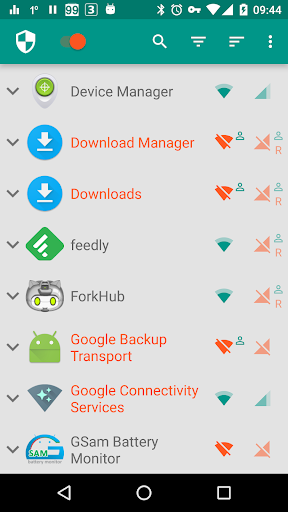
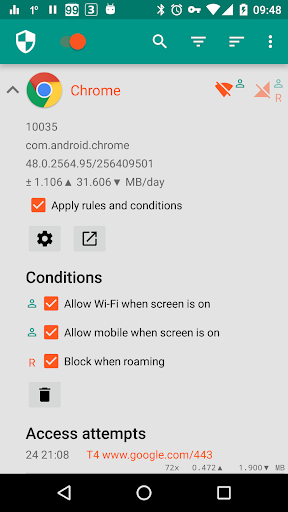
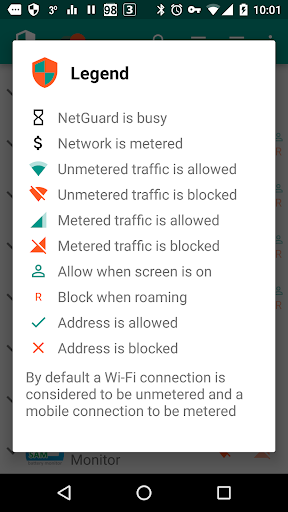
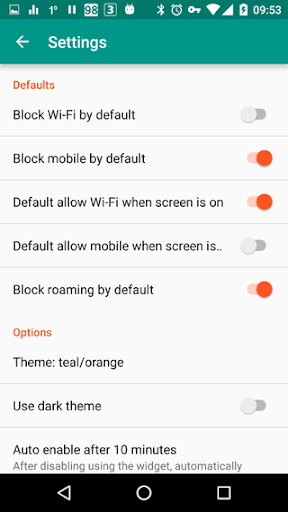
Applications and addresses can individually be allowed or denied access to your Wi-Fi and/or mobile connection. Root permissions are not required.
Blocking access to the internet can help:
• reduce your data usage
• save your battery
• increase your privacy
Features:
• Simple to use
• No root required
• 100% open source
• No calling home
• No tracking or analytics
• No advertisements
• Actively developed and supported
• Android 5.1 and later supported
• IPv4/IPv6 TCP/UDP supported
• Tethering supported
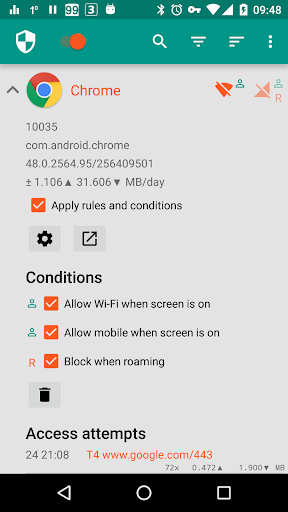
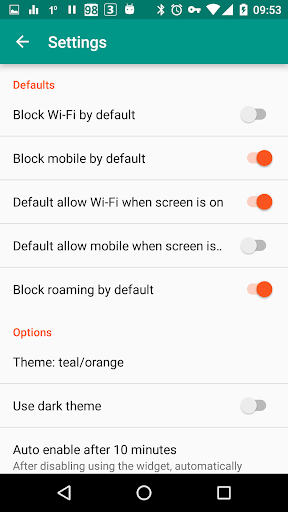
• Optionally allow when screen on
• Optionally block when roaming
• Optionally block system applications
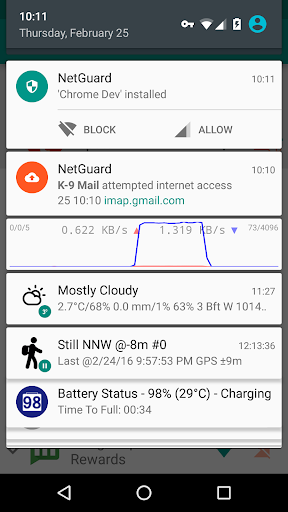
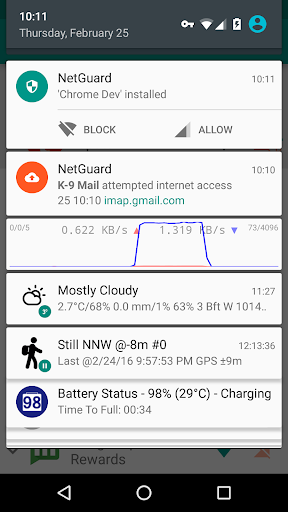
• Optionally notify when an application accesses the internet
• Optionally record network usage per application per address
• Material design theme with light and dark theme
PRO features:
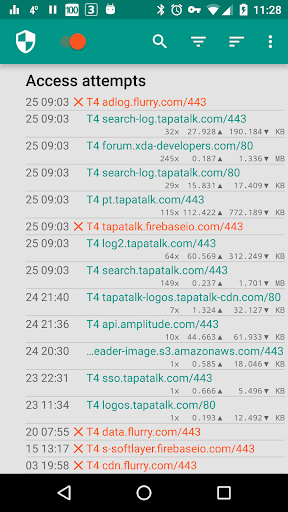
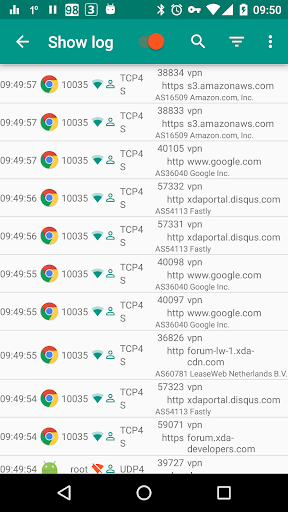
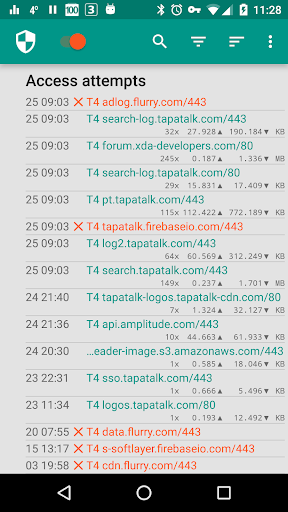
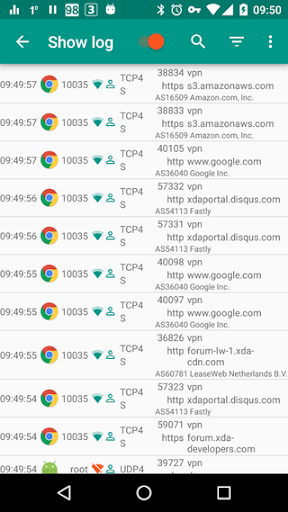
• Log all outgoing traffic; search and filter access attempts; export PCAP files to analyze traffic
• Allow/block individual addresses per application
• New application notifications; configure NetGuard directly from the notification
• Display network speed graph in a status bar notification
• Select from five additional themes in both light and dark version
There is no other no-root firewall offering all these features.
If you like to test new features, you can participate in the test program: https://play.google.com/apps/testing/eu.faircode.netguard
All required permissions are described here: https://github.com/M66B/NetGuard/blob/master/FAQ.md#user-content-faq42
NetGuard uses the Android VPNService to route traffic to itself, so it can be filtered on-device instead of on a server. Only one app can use this service at the same time, which is a limitation of Android.
The full source code is available here: https://github.com/M66B/NetGuard
Privacy
Given NetGuard's lack of permissions, it is unlikely to collect sensitive user data, but users should still be cautious when granting access to their device's internet settings. To ensure maximum security, users should regularly review their app's internet access settings and adjust them as needed. Additionally, users should be aware of the potential risks associated with using a firewall app, such as unintentionally blocking essential services.
Tips
To get the most out of NetGuard, users should start by reviewing the app's settings and adjusting them to suit their specific needs, such as blocking access to certain apps or setting up custom rules. Users can also optimize performance by disabling the app's background data usage and limiting its battery consumption. Furthermore, users can integrate NetGuard with other apps, such as task automation tools, to enhance its functionality and create custom workflows.
What's New
* Small improvements and minor bug fixes
In-app purchases
$0.99 - $8.49 per item
Version Information
- Version
- 2.334
- Downloads
- 10M+
- Updated on
- Oct 14, 2025
- Released
- Nov 3, 2015
- Requires
- Android 5.1
Statistics
Google Play Rating History
Rating Distribution
Downloads Over Time
NetGuard - no-root firewall has been downloaded times. Over the past 30 days, it averaged downloads per day.
Shaded area shows 30-day prediction based on historical trends
Historical data collection started recently. More data points will be available over time.
NetGuard - no-root firewall users say on Google Play
 Eperception Metamorphosis
This NetGuard firewall is just amazing, one of a kind. Attractive interface with an outstanding logo. I finally got a chance to install it on my Moto G&works great. The "Always on VPN" feature is a terrific extra layer of network protection. I tried installing it on my previous devices but didn't work well. Robust network protection with defined rules and notifications around the clock, you name it. So, if you really need an absolute & dependable firewall then I truly recommend NetGuard. Cheers!
 J H
J H
Grand app! I wonder when Google will try to buy them out and destroy them. I hope they are steadfast and don't disappear like No Root Firewall did. We believe in you good folks! ✊ One great feature would be a timer ⌛ that allows an app to access network for the next X mins but then automatically loses access. Hope it is something you can bring out.
 Thomas
free version works okay, but the paid version should be free for real. gotta pay to see logs. crazy.
 James Crider (Jimi)
constantly DISABLES itself no matter what I try and looks like the only way to get support is to Purchase it 👎 YES I DID Disable the Battery Optimization yet the app STILL Disables itself! lOOks like I'll have to make a VIDEO of it so the 'developer' can SEE IT for himself!
ApkTrusted Ratings & Reviews
More from Marcel Bokhorst, FairCode BV
See more apps
Similar Apps

Antivirus AI - Virus Cleaner
Free

F-Secure Mobile Security
Free

TTLock
Free

GlassWire Data Usage Monitor
Free

One Key: password manager
Free

F-Secure: Total Security & VPN
Free
NetSpeed Indicator
Free

AVG Secure VPN Proxy & Privacy
Free

Anti Spy Detector - Spyware
Free
AdGuard: Content Blocker
Free

Bitwarden Password Manager
Free

Speedify: Unbreakable VPN
Free

Ad Blocker VPN & DNS – Blokada
Free

Enpass Password Manager
Free

IVPN
Free

Startpage
Free
Scan this QR code to download

Forwarding you to the page at Google Play market in seconds...
Open Google Play market now