
Radius Velocity v3.1.0.01.99
Radius Limited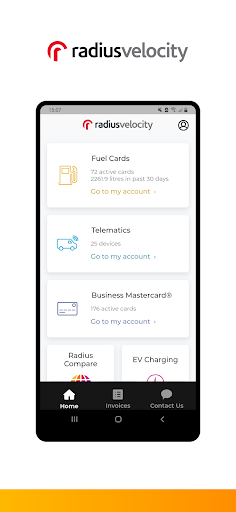






About this app
Developer Description
Save money and reduce administration with the Radius Velocity smart app.
With Radius Velocity, you can:
• Order new fuel cards
• Cancel lost fuel cards quickly and easily
• View your PIN numbers
• Set alerts on your fuel cards based on usage criteria of your choosing
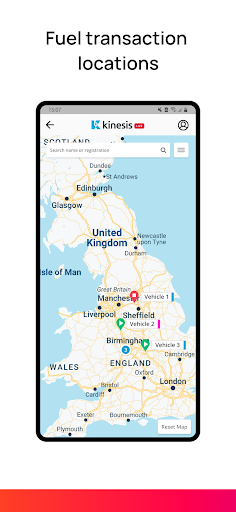
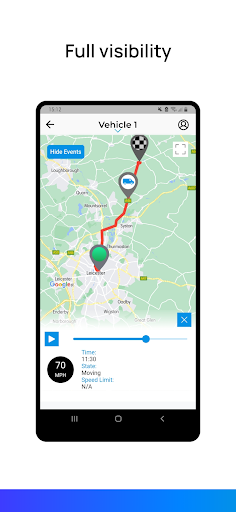
• View live vehicle locations and historical journeys
• See and manage the performance of your vehicles and drivers
• Set alerts for unauthorised movement of vehicles
• View your invoices
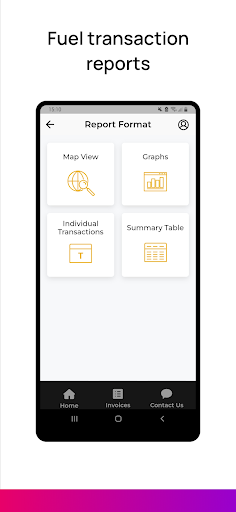
By combining your fuel card and vehicle tracking data, you get a true measure of your fleet’s performance, no matter how many vehicles you have.
Radius Velocity also helps keep your fleet secure. You can monitor your vehicles’ live and historic locations and get alerted to any unsafe driver behaviour. What’s more, you can cancel lost or stolen fuel cards quickly and easily without having to contact customer services, which is a vital tool for reducing the risk of fraud.
Download the Radius Velocity app today and start managing your fleet the smarter way.
What's New
Version Information
- Version
- 3.1.0.01.99
- Downloads
- 100K+
- Updated on
- Dec 15, 2025
- Released
- Aug 15, 2017
- Requires
- Android 7.0
Statistics
Google Play Rating History
Rating Distribution
Downloads Over Time
Radius Velocity has been downloaded times. Over the past 30 days, it averaged downloads per day.
Shaded area shows 30-day prediction based on historical trends
Historical data collection started recently. More data points will be available over time.
Radius Velocity users say on Google Play
 Thomas Glancy
great company very friendly staff and the app is brilliant all the information there to keep track of your usage
 Philip Green
it's basic. it does it's job. it can be a bit slow to catch up on the vehicles exact location. live tachograph monitoring would be a vast improvement.
 Danny Jackson
Live map is ok until you try to search for a vehicle, it just crashes and logs you out.....
 Simon C
When I open the app why do I have to log in with username and password every time? Why does it take 5 button presses just to get to the tracker map? Surely this is the most used feature and the app should default to the map? When I'm looking at the map. And navigate to a different page, why does the zoom reset when I navigate back again? All very irritating things.
 Sue Williamson
Every update of this app makes the functionality worse. Still can't zoom in and out easily. Well, you can zoom in but it's a helluva job to zoom out again. We have now lost the markers for stops when looking at a whole trip but retain all the events which just clutter the screen with their giant useless icons. The red line marking the journey is too thick and you loose finer detail of a driver journey unless you zoom in but see above re: problems with that! Get back your old app developers!
ApkTrusted Ratings & Reviews
More from Radius Limited
See more apps






Similar Apps




Scan this QR code to download

Forwarding you to the page at Google Play market in seconds...
Open Google Play market now