Surface elevation watch face v1.4
Futorum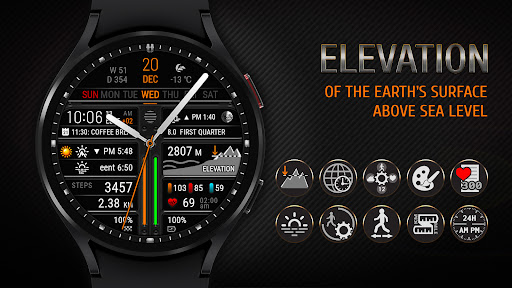

About this app
Developer Description
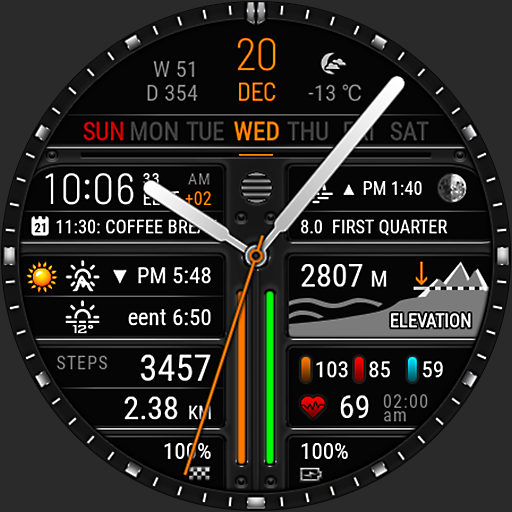
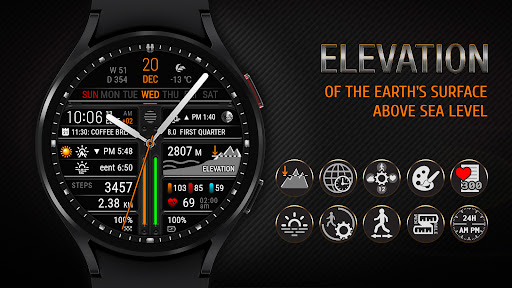
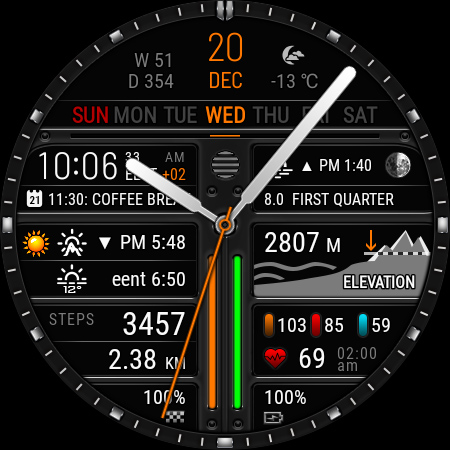
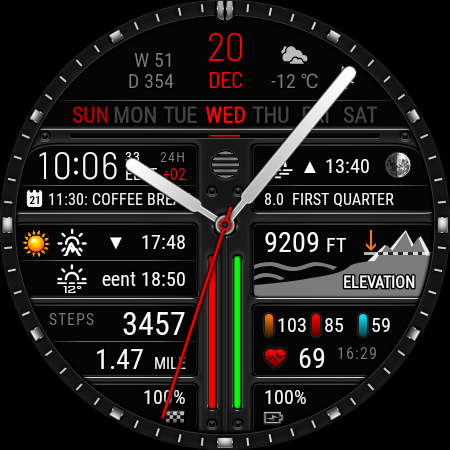
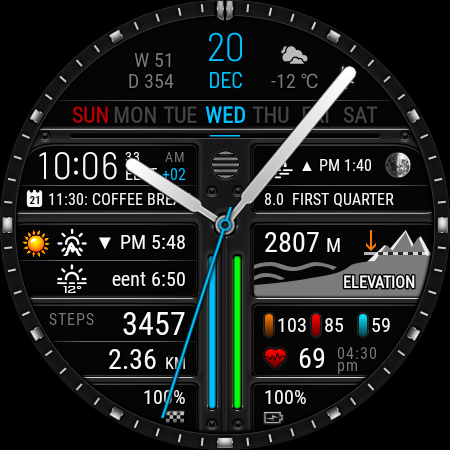
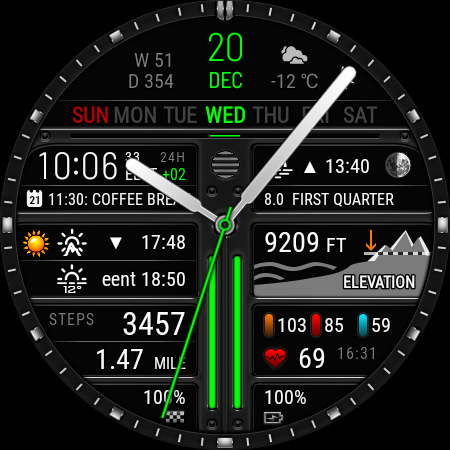
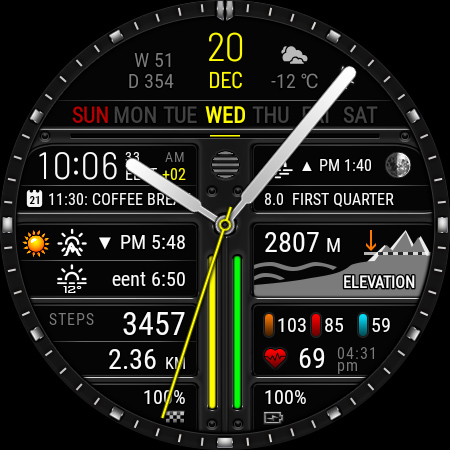
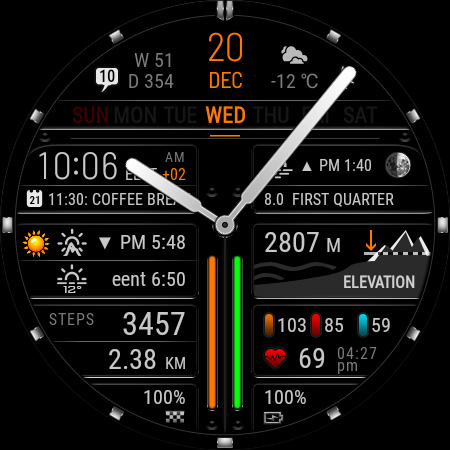
Unique watch face with lots of information and surface elevation above sea level
This watch face is available on devices running Wear OS 2.4 and 3+ (API 28+), primarily the Samsung Galaxy Watch 4/5/6 & Google Pixel Watch/2.
Devises running Huawei Lite OS and Samsung Tizen NOT SUPPORTED.
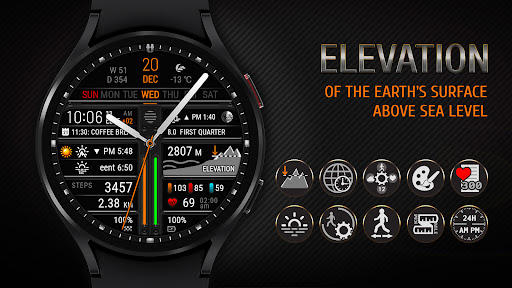
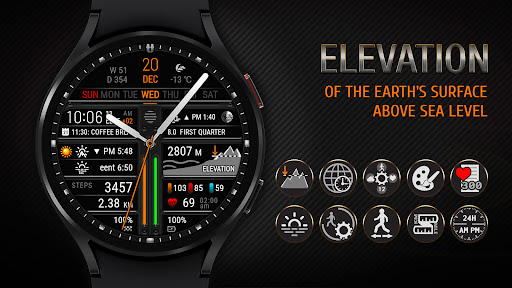
First of all, the watch face shows the surface elevation above sea level on which you are.
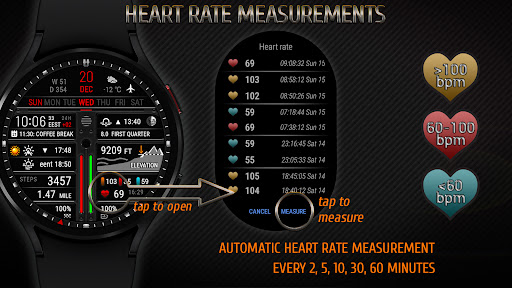
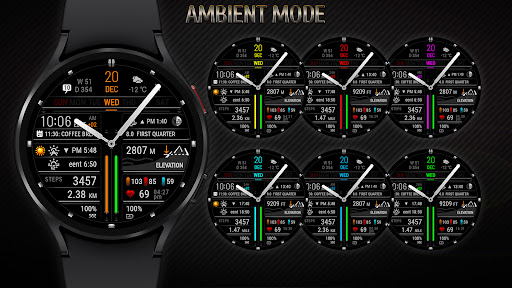
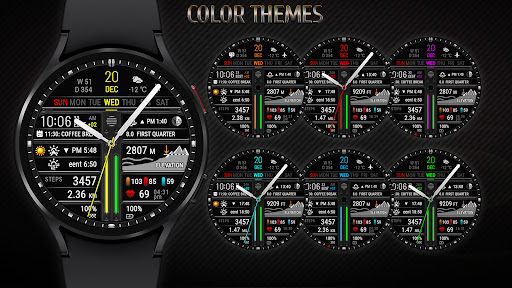
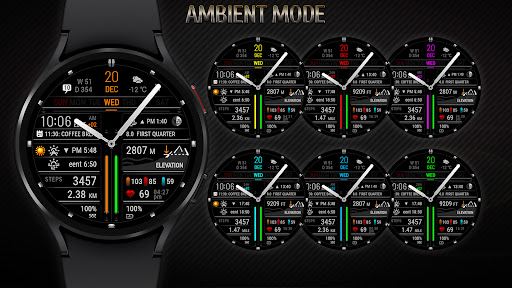
The watch face shows analog time, date, battery level, sunrise or sunset time, nautical twilight time, moon phase, moonrise or moonset time, steps and distance traveled, heart rate, history of heart rate measurement and upcoming event.
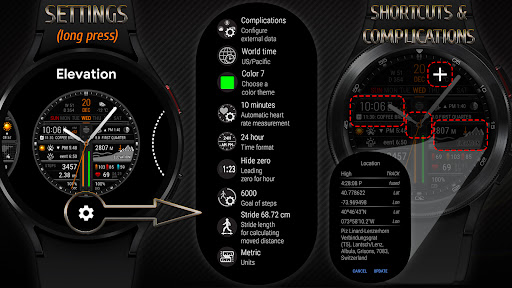
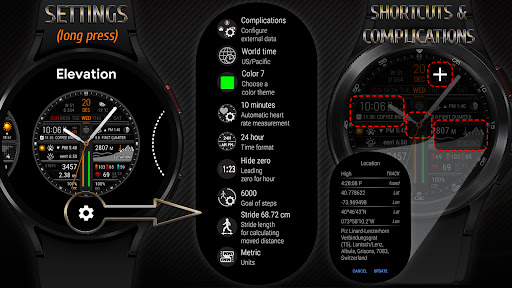
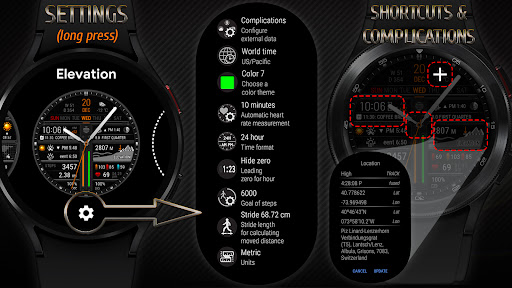
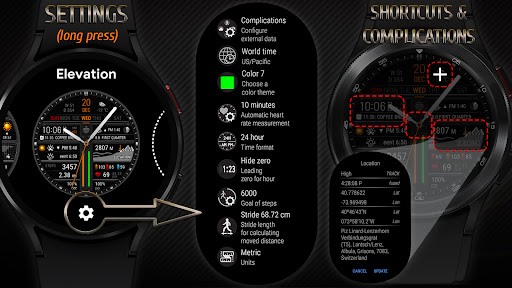
The watch face also displays additional digital time for the selected time zone. You can select the time zone in the watch face settings menu.
In the watch face settings, you can set the stride length according to your height. This will help for a more accurate calculation of the distance traveled.
The upper area for complications is not filled by default. Customize it if necessary through the watch face menu.
🚩 IMPORTANT NOTES
• After installing the watch face, you need to install application shortcuts and complications widgets as you wish.
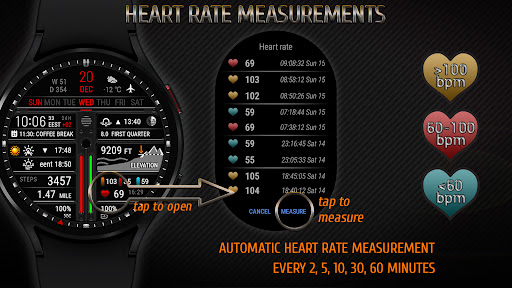
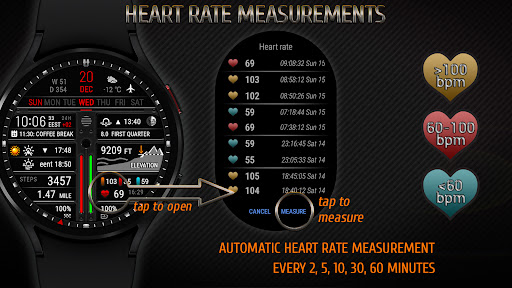
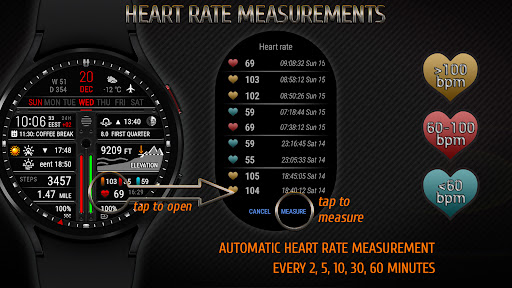
• This watch face independently measures your heart rate. This watch face does not receive data from stock Wear OS heart rate apps.
• All information about sunrise / sunset, moon age, moonrise / moonset, etc. is calculated by the watch face independently of stock apps.
• To calculating the sunrise / sunset and moonrise / moonset you need to enable the "Location" option on both the watch and the smartphone.
• To obtain elevation information you need an active Internet connection.
✅ Altitude
• The elevation of the earth's surface above sea level according to your GPS coordinates
• The elevation is determined depending on your GPS coordinates according to the ASTER(30m) and GEBCO 2020(450m) topographic maps
• Altitude is displayed in meters or feet, depending on the measurement system selected
✅ WORLD TIME
• Digital time
• Time zone code and name
• Difference in hours from GMT
• Possibility to choose a time zone
✅ TIME & DATE
• Digital time (12h and 24h modes)
• Date, month, day of the week
• Day of the year, week of the year
✅ SUN & MOON
• Rise and set times are calculated depending on the surface elevation at your location
• Sunrise / sunset times
• Nautical twilight times (BMNT / EENT)
• Moonrise / moonset times
• Moon phase and age
✅ CUSTOMIZATION
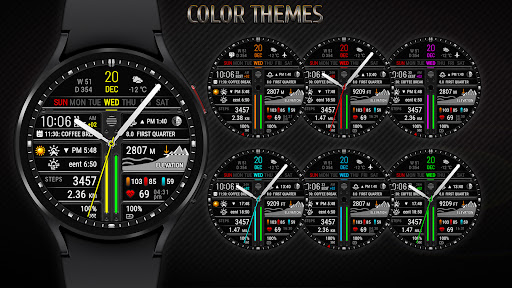
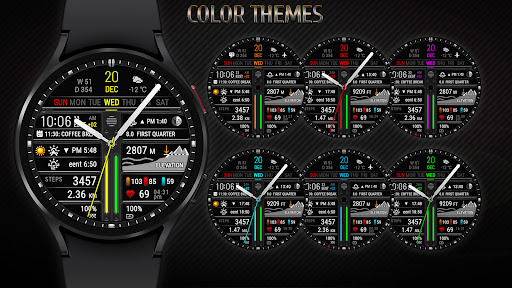
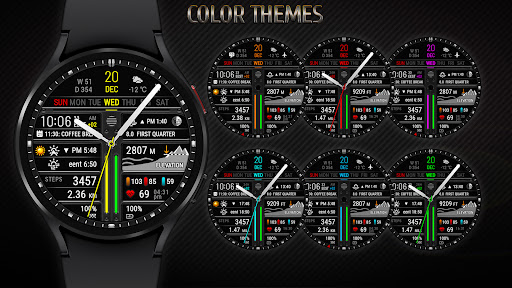
• 7 color themes
• 1 area for complication widget
✅ STEPS
• Steps count
• Progress of steps towards the goal
• Configurable goal of counting steps
• Ability to select an application to receive the number of steps
✅ MOVED DISTANCE
• Moved distance (km or miles)
• Configurable stride length depending on your height
✅ HEART RATE
• Heart rate BPM
• Color-coded heart rate indicator (low, normal, high)
• Automatic heart rate measurement
• History of heart rate measurements
✅ MISC
• Battery level
• Upcoming event
• Unread notification count
• Handling system icons
• Multilingual (supports more than 40 languages)
➡ We are in social media
• Telegram - https://t.me/futorum
• Instagram - https://instagram.com/futorum
• Facebook - https://facebook.com/FutorumWatchFaces
• YouTube - https://www.youtube.com/c/FutorumWatchFaces
✉ If you have any questions, please contact us by e-mail support@futorum.com
We will be happy to assist you!
Version Information
- Version
- 1.4
- Downloads
- 5K+
- Updated on
- Jan 24, 2024
- Released
- Feb 5, 2023
- Requires
- Android 9
Statistics
Google Play Rating History
Rating Distribution
Downloads Over Time
Surface elevation watch face has been downloaded times. Over the past 30 days, it averaged downloads per day.
Shaded area shows 30-day prediction based on historical trends
Historical data collection started recently. More data points will be available over time.
Surface elevation watch face users say on Google Play
 Bryce Tangvald
Great watch face! Literally the only one I could find that shows elevation. It would be great to see the date and world-time swapped. I'd prefer a digital readout as the analog watch gets lost in the background information and, at the same time, the analog arms cover the background details when you want to see them. Otherwise, great app!
 Lee Gilbert
Samsung Watch 7 is not supported
 Alvin Lowrie
Got it. Only 1 complication can be edited, the one at top right. That is not implied by the example images. I was expecting all 4 red dotted areas to complications. Oh well.
 eric b
Does not run on Galaxy 5 watch. I downloaded and installed it 3 times and it only says either refund or uninstall. Update. Have reinstalled following your directions with same result. Only says Uninstall and does not show as watch face in Samsung application. I finally got it working but Altitude not working. Does not appear to use barometric sensor rather needs GPS location. Useless indoors, cars, forests, etc.
ApkTrusted Ratings & Reviews
More from Futorum
See more apps
Christmas Weather Watch Face
Paid

Core X Genesis Watch Face
Paid
Digital Weather Watch face P5
Paid

Futorum H6.5 Digital watchface
Paid

Futorum H11 Digital watch face
Free
Digital Weather Watch face P4
Paid
Digital Weather Watch face P1
Paid
Digital Weather Watch face P3
Paid
Futorum H6 Digital watch face
Free
Digital Weather Watch face P2
Paid
Futorum H18 Compass watch face
Free

Futorum H1 Digital watch face
Free
Futorum H10 Digital watch face
Free

Christmas Watch Face 2
Free
Futorum H2 Digital watch face
Free
Core X Ignite Watch Face
Paid
Similar Apps
NTV505 - Hybrid watch face
Paid

NTV508 - Hybrid W watch face
Free

Digital Watch Face CUE105
Free

FS W262 Analog, Digital
Free

WFP 134 Hybrid watch face
Free

CLA021 Analog Steel
Paid

VF Element Hybrid Watch Face
Free

Activity Dash Watch Face
Paid

Weather Watch Face 074
Free

WFP 342 Ultra watch face
Free

DB051 Hybrid Sport Watch Face
Free

HKR047
Paid

Multi Function Digital Iris534
Paid

Watch Face WF138
Paid

Magical Sweep Watch Face
Paid

CARDILOT CTS41 Watch face
Free
Scan this QR code to download

Forwarding you to the page at Google Play market in seconds...
Open Google Play market now