Image Shrink—Batch resize vVARY
Olive Labs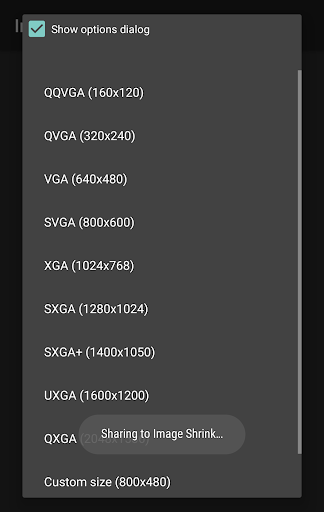


About this app
Developer Description
Reduced images consume less mobile data and are easier to send to small inboxes.
Remove time and location information from photographs to protect your privacy, or save the Exif and GPS position to keep information in tact when scaling images down.
Specify custom sizes and link this app with others to fine tune how it operates.
Note: Reduced images and photographs are saved separately from the original images on the SD card. None of the original images will be edited or erased.
What's New
Version Information
- Version
- -
- Downloads
- 50K+
- Updated on
- Dec 2, 2023
- Released
- May 9, 2010
- Requires
- Android Varies with device
Statistics
Google Play Rating History
Rating Distribution
Downloads Over Time
Image Shrink—Batch resize has been downloaded times. Over the past 30 days, it averaged downloads per day.
Shaded area shows 30-day prediction based on historical trends
Historical data collection started recently. More data points will be available over time.
Image Shrink—Batch resize - Google Play Rankings
Top Rankings
| Rank | Country | Category | List | Change |
|---|---|---|---|---|
| — |
Ranking History in
No ranking data available yet. Rankings are updated daily.
#51 in Top Paid Video Players in Vietnam


#51 in Top Paid Video Players in Saudi Arabia

#52 in Top Paid Video Players in India
#52 in Top Paid Video Players in Thailand
Image Shrink—Batch resize users say on Google Play
 Debbie Loftus
Used this app for 5 years and always works great! Lots of choices and makes sending numerous photos quick and easy.. Never any problems or bugs with my use!!
 A Google user
Does exactly the same as the free "lite" version, but with more than 3 images at a time. App size has shrunk by one third, and it's a later version. Standalone app, creates its own "Share" entry. 4 stars for being a reliable workhorse. Since all it does is shrinking images, for 5 stars I'd wish for some bells & whistles, like different resize profiles to choose with 1 tap. And the option to get rid of the inevitable Share popup after resizing (i.e. choose None as default app to send to).
 Vic's Opinion
Works great to resize however wish you can direct on demand where to save resized images instead of having to set fixed destination, also wish there was a setting to automatically either overwrite, delete or keep the original image after resizing. These are my major gripes with the app.
A Google user
I've been using this for years but after upgrading to June Pie, it no longer works, and I am faced with a "cannot write file" error. Time to search for a replacement I suppose, considering this hasn't been updated in a few years. 😢
 Mephistofoles Corblimey
Been fine for years but...doesn't work on my P30 Pro. There is something wrong with the headers and windows can't display the images, claiming to be running out of memory
ApkTrusted Ratings & Reviews
More from Olive Labs
See more apps
Scan this QR code to download

Forwarding you to the page at Google Play market in seconds...
Open Google Play market now