
Ivory Majesty Watch Face vVARY
GPhoenix Studio









About this app
Developer Description
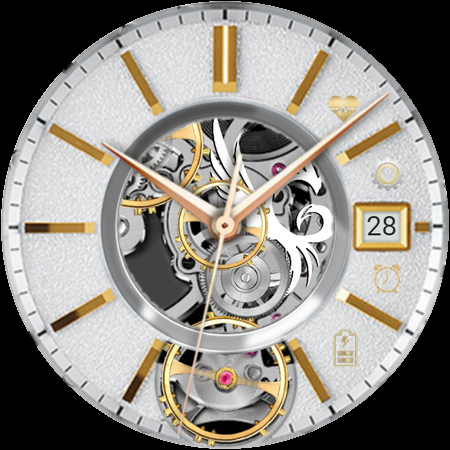
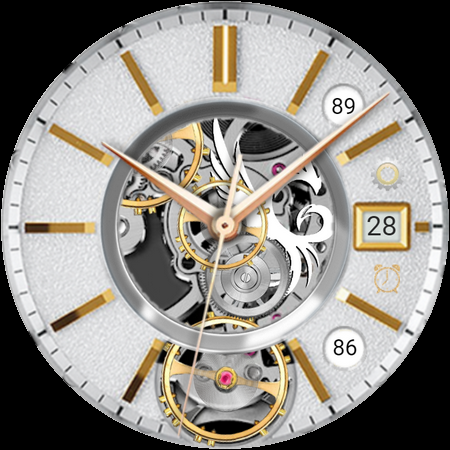
A classic & elegant analog Wear OS watch face
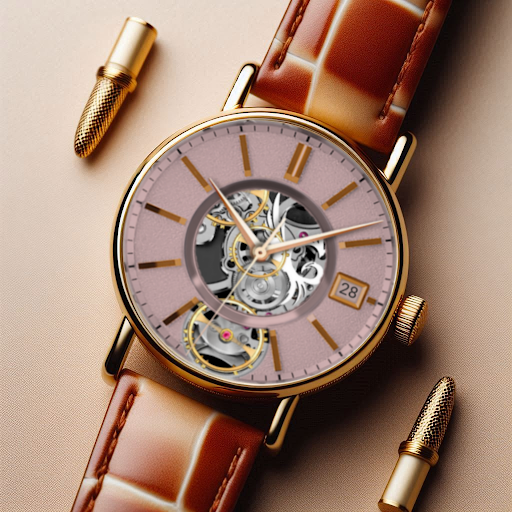
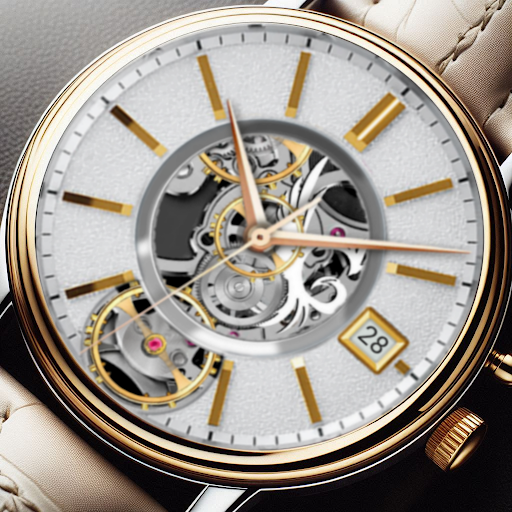
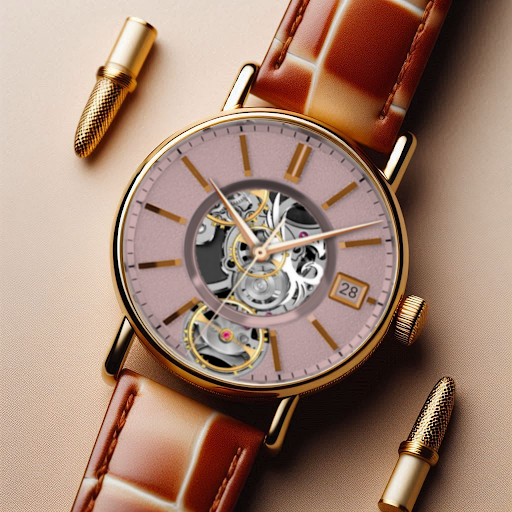
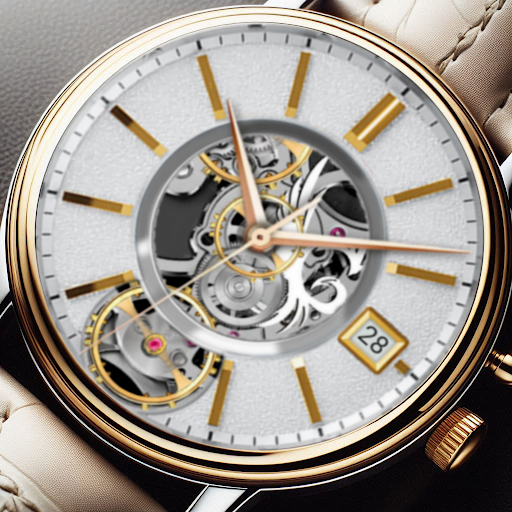
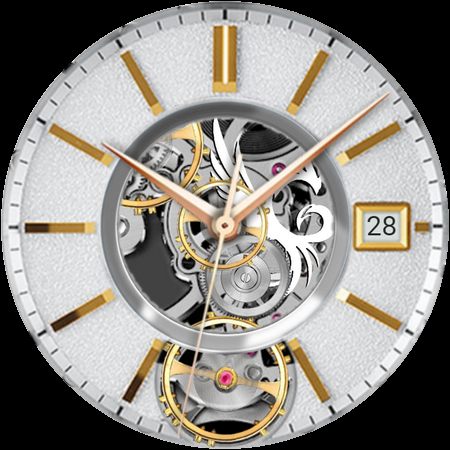
Grace your wrist with timeless elegance through Ivory Majesty Wear OS Watch Face. Designed for those who appreciate refined sophistication, this watch face blends classic beauty with modern functionality, featuring luxurious ivory tones accented with radiant gold for a truly regal look.
Features:
-Elegant Ivory Design with Gold Accents: A luxurious aesthetic combining smooth ivory details with striking gold highlights.
-Hybrid Display: Seamlessly switch between analog and digital modes for versatile timekeeping.
-Essential Metrics: Battery percentage, and heart rate monitoring integration at a glance.
-Quick Shortcuts: Instant access to alarms, settings, battery percentage, and heart rate with a simple tap.
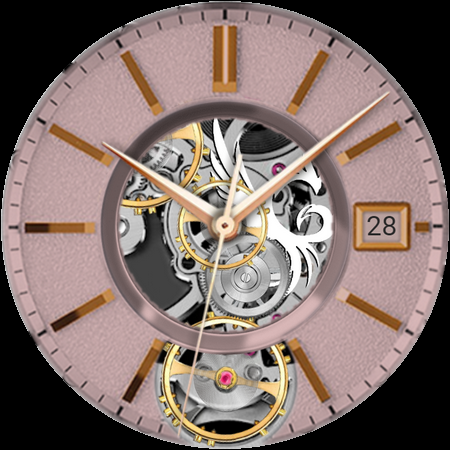
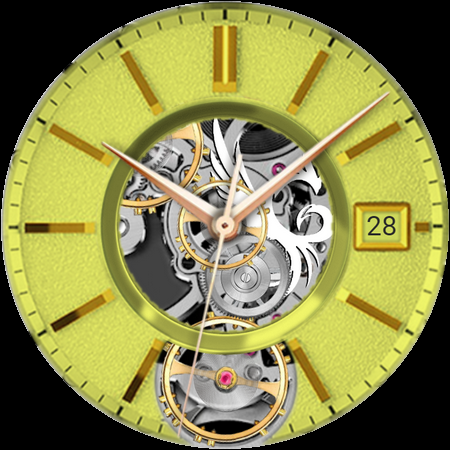
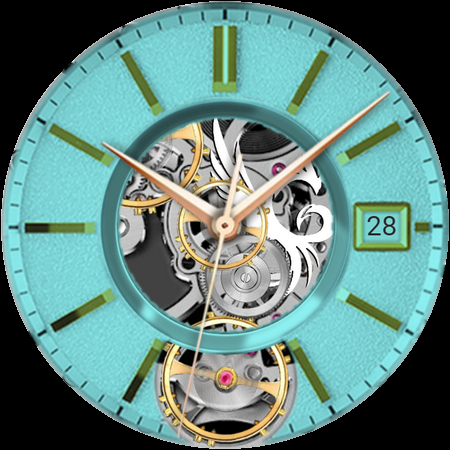
-Customizable Style: Personalize with multiple themes, and color options.
-Always-On Display (AOD): Designed for clear, elegant visibility day and night.
Let your smartwatch exude grace and sophistication with Ivory Majesty—where luxury meets functionality in every golden detail.
Download now and wear your majesty with pride!
📍Installation Guide for Wear OS Watch Faces
Follow these step-by-step instructions to install a Wear OS watch face on your smartwatch, either from your smartphone or directly from the watch itself.
📍Installing from Your Phone
Step 1: Open the Play Store on Your Phone
Ensure your phone is connected to the same Google account as your smartwatch.
Open the Google Play Store app on your phone.
Step 2: Search for the Watch Face
Use the search bar to find the desired Wear OS watch face by name.
For example, search for "Explorer Pro Watch Face" if that’s the watch face you want.
Step 3: Install the Watch Face
Tap on the watch face from the search results.
Click Install. The Play Store will automatically sync the watch face with your connected smartwatch.
Step 4: Apply the Watch Face
Once installed, open the Wear OS by Google app on your phone.
Navigate to Watch Faces and select the newly installed watch face.
Tap Set Watch Face to apply it.
📍Installing Directly from Your Smartwatch
Step 1: Open the Play Store on Your Watch
Wake your smartwatch and open the Google Play Store app.
Ensure your watch is connected to Wi-Fi or paired with your phone.
Step 2: Search for the Watch Face
Tap on the search icon or use voice input to search for the desired watch face.
For example, say or type "Explorer Pro Watch Face".
Step 3: Install the Watch Face
Select the watch face from the search results.
Tap Install and wait for the installation to complete.
Step 4: Apply the Watch Face
Press and hold the current watch face on your watch’s home screen.
Swipe through the available watch faces until you find the newly installed one.
Tap on the watch face to set it as your default.
Troubleshooting Tips
Ensure Your Watch and Phone Are Synced: Both devices must be paired and logged into the same Google account.
Check for Updates: Update the Google Play Store and Wear OS by Google apps on both your phone and smartwatch.
Restart Your Devices: If the watch face doesn’t appear after installation, restart your smartwatch and phone.
Verify Compatibility: Confirm that the watch face is compatible with your smartwatch model and software version.
Now you’re ready to personalize your smartwatch with your favorite Wear OS watch faces! Enjoy your new look.
Version Information
- Version
- -
- Downloads
- 500+
- Updated on
- -
- Released
- Feb 2, 2025
- Requires
- Android Varies with device
Statistics
Google Play Rating History
Rating Distribution
Downloads Over Time
Ivory Majesty Watch Face has been downloaded times. Over the past 30 days, it averaged downloads per day.
Shaded area shows 30-day prediction based on historical trends
Historical data collection started recently. More data points will be available over time.
Ivory Majesty Watch Face users say on Google Play
 Sherrilynn Keller-Evans
I love this one also..it looks elegant and classy
ApkTrusted Ratings & Reviews
More from GPhoenix Studio
See more apps
Daily Bible Verse Wear App
Free

Chrome Atlas Watch Face
Free

Explorer Pro Watch Face
Free

Celestial Wear OS Watch Face
Paid

Minimalist Accent Watch Face
Paid

Chrono Prestige Watch Face
Paid

ChronoSphere Wear OS
Paid

Aurum Mechanica Watch Face
Free

Eterna Luxe Wear OS Watch Face
Paid

ChronoSpire Wear OS Watch Face
Paid

Executive Timepiece Watch Face
Paid

Alderidge Watch Face
Paid

Infinity Elegance Watch Face
Paid

Jewel Watch Face
Paid

24 Karat Watch Face
Free

La Carrera Watch Face
Paid
Similar Apps
Dynamic Business watch face
Paid

Chrono X Watch Face
Paid

Mechanical Watch
Paid

Classic Skeleton Watch Face
Paid

N-SPORT222 Mechanical NS Watch
Paid

Skeletal Cruiser Gold Wear OS
Free

BFF6- Black Analog Gear Silver
Paid
Silver Classic Watch Face
Free
Axis Chrono Watch Face
Paid

Machinery watch face
Paid

Orro Wear OS Watch Face
Free

BRN138 - Corretto
Free

IWF002 Space Walker watch face
Paid

AI MOVEMENT A
Paid

Au Lux Watch Face
Free

Black Minimalist
Free
Scan this QR code to download

Forwarding you to the page at Google Play market in seconds...
Open Google Play market now