
TeslaMirror v9.58
Hustmobile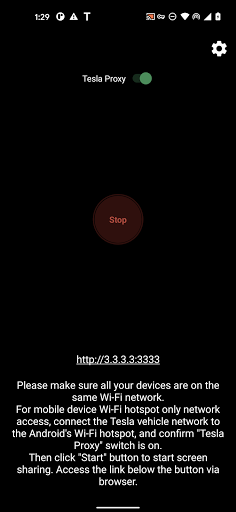

About this app
Developer Description
App Mirroring for Tesla Car's Browser
When you purchase TeslaMirror for Android on Google Play, you automatically get a 144-hour (6-day) trial period. If you’re not satisfied within 144 hours of purchase, request a refund by emailing TeslaMirror@hustmobile.com with your full order email address or your Google Play order number (e.g., GPA.3366-8888-8888-88888).
The first app on Google Play to support Tesla app mirroring!
TeslaMirror mirrors your Android device to your Tesla vehicle.
Setup
1) Update your Tesla’s infotainment system to the latest version.
2) Ensure your Tesla is PARKED (0 mph / 0 kph).
3) Connect your Tesla to your Android phone’s mobile hotspot. Tesla MCU2/3 hardware is required. MCU2/3 is available on Model 3, Model Y, Model X (built after March 2018), Model S (built after March 2018), or vehicles upgraded from MCU1 to MCU2/3.
• A 5 GHz hotspot is recommended. Tesla vehicles do not support Wi-Fi 6 access points (APs).
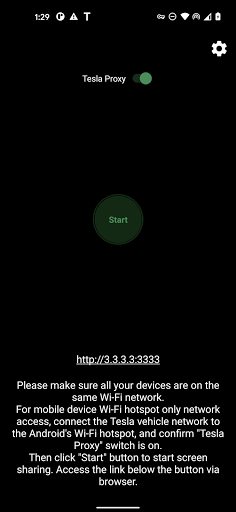
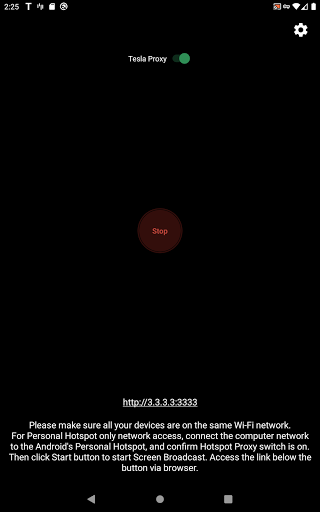
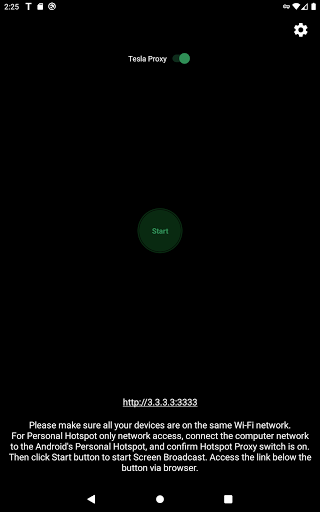
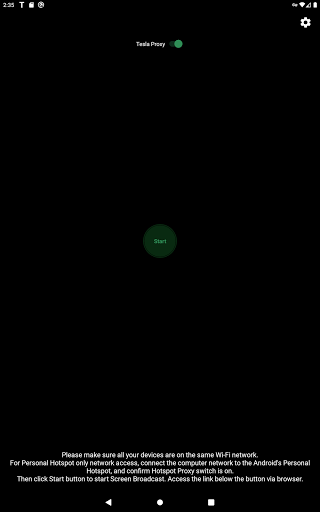
4) Open TeslaMirror and make sure the “Tesla Proxy” switch is ON.
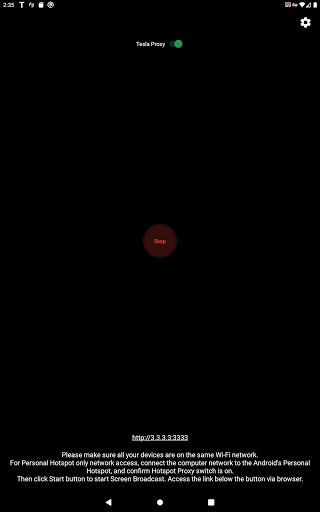
5) Tap “Start” to begin screen broadcasting.
6) In the Tesla browser, access https://TSL6.com (H.264/H.265 mode) or http://100.99.9.9:3333 (MJPEG mode).
Features
• H.264/H.265 recommendations
– MCU3(AMD Ryzen): Use H.265 at 720p@60fps (1080p requires higher bandwidth). MCU3 supports up to 1080p@60fps (H.264) and 1080p@30fps (H.265).
– H.265 playback is supported only on MCU3 or newer hardware. If your Tesla uses MCU3 or better, we recommend H.265 for the best video quality.
– MCU2(Intel Atom): Use H.264 at 540p@30fps.
• Lossless audio (Android 10+ with H.264/H.265 mode)
– Up to Hi-Res quality (96 kHz, stereo, 32-bit), typically much better than Bluetooth or low-bitrate audio.
• MJPEG mode
– Screen mirroring only (no audio). Use Bluetooth for audio.
• Remote Control
– Control your phone with the Tesla touchscreen or a mouse.
FAQ
• Is Netflix supported? No. DRM-protected content support is up to the 3rd-party app.
Warning & Legal Disclaimer
Use this service only when the car is PARKED (0 mph / 0 kph). The use of the built-in vehicle browser may be restricted by local laws and regulations.
Why does TeslaMirror require VpnService (Android)?
Tesla browsers block standard private-LAN IP ranges (e.g., 192.168.*.*). TeslaMirror uses a virtual IP and a VPN tunnel to bypass this limitation. The VPN tunnel does not connect to any public server: one endpoint is your Android device, and the other is your Tesla.
Privacy
A web server runs locally on your Android device at the virtual IP 100.99.9.9. It is not accessible from the public Internet. Only your Tesla and your phone communicate—there are no intermediary servers. TeslaMirror and its VPN component do not collect any user data or logs, and the app does not redirect or manipulate traffic from other apps.
The VPN is the core functionality of TeslaMirror application. Or else Tesla car's browser cannot connect to the web browser on the Android device.
Accessibility (for Remote Control)
The “Remote Control” feature requires Accessibility permission. Without it, Remote Control is unavailable. TeslaMirror uses the AccessibilityService API (e.g., dispatchGesture and performGlobalAction) solely to enable remote touch and system actions. No data is collected through AccessibilityService. This helps you control the device more easily if reaching the screen or physical buttons is difficult.
What's New
- Performance improvements.
- For Tesla in-car system software version 2025.38.11 and later, H.265 mirroring is now recommended for both MCU2 and MCU3.
9.41:
- Added H.265 mirroring mode for improved video quality.
- H.265 playback is supported on all MCU3 vehicles, and on MCU2 vehicles running Tesla software 2025.38.11 or later.
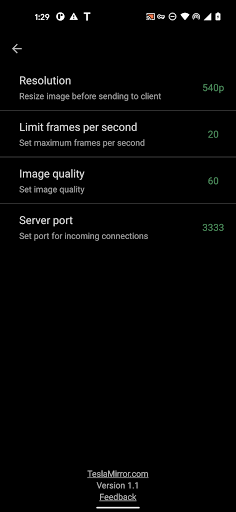
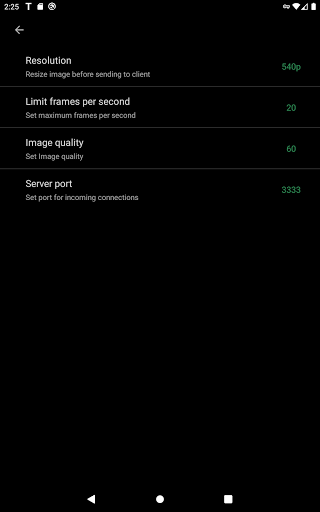
- To switch modes, tap the Settings button in the top-right corner → “Mirroring mode”.
- On MCU3, H.265 enables smooth playback at 1080p@60 fps.
Version Information
- Version
- 9.58
- Downloads
- 10K+
- Updated on
- Jan 4, 2026
- Released
- Dec 30, 2020
- Requires
- Android 8.0
Statistics
Google Play Rating History
Rating Distribution
Downloads Over Time
TeslaMirror has been downloaded times. Over the past 30 days, it averaged downloads per day.
Shaded area shows 30-day prediction based on historical trends
Historical data collection started recently. More data points will be available over time.
TeslaMirror - Google Play Rankings
Top Rankings
| Rank | Country | Category | List | Change |
|---|---|---|---|---|
| — |
Ranking History in
No ranking data available yet. Rankings are updated daily.
#6 in Top Paid Auto And Vehicles in United States


#80 in Top Grossing Auto And Vehicles in United States

#8 in Top Paid Auto And Vehicles in Saudi Arabia
#8 in Top Paid Auto And Vehicles in Mexico
TeslaMirror users say on Google Play
 David
David
TeslaMirror is working great for me so far. I have a Samsung S20, the browser window picked up my broadcasted address and mirrors the phone screen. There is a delay of a fraction of a second but that is to be expected and not a problem at all. I've just enjoyed a drive home, being able to view my home cameras on the tesla screen as I await a delivery. Now I just wish Tesla would let us move the browser app over the car visualisation, so we can have navigation and browser at the same time.
 Graham Simmons
Works well on M3P 2022 Ryzen chip and my Samsung Galaxy S25 Ultra. Issues are.. video has tiny pauses in it for a micro second (but are noticable) and audio is quite a bit behind, but I think thats the case for most mirroring. I have the recommended app settings (H.264, 30fps etc...). To keep sound in order then just use mobile sound instead of browser. Anyway to improve video to make it smooth and audio in sync? 4 months later and it doesn't work anymore!
 Abdulla Ahli
WebRTC until now not working.
 Dr. Jason Green
This app used to work for Hulu, YouTube TV, and Netflix while you are driving as long as you were in desktop mode. This is no longer the case. The screen is blacked out as soon as you start driving now. I bought this app for that very reason. If you are buying this app to watch your favorite shows while driving for you passenger, of course. Do NOT buy this app.
 tom h
tom h
Cannot function long term. Especially when driving. Browser force closes after a short term. Forced to constantly reopen and reconnect. Not worth it. Useless without the function to drive and use it. Was denied a refund even though this app is market as able to do what it says while in drive. False advertising. Buyer beware. Thus may have worked but it seems tesla has patched the ability to do this.
ApkTrusted Ratings & Reviews
Similar Apps






Scan this QR code to download

Forwarding you to the page at Google Play market in seconds...
Open Google Play market now