
Image To Text vVARY
Softo Tech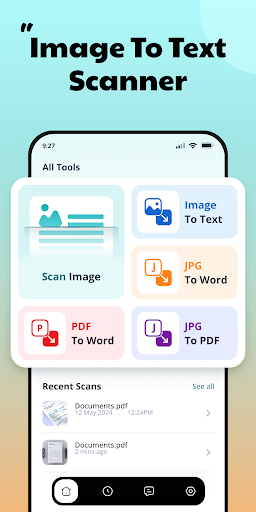

About this app
Developer Description
Use our smart OCR text scanner app to promptly convert images to text.
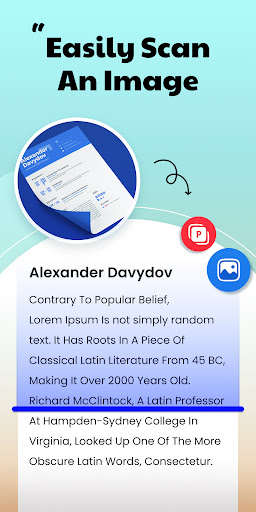
Our image to text converter app is designed to scan and extract text from Images, JPGs, Screenshots, and Documents. This image scanner is based on sophisticated OCR technology to accurately recognize text from images and convert it into editable form, without disturbing the original layout.
Plus, our image to text scanner app offers the below listed multiple other conversion options;
JPG to Word Converter: It can help users convert JPG to Word files.
JPG to PDF Converter: This tool works to automatically convert PNG, JPEG, and JPG to PDF documents.
PDF to Word Converter: It allows users to effortlessly convert PDF to Word files.
All in all this image scanner app is a helpful solution for students, journalists, employees, and businessmen to digitize notes, documents, receipts, and other important materials.
How to Use the Image to Text Scanner App?
Follow the below listed easier steps to use our OCR-powered picture scanner app:
● Download & Install the Image to Text Scanner app.
● There you’ll have four different converters, i.e., Image to Text, JPG to Word, PDF to Word, and JPG to PDF.
Image to Text Converter:
1. Capture one or more photos directly using the device Camera or upload it from Gallery.
2. Click the “Convert” button to initiate the text scanner.
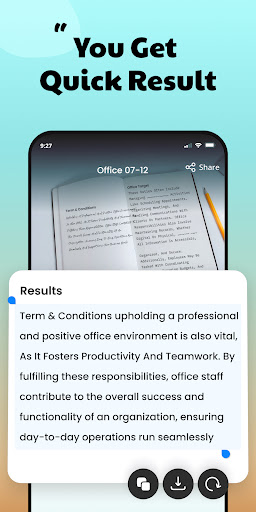
3. Our picture to text converter will immediately scan text from images, and provide editable text.
4. Then, you can Copy or Save the result.
Similarly, you can use other tools of the OCR text scanner app, such as JPG to Word, JPG to PDF, and PDF to Word converters.
Image to Text Scanner App Key Features
Advanced OCR Technology:
Our free text scanner app is supported by cutting-edge OCR technology to accurately scan text (whether printed or handwritten).
Simple UI:
We designed the picture to text converter app with an easier-to-use interface. You just need a few steps to convert images to text, JPG to Word, JPG to PDF, and PDF to Word.
Fast Conversion:
It efficiently extracts text from every type of image, scanned document, and screenshot in seconds.
Multiple Language Support:
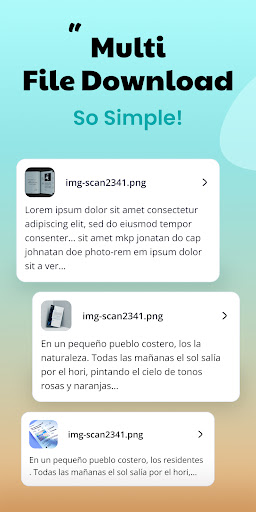
Another unique feature of this picture scanner is the support for multiple languages. It allows users to extract text from images in a wide variety of languages.
Converts Different Files:
Besides image to text conversion, you can do different file conversions with this app, including Image to Word, JPG to PDF, and PDF to Word.
Batch Conversion:
The image to text converter supports batch conversion, allowing users to convert multiple images into text with a single click. This feature makes our app a productive solution.
Why Choose the Image to Text Scanner?
★ It can scan plain text, symbols, and mathematical terms.
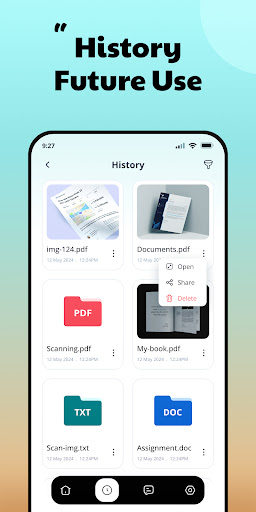
★ Our OCR picture scanner stores usage History.
★ It allows users to scan text from physical images/photos by mobile phone’s Camera.
★ All the conversions done by our picture scanner are Copyable and Downloadable.
★ Our image to text scanner app maintains original content layout.
★ It can serve you as an all-in-one file conversion solution.
The image and text scanner app is developed to streamline and simplify different file conversion tasks. Now, download this versatile image scanner and experience the future of OCR technology.
In-app purchases
$2.99 - $19.99 per item
Version Information
- Version
- -
- Downloads
- 100K+
- Updated on
- -
- Released
- Nov 10, 2024
- Requires
- Android Varies with device
Statistics
Google Play Rating History
Rating Distribution
Downloads Over Time
Image To Text has been downloaded times. Over the past 30 days, it averaged downloads per day.
Shaded area shows 30-day prediction based on historical trends
Historical data collection started recently. More data points will be available over time.
Image To Text users say on Google Play
 Sasha Shame
This is a really fabulous app! It is easy to use, and it has extremely accurate scans! when I needed an app take a paragraph from a photograph and convert it into a text document, this one is hands down the best out of everyone that I have tried! Even better: no ads! I highly recommend it!!
 Stephen Mountford
The best one I found, and not just cause it's free and DOESN'T interrupt to ask for money. It's not perfect mind, sometimes it doesn't detect any writing at first, but does on a second try. And it does a pretty good job of reading MY handwriting, which some apps can't do at all, so I'm pretty damn pleased. Thanks for this!
 M W
M W
decent. 60% accurate. i still have to do most of the work, but decent. needs work.
 TaiwanSZD
does not work offline, and if you're online requires an update, and you can't say no.
 Jack V. K. Castro
app itself works but plenty of other apps that do the same thing without daily limits forcing you to register or making you pay for unlimited access id rather free services that do the same thing
ApkTrusted Ratings & Reviews
More from Softo Tech
See more apps
AI Essay Writer
Free

Text Repeater - Repeat Text
Free

QR Scanner - QR Code Generator
Free
AI Summarizer: Essay & Story
Free

Keyboard with Cool Fonts
Free
Paraphrase Tool - AI Rewriter
Free

Flip and Reverse Text
Free

Notepad, Notebook:Sticky Notes
Free

Rephraser - Grammar Check
Free
Article Rewriter - Rewrite Ai
Free
Photo Translator -AI Translate
Free

Invisible Character
Free
Standard Notation Calculator
Free

Rewording App
Free
AI Paragraph Writer
Free
Million Billion Conversion
Free
Similar Apps

QR & Barcode Scanner
Paid

Verba - Translation App
Free

PDFEsign.com PDF E-Sign
Free

Zenith AI - The AI Superpower!
Paid

PDF Scanner Plus - Doc Scanner
Free

Step-by-Step Fractions Guide
Paid

Smallpdf: Scanner & PDF Editor
Free

PDF Merge: Scan, Sign & Edit
Free

All Languages Translator App
Paid
Course Hero: AI Homework Help
Free

UPDF - AI-Powered PDF Editor
Free

DreamBuild: Sketch to 3D
Paid
pdfFiller Edit, fill, sign PDF
Free

Genius Scan - PDF Scanner
Free
vFlat Scan - PDF Scanner, OCR
Free
PDF Editor – Edit Everything!
Free
Scan this QR code to download

Forwarding you to the page at Google Play market in seconds...
Open Google Play market now