
Adaptive You IconPack v3.8.2
JustNewDesigns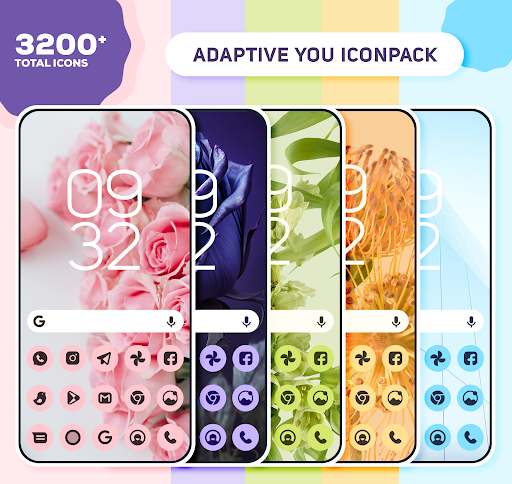

About this app
Developer Description
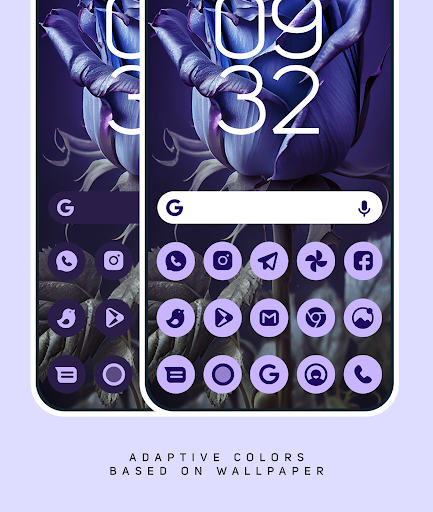
Adaptive IconPack is inspired by Material You and Pastel colors.
How to use this Icon pack?
1. Install a supported Launcher if your default launcher does not support an Iconpack.
2. Open Adaptive You Iconpack, go to Apply section and Select Launcher to apply. If your launcher is not in a list you can apply it from the launcher settings.
Recommended use Launchers:
• Nova Launcher
• Lawnchair
• Hyperion
• Niagara Launcher
• Ruthless Launcher
• Smart Launcher
• For OneUI : Use Theme Park to change colors/icons
• In Pixel Launcher (stock launcher in Pixel devices) work with the app Shortcut Maker
This icon pack has been tested, and it works with these launchers. However, it may also work with others too.In case you do not found an apply section in dashboard. You can apply icon pack from a theme setting.
Why Choose Adaptive YOU Icon Pack over other Packs?
• 3200+ ICONS WITH TOP NOTCH QUALITY
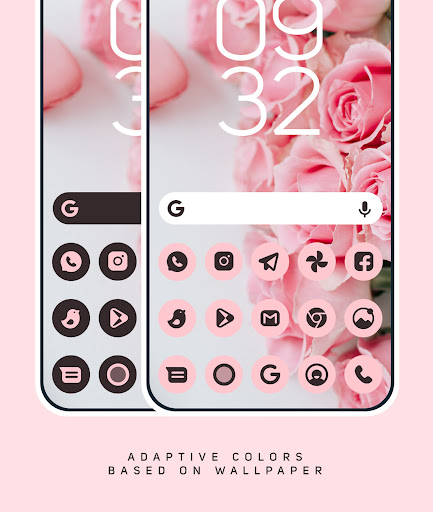
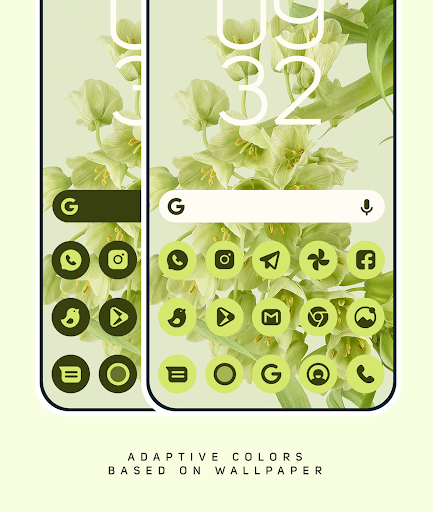
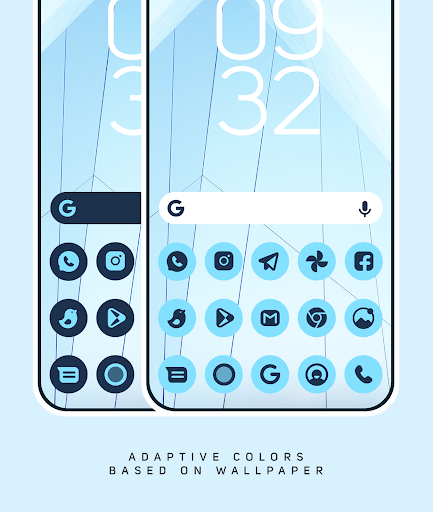
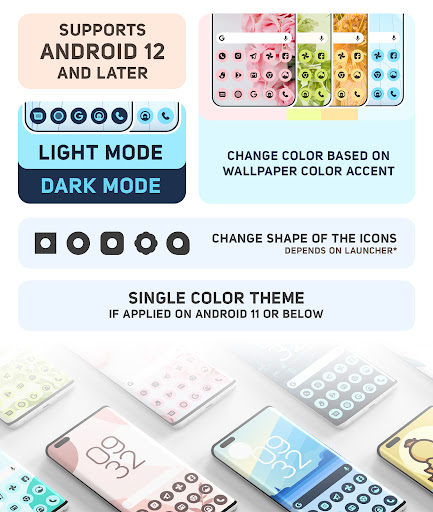
• Adaptive Icon color based on Wallpaper.
• Adaptive Shapes
• 100+ Matching Wallpapers
• 10+ KWGT Widgets
• Frequent Updates
Other Features
• Icon preview&search
• Dynamic Calendar
• Material Dashboard.
• Custom folder icons
• Category-based Icons
• Custom app drawer icons.
• Easy Icon Request
Still Confused?
We take pride in offering the best icon pack for Customisation enthusiasts. If you're not completely satisfied with the pack, we also offer a 100% refund. So, give it a try risk-free and experience the beauty of our icons on your device's screen!
NOTES :
• Color changing works only on Android 12, 13 and Later...
• In certain scenarios, you need to apply icon pack again to change color of the icons.
• If you want a version colors full icons with stock colors. that doesn't change colors with wallpapers, please check out my other icon packs.
• A supported launcher is required to use this icon pack! if your default launcher does not support an Iconpack.
• FAQ section inside the app which answers a lot of questions you may have. Please read it before you emailing your question.
• Missing an Icon? feel free to send me an icon request and I will try to update this pack with your requests asap.
Icon Pack Supported Launchers
Action Launcher • ADW Launcher • Apex Launcher •Atom Launcher • Aviate Launcher • CM Theme Engine • GO Launcher • Holo Launcher • Holo Launcher HD • LG Home • Lucid Launcher • M Launcher • Mini Launcher • Next Launcher • Nougat Launcher •Nova Launcher(recommended) • Smart Launcher •Solo Launcher •V Launcher • ZenUI Launcher •Zero Launcher • ABC Launcher •Evie Launcher • L Launcher • Lawnchair
Icon Pack Supported Launchers not Included in Apply Section
Nothing Launcher • Arrow Launcher • ASAP Launcher •Cobo Launcher •Line Launcher •Mesh Launcher •Peek Launcher • Z Launcher • Launch by Quixey Launcher • iTop Launcher • KK Launcher • MN Launcher • New Launcher • S Launcher • Open Launcher • Flick Launcher • Poco Launcher
Support
• If you have any issue with using Icon pack. Just email me at justnewdesigns@gmail.com
Web : justnewdesigns.bio.link
Twitter : twitter.com/justnewdesigns
Instagram : instagram.com/justnewdesigns
CREDITS
• Jahir Fiquitiva for providing such a great dashboard.
• Twitter.com/Arrowwalls for helping with some wallpapers.
Did you know that the average person checks their phone over 50 times a day? Why not turn those frequent glances into a source of joy with the YOU Icon Pack! With its stunning design and vibrant colors, this pack is sure to delight and inspire you every time you unlock your device. So why wait?
What's New
• Colors Upgraded As per Material Expressive.
• 55 New icons. (Total Icons 3900+)
• New and Updated Activities.
Support Further development by rating us. Thankyou for using Adaptive You Icon Pack.
...
..
.
1.0
• Initial Release with 3200+ Icons
In-app purchases
$0.49 - $5.99 per item
Version Information
- Version
- 3.8.2
- Downloads
- 10K+
- Updated on
- Aug 19, 2025
- Released
- Mar 1, 2023
- Requires
- Android 5.0
Statistics
Google Play Rating History
Rating Distribution
Downloads Over Time
Adaptive You IconPack has been downloaded times. Over the past 30 days, it averaged downloads per day.
Shaded area shows 30-day prediction based on historical trends
Historical data collection started recently. More data points will be available over time.
Adaptive You IconPack users say on Google Play
 Philip Elvidge
Lovely icon pack works well, I use Nova launcher 8.0.6, I have done everything their Discord site says, and it still won't change colours automatically. It's not really a problem for me. it works fine manually. Auto light and dark work fine. In my opinion, it could use more colour shades for the icons to match the wallpaper better. Overall, it is very good, but it could be much better with more icons and icon colours. Recommended.
 Melissa Carley
As long as your launcher meets the requirements, works great! Only odd thing is that if I manually select an icon due to one not currently existing for a specific app, it often doesn't update with the others. Currently have dark mode with green, but the manually selected icons are dark grey on black, so they don't match everything else.
 Jan Nedbal
Only good with default setup. As soon as you try changing individual icons it uses the default colour and shape disregarding my wallpaper or settings. Can't find a way to change it.
 Akhil KK
The app is great, but for some reason the app changes the app icons to default blue after a couple of days.
 Gyaneshwar Thakur
Don't buy! It doesn't work the way it shows it should work. I tried every possible way but was not able to change the color of the icon from dark to any other color. On top of that when I requested for refund after just 4-5 hours later my request got denied. I liked your dove, crayons etc icon packs but this one is straight up misleading. On top of that the fraudulent behaviour not providing refund for the product that doesn't perform as advertised.😡 I'll never buy your apps ever again. Thanks
ApkTrusted Ratings & Reviews
More from JustNewDesigns
See more apps
Dots Live Wallpaper - Battery
Paid

One UI Dark IconPack
Paid

Depth Wallpapers & Live Clock
Free

Black Icon Pack
Paid
Crayon Adaptive IconPack
Paid

Dove Icon Pack
Paid
Dove Light : Icon Pack
Paid
Flora : Material Icon Pack
Paid
Dove Dark : Icon Pack
Paid
Infinite Icon Pack
Paid

BOLT Icon Pack
Paid
iLOOK Icon pack UX THEME
Paid

Crayon Icon Pack
Paid

One UI Glass IconPack
Paid

LineX Adaptive IconPack
Paid

Dots : Adaptive Icon pack
Paid
Similar Apps







Scan this QR code to download

Forwarding you to the page at Google Play market in seconds...
Open Google Play market now