
Envision v3.5.3
Envision Technologies B.V.


About this app
Developer Description
Envision, the fastest and most reliable OCR app for the Blind.
Envision is developed for and together with our community. The app is simple, gets things done and brings the best assistive experience to blind and low vision users.
Simply use your phone camera to scan any piece of text, your surroundings, objects, people or products and everything will be read out to you thanks to Envision’s smart artificial intelligence (AI) and Optical Character Recognition (OCR).
_____________________
What Envision users say about the app:
“Incredibly easy to turn any kind of text into speech. It has improved my independence a lot. - Kimberly from USA. Easy going text recognition. Text recognition is outstanding. Good for independence. Ease of use is immaculate” - Noahis from Australia
“Amazing. I love it. I'm blind and I love how easy it is to use. Amazing job!!!!” - Matt from Canada
___________________
With full talkback support, Envision enables you to:
Read all kinds of text:
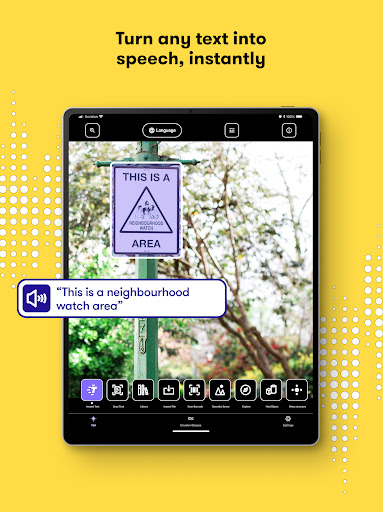
• Instantly read any piece of text in over 60 different languages.
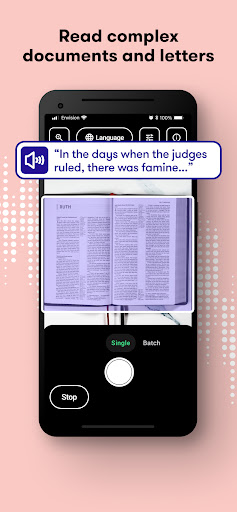
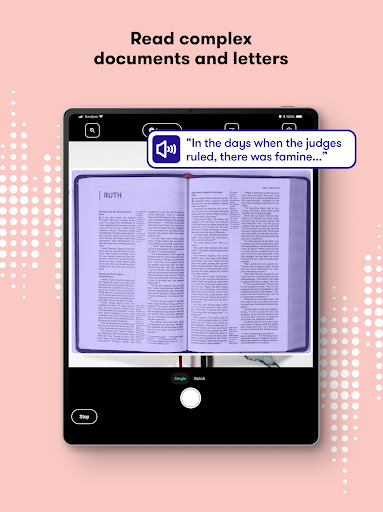
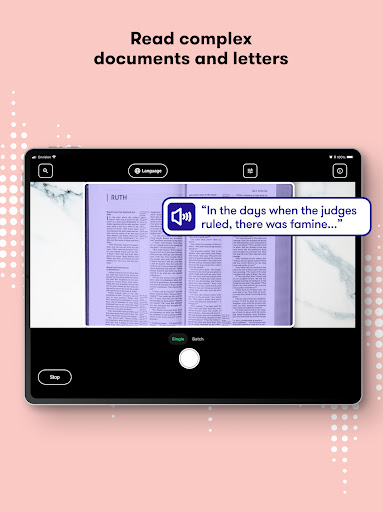
• Easily scan your paper documents (single or multiple pages) with the help of audio-guided edge detection. All content is spoken back to you and is ready for export and edit.
• Import PDFs and images to get a description of the image and recognition of all the text within it.
• Quickly read handwritten postcards, letters, lists and other paperwork.
Know what's around you:
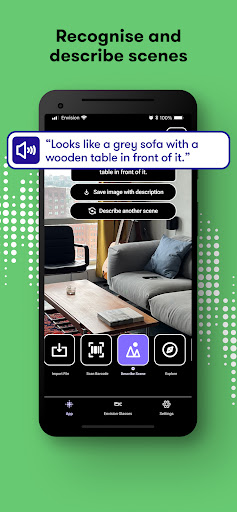
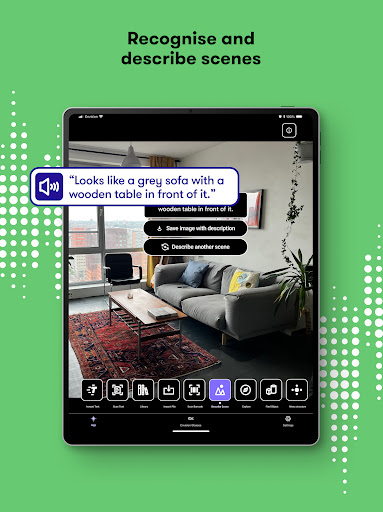
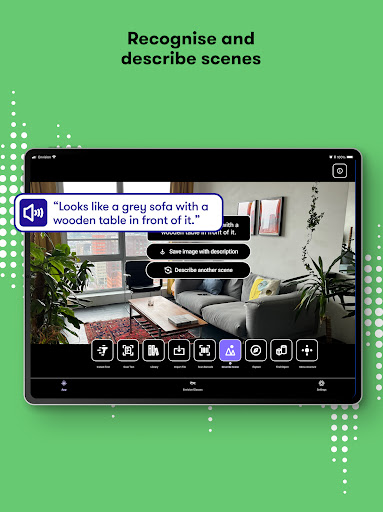
• Effortlessly describe visual scenes around you.
• Detect colour on your clothes, walls, books, you name it.
• Swiftly scan barcodes to get extensive information about the products.
Find what you're looking for:
• Find people around you; the names of your family and friends are spoken out whenever they are in the frame.
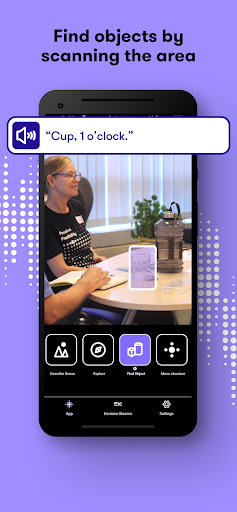
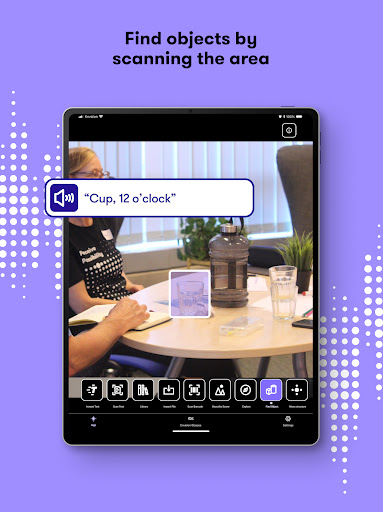
• Find objects around you; selecting common objects from the in-app list to find them.
Share:
• Share images or documents from your phone or other apps like Twitter or WhatsApp by selecting ‘Envision It’ from the share sheet. Envision can then read and describe those images for you.
___________________
Feedback, questions or feature requests?
We welcome everyone to provide their feedback about the Envision app, as we’re constantly improving.
Please email us at support@LetsEnvision.com.
___________________
Please read our Terms of Use & Privacy Policy: https://www.LetsEnvision.com/terms
If you're still reading all the way down here, we'd like to thank you for your diligence, attention to detail and general commitment to finishing something that you started. Just like all the team working at Envision!
What's New
• Improved Help/Support settings organization and added a “Spread the word” section.
• Refined UI and spacing across key screens, including Ally landing, TTS settings, and glasses landing.
• Better edge‑to‑edge display handling in Ask Envision and Glass Pairing screens.
• Smoother landing screen behavior with improved scroll position restoration.
• Chat UI spacing adjustments for improved readability.
Version Information
- Version
- 3.5.3
- Downloads
- 100K+
- Updated on
- Jan 30, 2026
- Released
- Aug 13, 2018
- Requires
- Android 7.0
Statistics
Google Play Rating History
Rating Distribution
Downloads Over Time
Envision has been downloaded times. Over the past 30 days, it averaged downloads per day.
Shaded area shows 30-day prediction based on historical trends
Historical data collection started recently. More data points will be available over time.
Envision users say on Google Play
 Rae Rarely
I think this app has alot of potential. I'm hoping in the future it can be taught to do certain tasks. Like I have been trying to find an app that can describe something on in the frame automatically. Tarot cards, in this instance. Like show me text of the meaning as I draw them and place them in frame without me having to continuously push a button or guide it to answer . I think it would be handy in alot of different tasks for those learning something new.
 Gc T
Gc T
its ability to read texts is impressive
 Mutahir shah
*"Envision AI is a powerful and helpful app, especially for reading PDF documents. I really appreciate its features. However, large PDF files (700–1000 pages) take too long to scan, often 6–7 hours, and sometimes the scan stops halfway. I hope future updates make the scanning faster and more reliable. Keep up the great work!"*
 Mary Lea
Why does it expect a blind person to read the descriptions it makes of faces and scenes? If I could read without extra support I wouldn't be using a device for the blind. How do I get it to talk to me? Occasionally it barks out words, but inconsistently. I am so frustrated - and very confused. I hope there's a work around, but shouldn't the reader come as standard, rather than text in app? What's going on? Whats the point of an app for the blind that you need sighted companions to read?
 小羊Ley
小羊Ley
🚨 As of Nov 2024, the AI has deteriorated; very rude, inaccurate & unhelpful! With Meta's new VR glasses which is much more useful, & cost just US$299, everything EnvisionAi tries to sell is obsolete, useless & grossly overpriced at over 10 times! ChatGPT recommended Envision AI to me back in 2023. The dev need to do soul searching, as to how they were at the front-front of AI technology, but is now now a pale shadow & bad joke. A cautionary tale when a tech company puts profits over people!
ApkTrusted Ratings & Reviews
More from Envision Technologies B.V.
See more apps

Similar Apps

Be My Eyes
Free
![Magnifier & Microscope [Cozy] icon](https://play-lh.googleusercontent.com/d4aBMNK0YMNJf8Ua4icPNDGw3Ho2LAVn1nTNSkM2uAq1qClaLxROK4y2hOSxhfpRHXPx)
Magnifier & Microscope [Cozy]
Free

Camera Scanner
Free

RecCloud - AI Speech to Text
Free

Magnifying Glass
Free

Teleprompter.com
Free

Building Tools
Free
AI Transcribe. Speech to Text
Free

BIGVU Teleprompter & Captions
Free

Sword And Scale
Free

Block Shorts & Reels - Horizon
Free

Plaud: AI Note Taker
Free

Speechify – Voice AI Assistant
Free

MagPie - Native speech
Free
Viidure-Dashcam Viewer
Free

SkyView® Lite
Free
Scan this QR code to download

Forwarding you to the page at Google Play market in seconds...
Open Google Play market now