
CPU Monitor - temperature v1.2.2
Lite Tools Games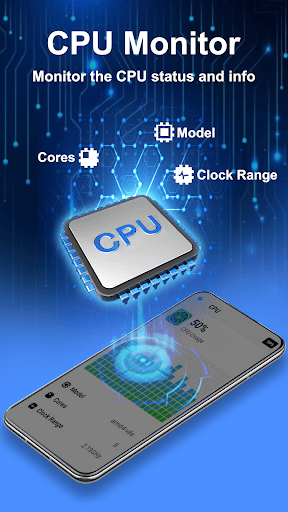


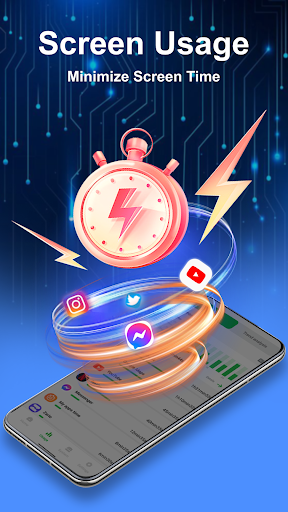
About this app
CPU Monitor - temperature is a useful tool for Android users who want to keep an eye on their device's CPU usage and frequency in real-time, providing valuable insights into their phone's performance. This app is particularly beneficial for power users, developers, and those who want to optimize their device's battery life. Compared to other tools in the category, CPU Monitor stands out with its simple and intuitive interface, but may fall short in terms of advanced features. With over 5 million downloads and a 4.1-star rating, it's clear that this app has resonated with many users.
Pros
- The app's high download numbers and positive user rating are a testament to its effectiveness and reliability, making it a trustworthy choice for those seeking a CPU monitoring tool.
- The developer, Lite Tools Games, has a reputation for creating useful and efficient apps, which adds to the credibility of CPU Monitor.
- The app's offline capability and lack of required permissions make it a great option for those concerned about data privacy and security.
- The simple and easy-to-use interface makes it accessible to users of all technical skill levels, from beginners to advanced users.
Cons
- The app's monetization model, which includes ads, may be a turn-off for some users who prefer ad-free experiences or are concerned about the potential impact on performance.
- The limited feature set may not be sufficient for advanced users who require more detailed information about their device's performance.
- Some users may be concerned about the potential for battery drain due to the app's constant monitoring of CPU usage and frequency.
Best for: The ideal user for CPU Monitor is a tech-savvy individual, likely between the ages of 18 and 45, who is interested in optimizing their device's performance, monitoring battery life, and identifying potential issues, and has a basic understanding of Android operating systems and device management.
Developer Description
Monitor CPU usage and frequency real time; View details of your phone.
CPU Monitor:
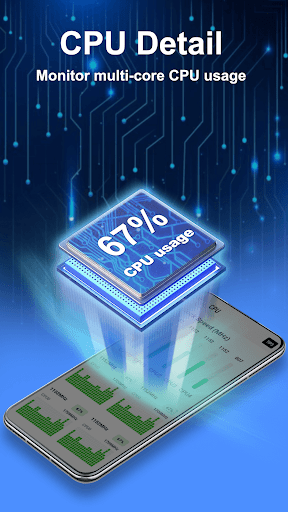
CPU Monitor feature can monitor the CPU usage and frequency, analyze the history data, and clock speed for each core, provide efficient cooler tips to prevent phone from overheating.
Junk Cleaner:
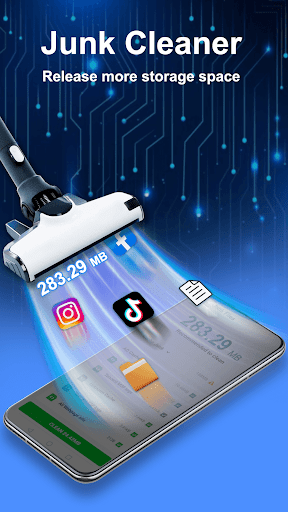
The junk cleaner feature can display the phone storage, and help to release more storage space. It scans your phone for unnecessary junk files and residual files. And it removes them to free up more storage space for your android phone.
App Manager:
The app manager feature allows you to back up or uninstall applications on your phone and delete the installed Android package file (app APK) if necessary.
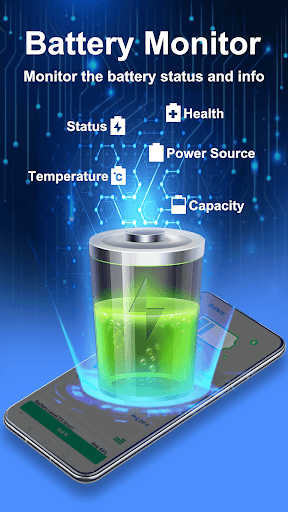
Battery Monitor:
It can display the status of device's battery, including the battery power status, temperature, health, remaining time and other detail information.
Device information:
Provide detail information about the device, including: SoC (System On Chip) name, architecture, device brand & model, screen resolution, storage, camera, and more.
Widget:
Support desktop widget including: cpu, battery and so on.
Privacy
Since CPU Monitor requires no permissions, it's a relatively safe app to use, and the risk of data collection or privacy breaches is low. However, users should still be cautious when downloading and installing apps from unknown sources, and always review the app's terms and conditions before use. To further ensure safety, users can monitor their device's battery life and performance after installing the app to detect any potential issues.
Tips
To get the most out of CPU Monitor, users should first familiarize themselves with the app's interface and features, and then use it to monitor their device's CPU usage and frequency in real-time. Additionally, users can use the app to identify resource-intensive apps and processes, and adjust their usage habits accordingly to optimize battery life and performance. Regularly checking the app's updates and feedback section can also help users stay informed about new features and improvements.
What's New
Version Information
- Version
- 1.2.2
- Downloads
- 5M+
- Updated on
- Jan 7, 2026
- Released
- Apr 16, 2024
- Requires
- Android 6.0
Statistics
Google Play Rating History
Rating Distribution
Downloads Over Time
CPU Monitor - temperature has been downloaded times. Over the past 30 days, it averaged downloads per day.
Shaded area shows 30-day prediction based on historical trends
Historical data collection started recently. More data points will be available over time.
CPU Monitor - temperature users say on Google Play
 Brandon Fourie
super easy to use and does the job. even launches your games. comes with widgets. 5*
 ODOPA Gideon
It has give a bit of heat reduce
 Johann Hanekom
Way to many intrusive ads.
 Tobias Zetterlund
This app has the most aggressive ads approach I've ever seen!! A bunch before the app even starts, video ads wherever you tap, and on top of this it demands intrusive permissions for almost everything it does.
ApkTrusted Ratings & Reviews
More from Lite Tools Games
See more apps
Weather Forecast & Radar
Free

AppLock
Free

Family Locator, Tracking App
Free

Clap to Find My Phone: Whistle
Free

Find My Phone: Clap & Whistle
Free
Health Tracker: Blood Pressure
Free

Video Downloader: Video Player
Free

Video Downloader, Video Saver
Free

Location Tracker Phone Tracker
Free

LensIQ - Scanner & Identifier
Free

PDF Reader, PDF Editor
Free

Weather Radar Weather Forecast
Free

DramaVue, Short Drama
Free

Photo Recovery, Data Recovery
Free
Similar Apps

CCleaner – Phone Cleaner
Free

Phone Cleaner – Junk Files
Free

G-CPU:Monitor CPU, RAM, Widget
Free

AccuBattery
Free

MacroDroid - Device Automation
Free

Cleaner Antivirus VPN Cleaner
Free

SuperBattery & Charge Monitor
Free

Uninstaller
Free
CPU Monitor - temperature
Free

AVG AntiVirus & Security
Free

Speedtest by Ookla
Free

Avast Cleanup – Phone Cleaner
Free

Volume Booster - Sound Booster
Free

Storage Analyzer & Disk Usage
Free

GearUP: Lower Lag Game Booster
Free

MiraClean - File Manager
Free
Scan this QR code to download

Forwarding you to the page at Google Play market in seconds...
Open Google Play market now