
Action! RCU v1.0.5
Mirillis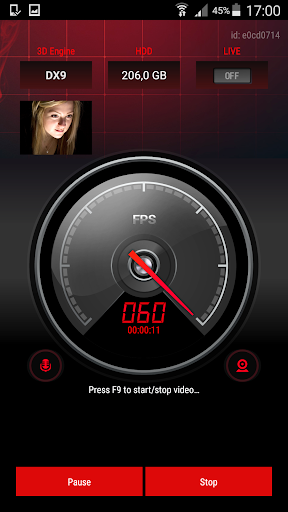
About this app
Developer Description
Free Remote Control Unit app for Action! - the best recording software for PC!
With Action! you can record and LIVE stream your PC gameplays and Windows desktop.
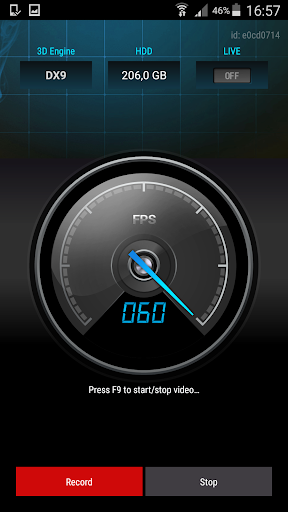
With RCU you can control all basic recording functions of Action!, you can start, stop, pause video recordings and display recorded webcams preview, framerate statistics and video recording time.
With Action! RCU you can hide Action! HUD on your PC and display it only on your mobile device.
Try now, Action! RCU app is free and Action! recorder software for PC is available as a free 30-day trial.
Action! RCU Key features:
- displays games, applications and Windows desktop FPS information
- video recording control: start, stop and pause functions
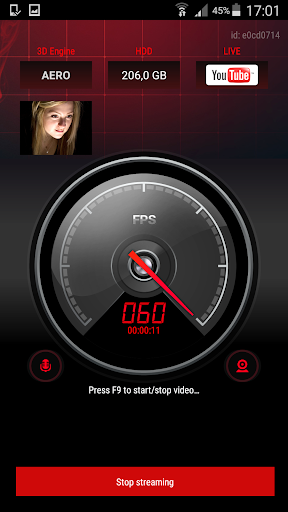
- LIVE streaming control: start and stop functions
- displays recorded webcams preview
- displays games 3D engine (DX8, DX9, DX10, DX11 or OpenGL)
- displays free disk space on your PC
- easy connection process
Getting started:
- Install Action! software on your PC (min. ver. required 1.24.0)
- Install Action! RCU app on your device
- Run Action! on your PC and make sure to enable Action! RCU (General Settings)
- Run Action! RCU mobile app
- Enjoy!
Minimum Requirements:
- Minimum Android 4.1
- Action! software (min. version 1.24.0) installed on Windows PC
- Mobile device and PC must be connected to the same local network
What's New
Version Information
- Version
- 1.0.5
- Downloads
- 50K+
- Updated on
- Mar 16, 2015
- Released
- Mar 12, 2015
- Requires
- Android 4.1
Statistics
Google Play Rating History
Rating Distribution
Downloads Over Time
Action! RCU has been downloaded times. Over the past 30 days, it averaged downloads per day.
Shaded area shows 30-day prediction based on historical trends
Historical data collection started recently. More data points will be available over time.
Action! RCU users say on Google Play
 A Google user
Works really well for me. If anyone is having issues with the app not finding their PC, make sure you check off "Enable Action! RCU" in the settings of Action on your PC
A Google user
The app is great but could use a simple video timer then the app would be the perfect companion.
A Google user
When recording, it will switch between recording and not. the video is fine, but the app thinks im starting and stopping alot. Also. make the max fps on the app more than 95. i get 500 fps in games and i want to know it.
A Google user
It crash every time I tried to connect my pc
A Google user
Cannot find my computer. The app and the software are both started, RCU is enabled in the software, PC and phone are on the same wifi network. Very unhappy.
ApkTrusted Ratings & Reviews
More from Mirillis
See more apps
Scan this QR code to download

Forwarding you to the page at Google Play market in seconds...
Open Google Play market now