Mp3 to Text Converter vVARY
Muhammad Sadiq




About this app
Developer Description
Convert MP3 to text offline with AI fast, easy, and reliable audio transcription
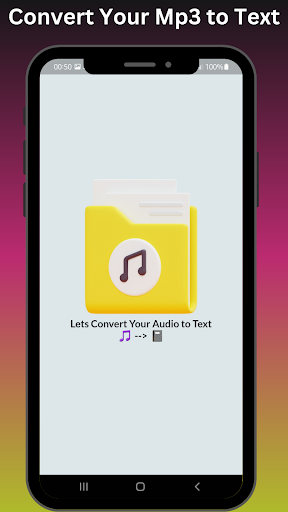
Looking for a fast and reliable way to convert MP3 files into text? Mp3 to Text Converter is an easy-to-use app that uses advanced AI techniques to transcribe audio to text offline.
No internet? No problem! Our app works seamlessly without needing an online connection, saving you time and data.
Why Choose Mp3 to Text Converter?
Converts MP3 files to text offline.
Simple and user-friendly interface.
Powered by AI for accurate transcription.
Free to use with no hidden costs.
Key Features:
Works offline for hassle-free conversion.
Converts MP3 or audio files into editable text.
Supports MP3 file sizes up to 10 MB.
Save or copy the converted text instantly.
Built-in audio player for easy MP3 playback.
How to Use Mp3 to Text Converter?
Download and install the app.
Open the app and click on "MP3 to Text Converter."
Import your MP3 file (up to 10 MB).
Press "Convert to Text" and wait for the magic.
Save, copy, or share your converted text.
Solve Common Problems with Mp3 to Text Converter:
How to convert MP3 to text offline?
How to transcribe audio to text without an internet connection?
Audio to text converter for Android.
Convert MP3 files to editable text easily.
Get started today with Mp3 to Text Converter – The simple, offline solution for audio-to-text conversion!
For support or inquiries, contact us at: sadiqkhan61651@gmail.com
Version Information
- Version
- -
- Downloads
- 5K+
- Updated on
- -
- Released
- Apr 21, 2023
- Requires
- Android Varies with device
Statistics
Google Play Rating History
Rating Distribution
Downloads Over Time
Mp3 to Text Converter has been downloaded times. Over the past 30 days, it averaged downloads per day.
Shaded area shows 30-day prediction based on historical trends
Historical data collection started recently. More data points will be available over time.
Mp3 to Text Converter users say on Google Play
 Samuel Marchbanks
I tried it with a 1hr long mp3 , but I used another app to split the big mp3 into smaller segments. It has options to save as file or copy to clip board. A 5min 5mb mp3 saved as text 4.66kb It took 5 minutes to convert a 5 minute mp3 to text. It does exactly what I wanted to it do simple and small, free with ads. ★★★★★ 5 stars because It does not need to be online. it converted my mp3 on my device without online connection.
 Partha Sarathi T
use less app it cannot translate even a 1 word from audio file, it's not worth for 1 star......
ApkTrusted Ratings & Reviews
More from Muhammad Sadiq
See more apps
Mp4 to Wav Converter
Free
Mp3 to Mp4 Converter
Free
Mp4 to 3gp Converter
Free
Audio to Video Converter
Free

Mp3 to Video Converter
Free

Remove Audio From Video
Free
Mov to Mp4 Converter
Free

CrDownload File Opener Pro
Paid
Mp3 to Mp4 Converter Pro
Paid
Crdownload File Opener
Free
Mp3 to Video Converter Pro
Paid
Mp4 to 3GP Converter Pro
Paid

Copy Text from Image
Free

Audio to Video Converter Pro
Paid
Png to Ico Converter
Free

SVG to PNG Converter
Free
Similar Apps


Scan this QR code to download

Forwarding you to the page at Google Play market in seconds...
Open Google Play market now