PhotoPad Photo Editor v14.10
NCH Software

About this app
PhotoPad Photo Editor solves the problem of basic photo editing needs for Android users, benefiting casual photographers and social media enthusiasts who want to enhance their images without professional-level complexity. Compared to alternatives in the Photography category, PhotoPad stands out with its simplicity and ease of use, though it may fall short in terms of advanced features. With a good user rating and over a million downloads, it has established a positive reputation. However, its lack of advanced features might limit its appeal to professional photographers.
Pros
- PhotoPad Photo Editor has a user-friendly interface that makes it easy for beginners to edit photos, as evidenced by its high user rating of 3.8 out of 5 stars.
- The app's large download base of over 1 million users indicates a level of social proof and trust in the developer, NCH Software.
- Despite being free with ads, the app does not require any permissions, which is a significant advantage in terms of privacy and security.
- The availability of in-app purchases allows users to access additional features and effects, providing flexibility and customization options.
- The developer, NCH Software, has a professional website and provides support via email, indicating a commitment to customer service and updates.
Cons
- The presence of ads in the free version might be intrusive for some users, potentially disrupting the editing experience and affecting overall satisfaction.
- The in-app purchases, while optional, might be seen as aggressive monetization, especially for users who prefer a one-time payment model or ad-free experience.
- Some users might find the feature set limited compared to more advanced photo editing apps, which could be a drawback for those seeking professional-level editing capabilities.
- The app's requirement of Android 6.0 or higher might exclude older devices, limiting its accessibility to users with older hardware.
Best for: The ideal user for PhotoPad Photo Editor is a casual photographer or social media enthusiast, likely in the age range of 16 to 40, who seeks a straightforward and easy-to-use photo editing app for basic enhancements and does not require advanced features or professional-level editing capabilities.
Developer Description
PhotoPad Photo Editor App for Android devices.
Photo Editing Features:
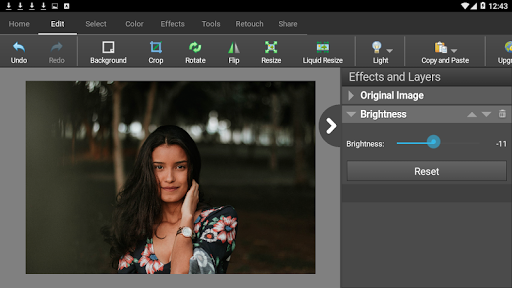
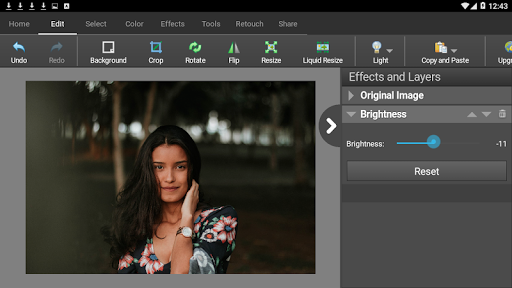
- Crop, rotate, resize and flip pictures
- Touch up photos to remove blemishes and fix color
- Improve photo quality and focus with blur, sharpening, and noise reduction tools
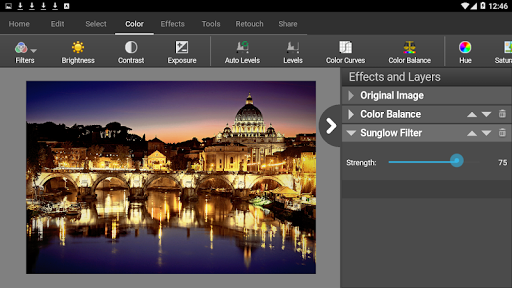
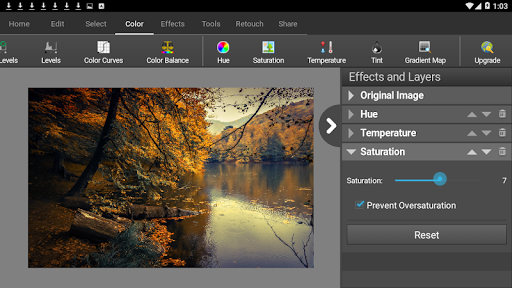
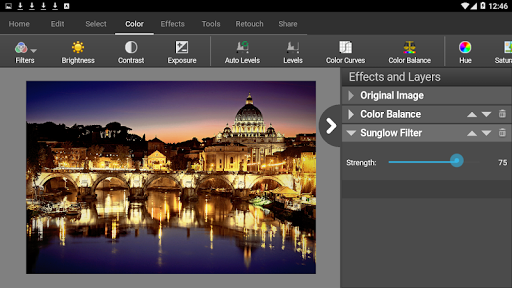
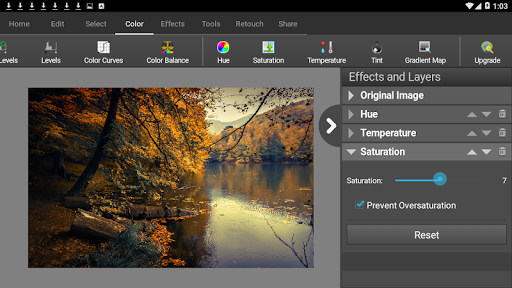
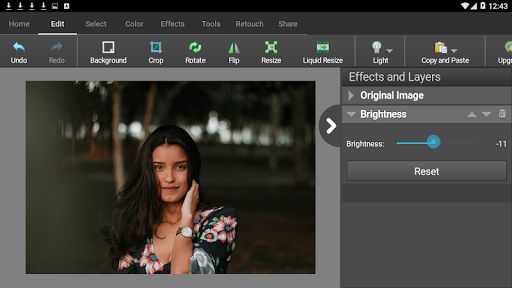
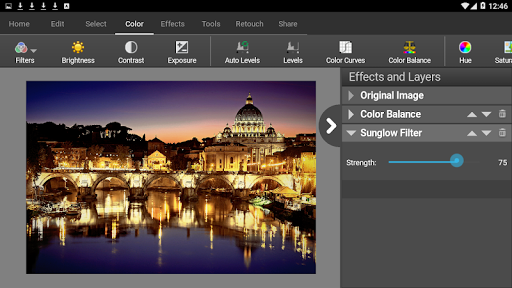
- Adjust the color balance, exposure, levels, brightness, contrast, and more
- Merge multiple exposures to create stunning HDR photographs
- Load JPG, GIF, PNG, TIFF, BMP, and other popular image formats
- Resize your image utilizing machine learning and AI for the best quality with super-resolution
- Change the aspect ratio of an image without distorting key features using the liquid resize effect
- Easily undo, re-order and edit existing effects on the layers list using non-destructive editing
- Toggle layer visibility to review an edit
- Take and edit screenshots of your desktop
Image Editing Features:
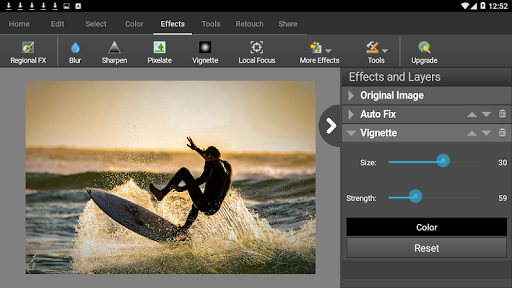
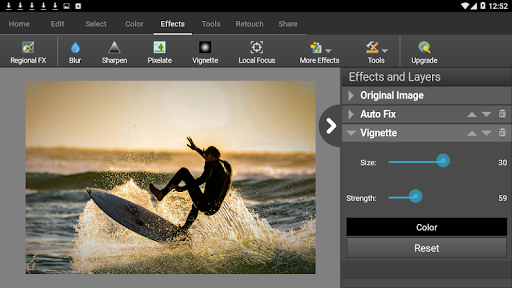
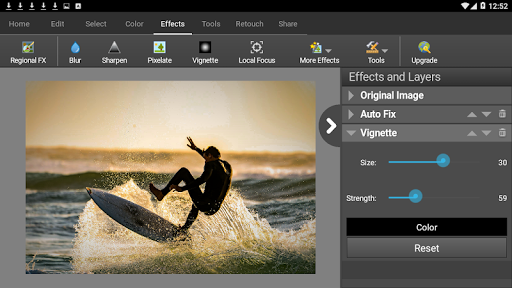
- Apply photo effects, including oil paint, cartoon, vignette, sepia and many more
- Add splashes of color to images with our easy to use Colorize Tool
- Create collages and photo mosaics with your photographs
- Use preset filters to easily enhance your photos
- Convert your photo to cross stitch patterns, paint by numbers or add an oil painting effect
- Add text and captions to photos to post online, add to photo books or to create a new viral meme
- Insert clipart from the included clipart library
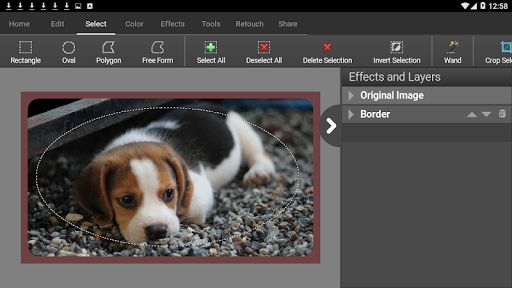
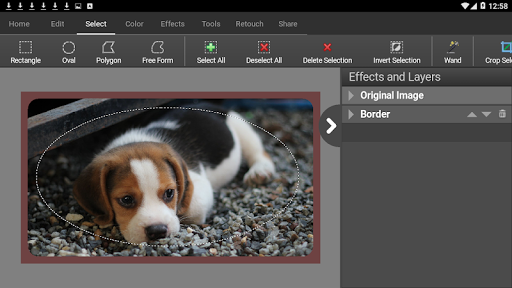
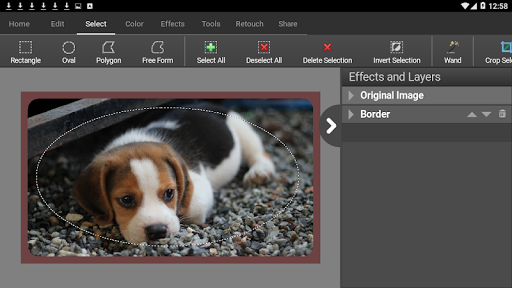
- Add frames and borders around your photographs
- Upload edited pictures directly to Facebook or Flickr
- Adjust the opacity of a layer to finesse an edit
PhotoPad Free Photo Editing for Android is perfect for professionals or someone just wanting to edit personal photos. Editing with this app can help improve the quality on your favorite photo, picture, or other image. Easily upload your picture after editing to Facebook or Flickr.
PhotoPad Free Image Editor. Do you have an old photo you want to update or improve? Use the included tools to reduce red-eye and blemishes in your picture. PhotoPad Free Photo and Image editing app is the easiest editor available for Android.
Privacy
Given that PhotoPad Photo Editor does not request any permissions, the risk of data collection or privacy breaches appears to be minimal. However, users should still be cautious when making in-app purchases and ensure they are buying from the official store. To maintain privacy, users should also review the developer's privacy policy on their website.
Tips
For the best experience, users should start by exploring the app's various editing tools and effects to understand its capabilities. To optimize performance, it's advisable to edit photos in smaller sizes or resolutions, especially on lower-end devices. Additionally, users can improve their editing skills by looking up tutorials or online guides specific to PhotoPad Photo Editor.
In-app purchases
$0.99 - $9.99 per item
Version Information
- Version
- 14.10
- Downloads
- 1M+
- Updated on
- Mar 3, 2025
- Released
- Jul 31, 2014
- Requires
- Android 6.0
Statistics
Google Play Rating History
Rating Distribution
Downloads Over Time
PhotoPad Photo Editor has been downloaded times. Over the past 30 days, it averaged downloads per day.
Shaded area shows 30-day prediction based on historical trends
Historical data collection started recently. More data points will be available over time.
PhotoPad Photo Editor users say on Google Play
 James Asselstine
SO MUCH MORE USEABLE THEN 2 YEARS AGO, genuinely impressed this has gone completely free to use. After bytedance fumbles lately I am genuinely happy to be back to using these.
 njh93 “Nicole”
Warp brush doesn't appear to be working correctly. Selecting to warp both warps and moves the image around, making it impossible to aim correctly. If you could fix this, this would probably become my favorite editing app tbh
 Magdalena Louw
I give it a 3 as I didn't use it,before I deleted it. Don't want to give 1 òr 5,as it will be unfair
 Abdelilah Azzaoui
جاري تجربته
 Tom Post
very slow sometimes no response at all for some tools. could not get the photo resize to work. delete background related photo was too large. the app works great on my laptop, not so on my phone.
ApkTrusted Ratings & Reviews
More from NCH Software
See more apps
WavePad Master's Edition 2023
Paid

MixPad Multitrack Mixer
Free

PitchPerfect Guitar Tuner
Free

MixPad Master's Edition Trial
Free

Crescendo Plus Edition
Free

WavePad Audio Editor
Free

Express Invoice Invoicing
Free

WavePad Master's Edition
Free
WavePad, editor de audio
Free

Express Invoice Plus
Paid

MixPad Master's Edition
Paid

ClickCharts Flowcharts
Free

Crescendo Music Notation
Free

PhotoStage Slideshow
Free

PhotoStage Pro Edition
Paid
Express Dictate Professional
Paid
Similar Apps

Smart Gallery - Photo Manager
Free

Collage Maker - Selfie Camera
Free

Collage Maker - Grid & Frames
Free
Music Video Maker - Slide Show
Free

Photo Collage Maker,Pic Editor
Free

Blend Photos - Photo Blender
Free
Photo Studio: Edit Photos App
Free

Gallery - photo gallery, album
Free

Background Eraser Photo Editor
Free

LR Presets - Photo Editor
Free
Background Eraser - BG Remover
Free

Gallery- Photo Gallery & Album
Free

Glamora - Photo Video Editor
Free

Collage Maker Photo Editor PIP
Free
InstaSquare Photo Editor
Free

Photo Video Maker: Slideshows
Free
Scan this QR code to download

Forwarding you to the page at Google Play market in seconds...
Open Google Play market now