
Captions Lite v4.12.0
Captions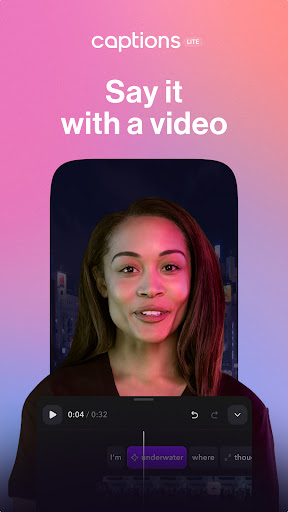

About this app
Captions Lite solves the problem of adding and editing subtitles to videos with ease, utilizing AI for efficiency. This app benefits content creators, social media influencers, and individuals who want to enhance their video content with captions. Compared to alternatives in the Video Players category, Captions Lite stands out for its AI-driven subtitle editing feature, which streamlines the process. However, its effectiveness depends on the accuracy of the AI, which might fall short in certain languages or dialects.
Pros
- With over 1 million downloads and a 4.0/5 rating, Captions Lite has demonstrated its value to a significant user base, indicating a level of quality and user satisfaction.
- The app's lack of permissions requests is a significant advantage, as it ensures user data privacy and security, aligning with the expectations of users who prioritize these aspects.
- Captions Lite's in-app purchase model, while potentially expensive for some features, allows users to customize their experience without being forced into a full subscription, offering flexibility.
- The developer's active presence, as indicated by updates and a provided website and email for support, suggests a commitment to maintaining and improving the app, which is reassuring for users.
Cons
- One concern is the potential for the AI to inaccurately transcribe certain accents, dialects, or languages, which could limit the app's usefulness for some users.
- The range of in-app purchases, from $4.99 to $629.99, might be seen as overly broad, potentially making the full utility of the app inaccessible to users who are not willing or able to pay for the higher-tier features.
- While the app does not contain ads, the reliance on in-app purchases could lead to a fragmented user experience, where some features are only available to paying users, potentially affecting the app's overall usability and community engagement.
Best for: The ideal user for Captions Lite is a tech-savvy individual or professional content creator who regularly produces video content and needs an efficient, user-friendly solution for adding and editing subtitles, with a particular focus on those who value data privacy and are willing to invest in premium features to enhance their video editing workflow.
Developer Description
Subtitle and edit your videos with AI.
Use Captions Lite’s editing tools to make your videos ready for social platforms. Create accessible videos fast, with auto-generated captions, dubbing, and subtitles. You can choose from a range of languages to make as many versions as you need.
CAPTIONS AND DUBBING
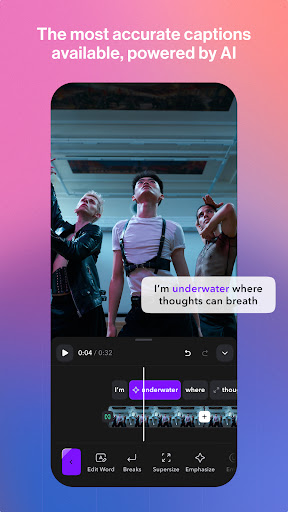
-AI Captions: Automatically generate accurate captions or subtitles in 100+ languages. You can choose specific fonts or colors, too.
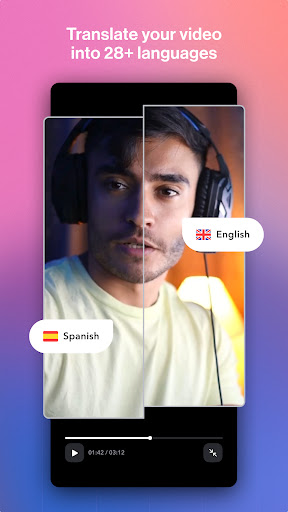
-AI Dubbing: Dub your content into 29 languages, with just a tap of a button.
AI EDITING TOOLS
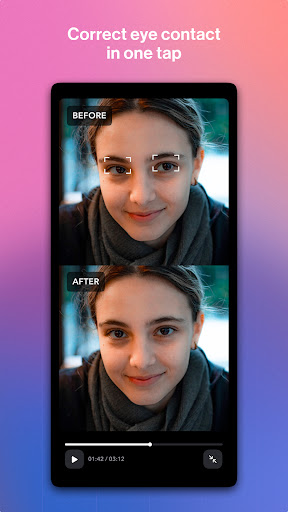
- AI Eye Contact: Correct your eye contact to adjust the original recording.
- AI Zoom: Automatically add dynamic zooms that make your video more engaging.
- AI Sounds: Generate relevant sound effects for your videos.
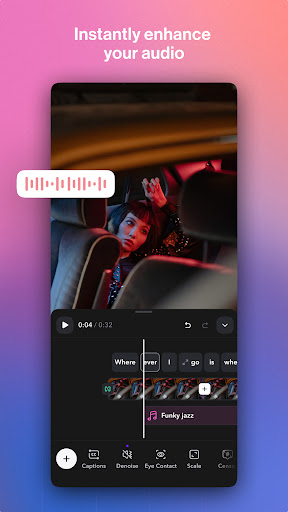
- AI Denoise: Remove background noise from your video.
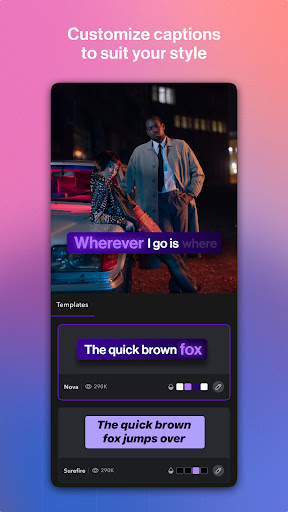
- Template library: Select from an extensive library of trending caption templates and styles.
- Teleprompter & AI Script writer: Record confidently while reading a script generated by AI.
- Auto-trim & Scale: Quickly resize, trim, and format your clips for every social platform.
EXPAND YOUR AUDIENCE
- Create inclusive videos: Adding captions makes your videos accessible to more people.
- Support for noisy environments: Boost engagement with dynamic closed captions (cc).
WHY CHOOSE CAPTIONS LITE?
Captions Lite offers the easiest way to create and edit talking videos with AI. Start your free trial now.
Terms of Use: https://mirage.app/legal/captions-terms
Privacy Policy: https://mirage.app/legal/privacy-policy
Privacy
Given that Captions Lite does not request any permissions, users can be assured that their data and device access are not being unnecessarily exposed. However, users should still be cautious with in-app purchases, ensuring they understand what they are buying. Additionally, reviewing the developer's privacy policy on their website can provide further insight into how user data is handled.
Tips
For the best experience with Captions Lite, users should start by exploring the free features to understand the app's capabilities and limitations. It's also beneficial to review the tutorials or guides provided by the developer to maximize the use of the AI subtitle editing feature. Furthermore, keeping the app updated is crucial, as new versions may include improvements to the AI's accuracy and additional features.
What's New
In-app purchases
$4.99 - $629.99 per item
Version Information
- Version
- 4.12.0
- Downloads
- 1M+
- Updated on
- Dec 17, 2025
- Released
- Mar 20, 2024
- Requires
- Android 9
Statistics
Google Play Rating History
Rating Distribution
Downloads Over Time
Captions Lite has been downloaded times. Over the past 30 days, it averaged downloads per day.
Shaded area shows 30-day prediction based on historical trends
Historical data collection started recently. More data points will be available over time.
Captions Lite - Google Play Rankings
Top Rankings
| Rank | Country | Category | List | Change |
|---|---|---|---|---|
| — |
Ranking History in
No ranking data available yet. Rankings are updated daily.
#49 in Top Grossing Video Players in United States

#9 in Top Grossing Video Players in Egypt


#11 in Top Grossing Video Players in Poland


#23 in Top Grossing Video Players in Brazil


Captions Lite users say on Google Play
 Conor
Conor
Very good app for captions, very kind people working for them, I no longer use the app but forgot to cancel my subscription last month After a further payment came out I contacted support and was kindly issued a full refund for that month! Very good people
 Душан Родић
The app is awesome and it saves a lot of time for us editors. But i couldn't help but notice that there is no Cyrilic Serbian, and i need to convert all the text manualy sometimes, which is really painful sometimes. If you devolopers ever see this review, i hope you add Cyrilic Serbian. Until that, 4 stars from me 😄
 Ms Courtney Jones
Wanted to like this app. The "lite" version doesn't have a big selection of captions and it was really confusing & difficult to figure out how to upgrade .Traveling & can't use my PC. Couldn't find a profile section. When I subscribed, it subscribed under my other email and I can't figure out how to change it. Couldn't find a support email. uninstalled app & reinstalled, still didn't work All the while, they're brute force trying to charge my card🤦🏽♀️. Unsubscribed & uninstalled.
 Thomas Dickson
App use to have different caption styles to chose from. Now there is none. You have create custom styles. A few months ago it had 5+ different styles to chose from.
 Kasia Zielinski-Rushforth
I can't even find a sign in page once the account is set up. It's crashed all day, so I've uninstalled, and not when I reinstall it is asking me to create a whole new account. Not impressed. Now I can't get back in to cancel the 3 day trial!
ApkTrusted Ratings & Reviews
Similar Apps

Zeemo:AI video maker & Caption
Free

Blink Captions by Vozo AI
Free

Captiono: AI Subtitles
Free

Fliki - AI Video Editor
Free

BIGVU Teleprompter & Captions
Free

LightCut -AI Auto Video Editor
Free

AI Video Maker - Renderforest
Free

Node Video - Pro Video Editor
Free

Mojo: Reels and Video Captions
Free

PixelFlow: Intro Video maker
Free

Zoomerang - Ai Video Maker
Free

Reelsapp video trends
Free

Videoleap: AI Video Editor
Free

Viggle AI: Meme Maker
Free

RecCloud - AI Speech to Text
Free

Spring - Video Editor & Maker
Free
Scan this QR code to download

Forwarding you to the page at Google Play market in seconds...
Open Google Play market now