
Canara ai1-Corporate v1.3.8
CANARA BANK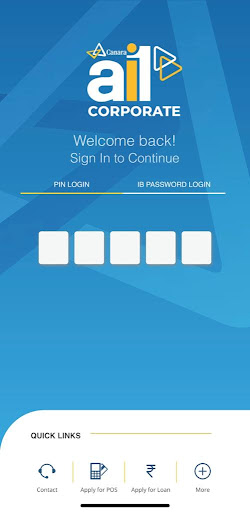


About this app
Developer Description
The Business Banking super App
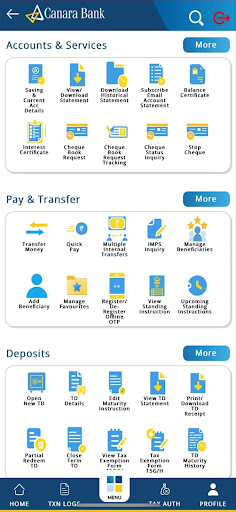
Transaction Banking Services
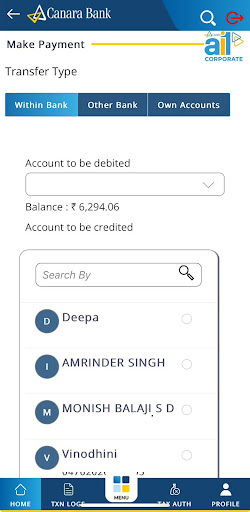
1) Multi-mode funds transfer viz. RTGS,NEFT & IMPS and Bulk payments
2) Foreign trade transactions
3) Tax payments – GST, TDS and advance tax
4) Bill payments via Billdesk
Information Banking services
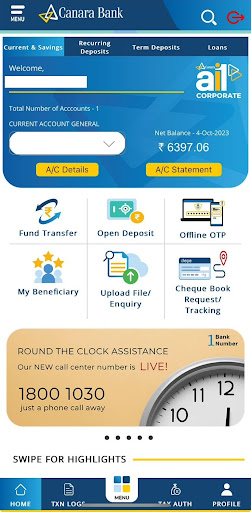
1) Check your account balance, view and email detailed bank statements of your current accounts.
2) View all your Business loan related details in a single section including your sanction amount, ROI, renewal date.
3) Single view of all foreign trade transaction including Forex Transaction with Trade and Finance, Letter of credit, Apply for Export Credit online.
Loans Services
1) Option to check Loan services, Agri loan Services and Download your Loan Certificates viz. Provisional Interest Certificate and Actual Interest Collected Certificate.
2) Option to apply online for business loan, home loan, auto loan and personal loan.
For feedback and suggestions, email us at hotoib@canarabank.com https://canarabank.com or call us on 18001030
Steps to installation and Registration:
Registration from Internet Banking
---- First step of registration.
Login to Internet Banking—> Go to Other Services--> Register/De-register for Mobile Application-> Register -> Submit
Once the user Submits for Registration, a 9 digit dynamic Activation Code and a link to download ai1-Corporate Mobile Application will be sent to registered Mobile Number.
---- Second step to Complete the registration
From ai1 Corporate Mobile App
Download ai1 Corporate Mobile App from Play store/iOS app store and complete the Registration in App as below:
Step 1: Open ai1-Corporate Mobile App-->Enter Internet Banking User Id-->9 digit Activation Code-->Submit
Step 2: SMS will be sent from Registered SIM. Please select Registered mobile number linked with your bank Account.
Select Your Bank registered Mobile Number -> Send
Step 3: Once registration SMS gets validated User need to Set 5-Digit login passcode, Confirm the login pin by entering it again.
Note: User can skip creation of Login Passcode and Transaction Passcode and can login by entering IB Userid and Password. If user skips creation of Login Passcode and Transaction Passcode, User has to Re-register for setting up Login pin and Transaction pin.
Step 4: Once user set Login Passcode App will prompt to Set 7-Digit Transaction Passcode, Confirm the login pin by entering it again.
Step 5: After Creating the Login Passcode and Transaction Passcode Activation will be successful.
De-Registration:
Once the User Registered Successfully they can De-registered using Internet Banking Or using ai1-Corporate Mobile App.
From Internet Banking
Other Service -->Register/De-register for Mobile Application--> De-Register-->Submit
From ai1-Corporate App
Login using Login pin/Password -->go to Other Services-->Register/De-register for Mobile Application -->De-Register -->Submit
Welcome, you’re all set to explore the new Canara Bank Corporate Mobile Banking Super App, Canara ai1-Corporate."Together We Can"
What's New
Version Information
- Version
- 1.3.8
- Downloads
- 100K+
- Updated on
- Dec 24, 2025
- Released
- Oct 3, 2023
- Requires
- Android 9
Statistics
Google Play Rating History
Rating Distribution
Downloads Over Time
Canara ai1-Corporate has been downloaded times. Over the past 30 days, it averaged downloads per day.
Shaded area shows 30-day prediction based on historical trends
Historical data collection started recently. More data points will be available over time.
Canara ai1-Corporate users say on Google Play
 Vijay Krishnan
This app is safe and secures our money while making online transactions. In my experience this application's ai1 technology is helping easily to use financial services.
 Vipin Upadhyay
not working properly
 Girish P
yet to improve
 dt Jawaharalal
extremely buggy and laggy just not intuitive to use.. keeps freezing and hanging all the time when you want it the most
 Raveena Chavan
one of the worst apps that I have ever faced. it's so difficult in logging registering and server connections. it's not at all user-friendly. in emergency funds, this is not recommended. even the candigital also doesn't work properly. installing apps in other devices is also very trouble some. we can not rely on this app during an emergency.
ApkTrusted Ratings & Reviews
More from CANARA BANK
See more apps



Scan this QR code to download

Forwarding you to the page at Google Play market in seconds...
Open Google Play market now