Canara e-Passbook v1.0.22
CANARA BANK


About this app
Developer Description
e-Passbook provides electronic form of passbook/pass-sheet or account statement.
• Easy and convenient to use.
• Registration via. OTP authentication to registered mobile no.
• Details of all accounts (SB, RD, FD, and Loans) and transactions available in a bundled form.
• Real-time updates of account details and transactions.
• Customer details and Branch Details included with an option to share via. SMS/ WhatsApp.
• Statement generation option is available.
• Loan accounts details and statement generation option.
• Enhanced in-built security through MPIN/ Fingerprint/ Face ID lock.
• Option for maintaining personal ledger(s) and entering personalized remarks for transaction(s).
• Branch Holiday details are available.
• Creation of personal Expenses heads, tagging passbook entries to those heads with graph capabilities.
• Consolidate Asset/Liability View
• Off-line functionality.
STEPS FOR VALIDATING MOBILE NUMBER:
1) Click on 'Send SMS'.
2) The screen will be redirected to SMS application containing the encrypted text for registration. Click on 'Send'. SMS will be sent to the Bank’s server and details linked to registered Mobile number in the device will be fetched (In case of dual SIM cards, User must send SMS from their Registered Mobile Number).
3) After sending the SMS, User shall be redirected back to ePassbook application. If not so, the user may manually switch to the e-Passbook application using the 'BACK' button.
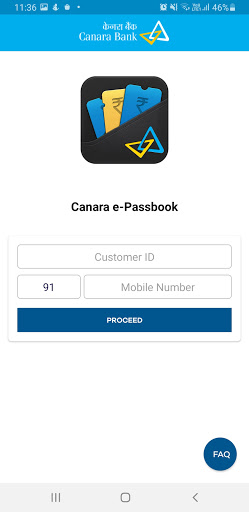
4) In the next page, the mobile number fetched from Bank‘s server will be displayed. User shall enter his/her customer ID and click on Proceed.
5) If the Mobile Number matches with the Customer ID of the User the application will ask for OTP or the error message 'Customer Id is not registered with Mobile number’ will be displayed. We request the user to kindly try with the registered mobile number and customer ID.
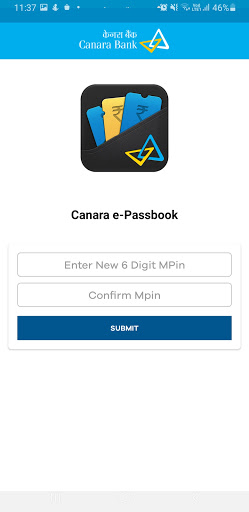
6) After OTP validation, User shall be asked to create new MPin and enter it twice.
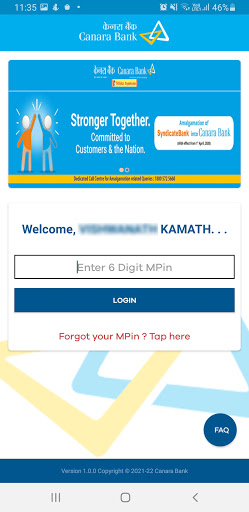
7) After MPIN creation, User will be redirected to the login page of the application.
8) The User may enter MPIN to login to the application.
What's New
Version Information
- Version
- 1.0.22
- Downloads
- 10M+
- Updated on
- Oct 31, 2025
- Released
- May 8, 2021
- Requires
- Android 10
Statistics
Google Play Rating History
Rating Distribution
Downloads Over Time
Canara e-Passbook has been downloaded times. Over the past 30 days, it averaged downloads per day.
Shaded area shows 30-day prediction based on historical trends
Historical data collection started recently. More data points will be available over time.
Canara e-Passbook users say on Google Play
 Sanjay
very nice app. in all banking services. quick and helpful
 U. S. Parameshwara
good
 Shrikant kumar
good
 wiwek shah
everyday I have to uninstall and then install this app as this keeps showing notification for updating. fed up of this and that's why I'm closing my account
ApkTrusted Ratings & Reviews
More from CANARA BANK
See more apps




Similar Apps

Darwinbox
Free

CBQ Mobile
Free

EMI Calculator Premium
Paid

POSB digibank
Free

HSBC UK Mobile Banking
Free

NaqaD by Kamelpay
Free

Malabar Gold & Diamonds
Free

Planday Employee Scheduling
Free

Direct Energy Account Manager
Free

PNC Mobile
Free

Mindtickle
Free

Allied Insurance
Free

Oriental Bank
Free

DBS digibank
Free
Scan this QR code to download

Forwarding you to the page at Google Play market in seconds...
Open Google Play market now