
TV Remote Control For Samsung v9.4.49
osApps









About this app
Developer Description
Samsung TVs remote control with seamless and customizable navigation
Our app serves as a remote control device to control Samsung TVs. It can be paired with both Smart and Non-Smart Samsung TVs. It is rated 3+ so even children can use it easily.
The main features of the remote control for the Samsung tv app:
- Fun and simple to use
- Can be used with smart and non-smart TVs
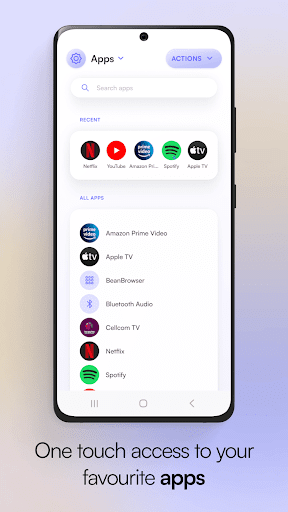
- One-touch connection to other apps like YouTube, Netflix, and Spotify
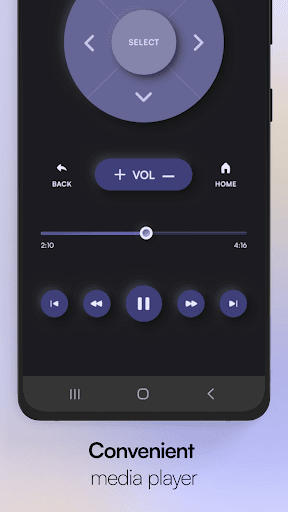
- Media player
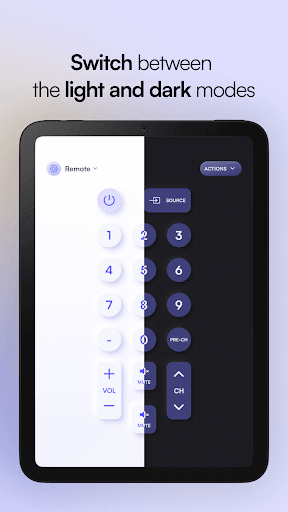
- Dark and light themes
- Easy installation and setting up
Selection Screen
Choose any remote of your choice from many remotes
Discovery screen
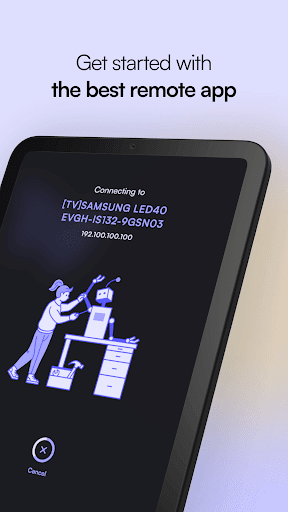
This screen will show all the devices connected to the same network. You can find your TV here to pair up with the remote control
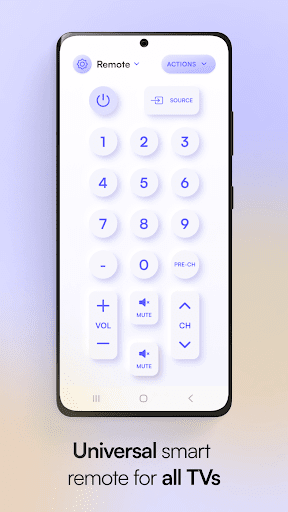
Remote control screen
Your chosen remote control will appear here. You can tap on buttons and use them just like your original remote control
Touch Pad Screen
This touchpad screen enables you to add favorite or frequently used buttons to the top strip for convenience. It also allows the users to navigate using the built-in touchpad area of the screen
Apps Screen
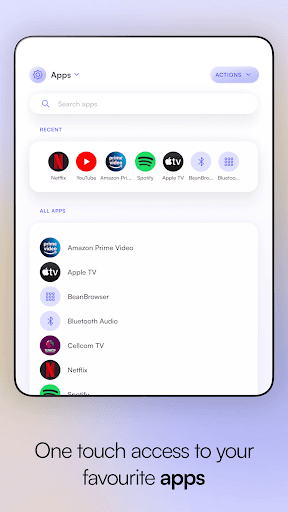
All the apps installed in your smart TV will appear here. Common apps like YouTube, Netflix, Prime Video, Media Player, etc., will appear in this section
Media Screen
A convenient media manipulation screen
The app works with the following Samsung TV models (Tizen OS):
Samsung Smart TV Series C, D series, Series E, Series F, Series K, Series Q, M, Series N, Series RU
FAQs
What do you need to have to use this remote control for the Samsung tv app
To use this universal remote control app for Samsung TVs, you must have your smartphone or tablet and a WiFi connection on which both your smartphone and tv are connected. As the app works through a wireless network, you don't need close access to your TVs.
How to control Samsung tv without remote?
If you have a smartphone now, it is far easy to control Samsung tv without the hassle of finding a remote that is often lost. From the google play store or App store, download the Samsung smart tv remote control app. Download the app to your smartphone, set the app, and synchronize it, and it is all set to control your smart tv anytime; you need to have an active WiFi connection.
What is universal remote control for Samsung tv?
Universal remote control for Samsung tv is a luxury if you have more than one tv at your place. You can synchronize all TVs to one app and can control it easily.
Disclaimer
This Samsung Remote Control App is designed to work best with all Samsung TVs, whether smart TVs or non/smart ones. However, please note that this app is not the official Remote Control for Samsung app.
Feel free to rate our Samsung tv remote control app if you have any comments or want to know more about our app.
In-app purchases
$0.99 - $4.49 per item
Version Information
- Version
- 9.4.49
- Downloads
- 5M+
- Updated on
- Nov 20, 2024
- Released
- Oct 13, 2017
- Requires
- Android 6.0
Statistics
Google Play Rating History
Rating Distribution
Downloads Over Time
TV Remote Control For Samsung has been downloaded times. Over the past 30 days, it averaged downloads per day.
Shaded area shows 30-day prediction based on historical trends
Historical data collection started recently. More data points will be available over time.
TV Remote Control For Samsung users say on Google Play
 GR
GR
The free version is 💩, but the paid version is very nice. It becomes an ad-free voice remote. I need this because the TV isn't seeing or recognizing the signals from its own remotes. The TV is only two years old. It works great except for this sudden problem with the remotes. I feel the app is worth the price. 🖖
 amen k
it works and saves me a lot of time by connecting to my tv when I open the app, but I got a ad for no reason and it keeps happening which is why it's a 4 star. yayayayaya
 Papi Diop
Less ads than many other apps i used to download
 Salar Khan
ok but not good
 Jez S
Jez S
Even though I paid for the ad-free version, I was just bombarded with a massive MASSIVE array of advert/spam/data-mining consent switches. Probably more than 100! There was no overall reject button, so they had to be individually scrolled through, many of which were enabled by default. Of course there was a global consent button! Utter pile of crêpe, wallowing in the ever expanding gutter of enshitification.
ApkTrusted Ratings & Reviews
More from osApps
See more apps
Remote control for Xiaom Mibox
Free
TV Remote control for Sony TV
Free
TV remote for Vizio SmartCast
Free
Remote control for TCL TVs
Free
Remote for Android TV GoogleTV
Free
Remote For Sky, SkyQ, Sky+ HD
Free
Remote Control for Tata Sky
Free

שלט למזגן
Free
Remote Control For Sky DE
Free
Remote Control For Toshiba TVs
Free
Scan this QR code to download

Forwarding you to the page at Google Play market in seconds...
Open Google Play market now