
Pinwheel Caregiver v1.6.2
Pinwheel.com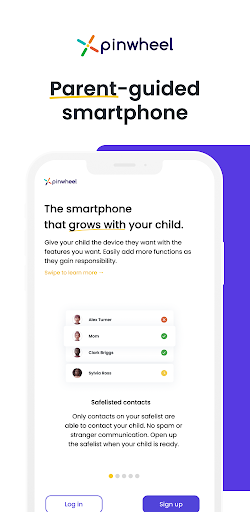
About this app
The Pinwheel Caregiver app solves the problem of managing a child's smartphone by providing a dedicated portal for caregivers, benefiting parents and guardians who want to monitor and control their child's device usage. Compared to alternatives in the Parenting category, Pinwheel Caregiver stands out with its simplicity and lack of ads, but falls short in terms of features and user ratings. With a mixed user rating of 3.2/5, the app has some concerns that need to be addressed. The app's limited feature set and lack of updates may hinder its long-term viability.
Pros
- The app has a simple and easy-to-use interface, making it accessible to caregivers who may not be tech-savvy, which is a significant advantage in the Parenting category.
- The absence of ads and in-app purchases ensures a distraction-free experience for caregivers, allowing them to focus on managing their child's device.
- The app's small size and low system requirements make it a good option for older devices or those with limited storage capacity, which is a notable advantage for users with budget devices.
- The developer's website and email support provide a clear channel for users to report issues or request features, demonstrating a commitment to user feedback and support.
- The app's lack of permissions requests is a significant advantage, as it minimizes the risk of data collection and ensures user privacy.
Cons
- The app's mixed user rating of 3.2/5 raises concerns about its reliability and effectiveness, with some users reporting issues that need to be addressed by the developer.
- The limited feature set may not be sufficient for caregivers who require more advanced monitoring and control features, which could be a significant drawback for some users.
- The app's lack of updates may indicate a lack of ongoing development and support, which could lead to compatibility issues with future Android versions.
- The app's small user base, with only 10,000+ downloads, may limit the availability of user-generated content and community support, which could be a disadvantage for some users.
Best for: The ideal user for the Pinwheel Caregiver app is a parent or guardian who wants to manage their child's smartphone usage, has a basic understanding of smartphone technology, and values simplicity and ease of use, with a focus on monitoring and controlling their child's device activity, and is willing to provide feedback to the developer to help improve the app.
Developer Description
Pinwheel Caregiver Portal App to manage your child's Pinwheel smartphone.
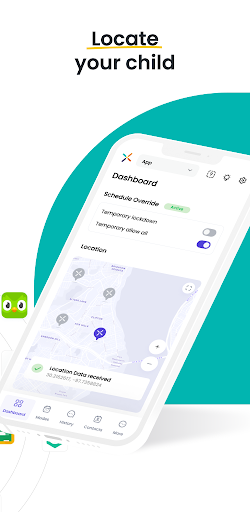
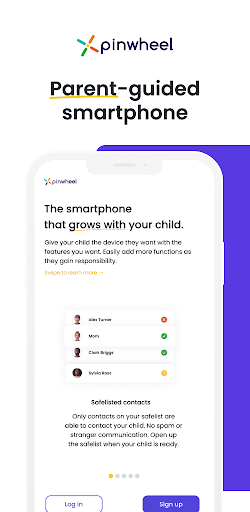
This Pinwheel app provides access to our Caregiver Portal. The Caregiver Portal is designed to let you configure and control a Pinwheel smartphone for your child. The phone and the app work hand-in-hand to give your kid a healthy, safe first phone.
In this app, you can:
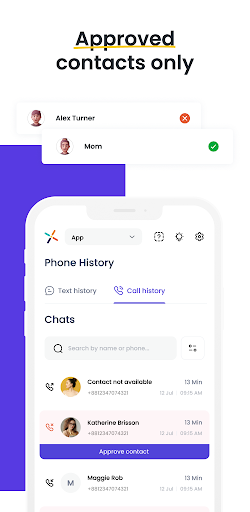
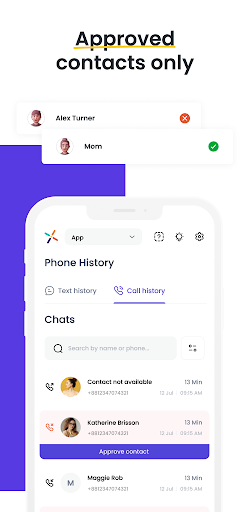
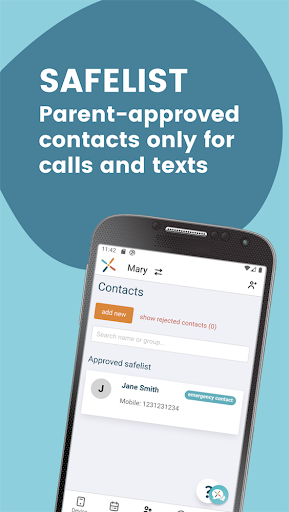
- **Safelist contacts.** A Pinwheel phone can only call and text with numbers approved by you. No strangers, no spam calls.
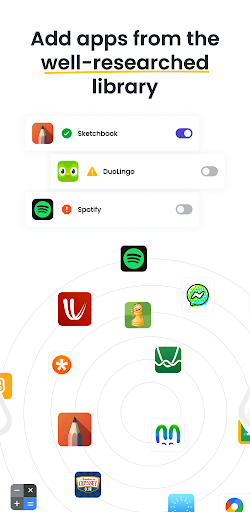
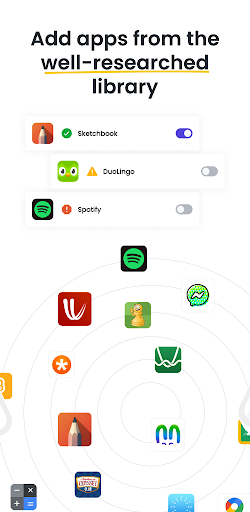
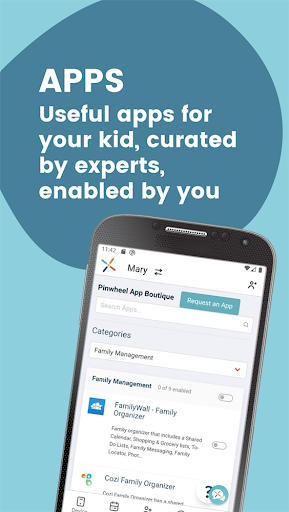
- **Enable apps.** No app store on the Pinwheel phone **keeps app choices in your hands**, not your child's. The curated app boutique makes it easy to choose useful, healthy, safe apps for your child. No social media, no addictive games, no mindless consumption.
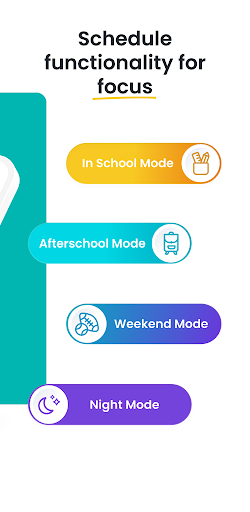
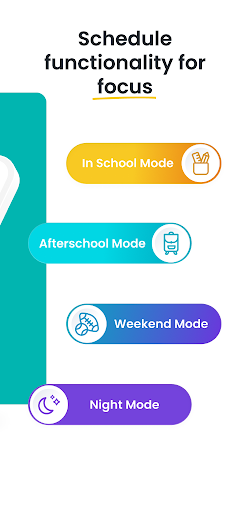
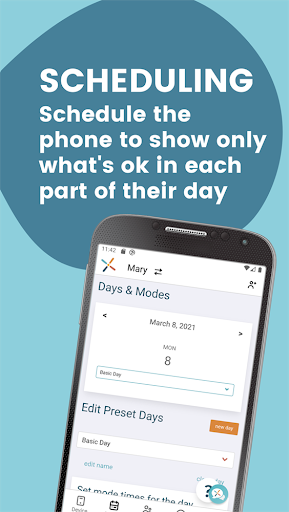
- **Schedule Permissions.** Our Days/Modes calendar lets you choose which contacts and apps are available at what times of day. No texting friends during school, no staying up late using apps. You choose what they can do during different times of day. No need to constantly remind them what is and isn't ok. **Pinwheel helps them develop healthy boundaries around technology use, without the drama**.
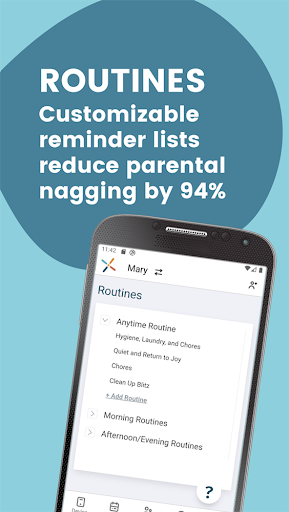
- **Create Routines.** Help your child learn to be more independent and responsible with Pinwheel's fully-customizable checklists. A morning routine to make sure they're ready for school on time, with teeth brushed and backpack in hand. A bedtime routine for evening peace. Routines for chores, for music practice, for anything you'd like your kid to do without you telling them for the millionth time. Gold stars and confetti help them celebrate their daily wins and nurture good habits as they *ask* to stay on track.
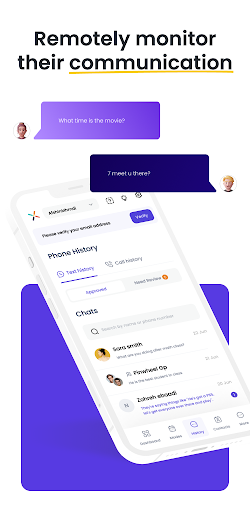
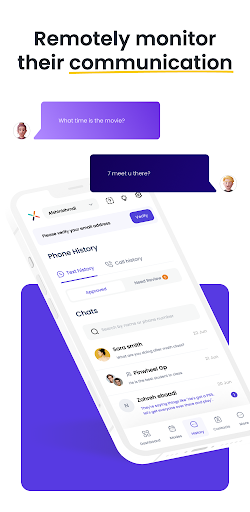
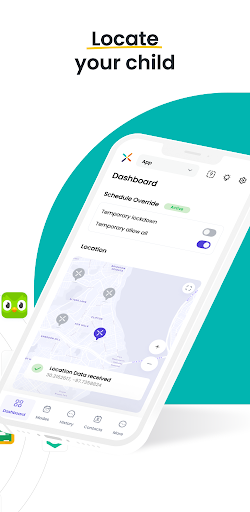
- **Parent Them Well.** Live Status shows you the location of the phone. Text history and a Bark subscription allow you to monitor and coach them on appropriate communication.
"Waiting as long as possible" for a phone isn't a plan. Giving them a phone designed for adults and hoping you set up all the controls correctly is a recipe for stress. Pinwheel solves the kid phone problem, with a phone designed to work for both of you.
You get a tool to teach them how to use technology well. They get a phone that helps them live their best life.
Download the Caregiver Portal app today to explore the parental controls for free! Visit our website to purchase a phone for your child, and put the controls to use.
————
**Pinwheel Subscription Pricing**
The Pinwheel Caregiver Portal app is a companion app to Pinwheel phones. Phones can be purchased, and the monthly subscription can be set up, through our website: http://pinwheel.com
Pinwheel Subscriptions
- FREE 30 Day Trial
- $14.99 USD/month
**Cellular Plans**
Pinwheel phones are unlocked devices, which allow you to choose your cellular plan from many major networks and providers. The cost for cellular service depends on which carrier and plan you choose. Our website has recommendations and information on those. For your convenience, we can even help you set up service.
————
**Need Help?**
If you have any questions, need help with Pinwheel, or want to provide feedback, please contact our Customer Care Team: support@pinwheel.com or click the LiveChat icon on our website: http://pinwheel.com
Privacy
Since the app requests no permissions, the risk of data collection is minimized, but caregivers should still be aware of the potential for data collection by the Pinwheel platform as a whole. To ensure privacy, caregivers should review Pinwheel's privacy policy and terms of service. Additionally, caregivers should use strong passwords and enable two-factor authentication to protect their account and their child's device.
Tips
To get the most out of the Pinwheel Caregiver app, caregivers should first review the app's settings and features to understand its capabilities and limitations. Caregivers can also optimize the app's performance by closing unnecessary apps and background processes, which can help improve the app's responsiveness. Additionally, caregivers can use the app's support resources, such as the developer's website and email support, to report issues or request features.
What's New
Version Information
- Version
- 1.6.2
- Downloads
- 10K+
- Updated on
- Dec 4, 2025
- Released
- May 26, 2021
- Requires
- Android 7.0
Statistics
Google Play Rating History
Rating Distribution
Downloads Over Time
Pinwheel Caregiver has been downloaded times. Over the past 30 days, it averaged downloads per day.
Shaded area shows 30-day prediction based on historical trends
Historical data collection started recently. More data points will be available over time.
Pinwheel Caregiver users say on Google Play
 Bill Fortenberry
Works great when paired with good hardware. We've used two different pinwheel phones, the first was their cheaper option which turned out to be a Blu phone. Blu makes cheap disposable phones that are notoriously unreliable, and we had nothing but trouble out of this phone. We replaced the Blu phone with the more expensive model, and that one was a Samsung phone. The Samsung has performed perfectly with no issues at all. The hardware made all the difference.
 Aubrey Luma
I have a love-hate relationship with this phone. There are a lot of things I love about it (safety, peace of mind, the ability to connect with my daughter and set a schedule on her phone), but there are A LOT of kinks with the app. The time on her phone is always wrong, the parent app is not accurate all the time, and messages don't always get delivered/received. Overall, it's good for what we need, just frustrating at times.
 Yvonne Knebel
1. You can't pick what Google Play apps you want. Though it is loaded. Want your bank app-sorry not allowed. 2. Yet random "not approved" & "not reviewed apps" are there. Apps to buy plane tickets are. Makes 0 sense. Let parents have say. I like that kids cant chose. 3. You have to have wifi to adjust things despite having a phone plan. It does not automatically use the phone plan & you cannot request to override the wifi requirement. --- there are positives but these things make teen use hard.
 John Anthony
The phone and app are so buggy. My kid complains all the time because he won't get texts for several minutes after they are sent, oftentimes all of the apps gray out even when on "all mode", etc. etc. Great idea for a device, poor execution. Reply to PW reply: Oh I have. I've spent at least 6 hours over the course of several support tickets to address the numerous issues we've experienced. We still have no solution. We'll be moving on from this phone and app.
 Sara C. W.
The app has all kinds of issues. But now it won't open at all. All I get is a blank white screen. Checked the play store to see if I needed to update, nope, none available. It's extremely frustrating for a service I pay for to actually be useless. Also my kids text messages are disabled somehow, but I didn't do that and the app when it would come on a couple days ago says it's not disabled. It's such a freakin headache.
ApkTrusted Ratings & Reviews
More from Pinwheel.com
See more apps
Similar Apps

TalkingParents: Co-Parent App
Free

OurFamilyWizard Co-Parent App
Free

MyLindenwood
Free

Howtotalk: Practical Parenting
Free

Co-parenting
Free

ParentSider
Free

Understood: Support ADHD Kids
Free

Pocket Prep IT & Cybersecurity
Free

Pocket Prep Professional 2026
Free
Pocket Prep Fitness 2026
Free

Aescape
Free

Unified Care+
Free

Family Chore Manager
Free

eloomi
Free

Intellifi by Adtran®
Free

RAYNET CRM
Free
Scan this QR code to download

Forwarding you to the page at Google Play market in seconds...
Open Google Play market now